Adom Desktop - Fusion 360 Bridge
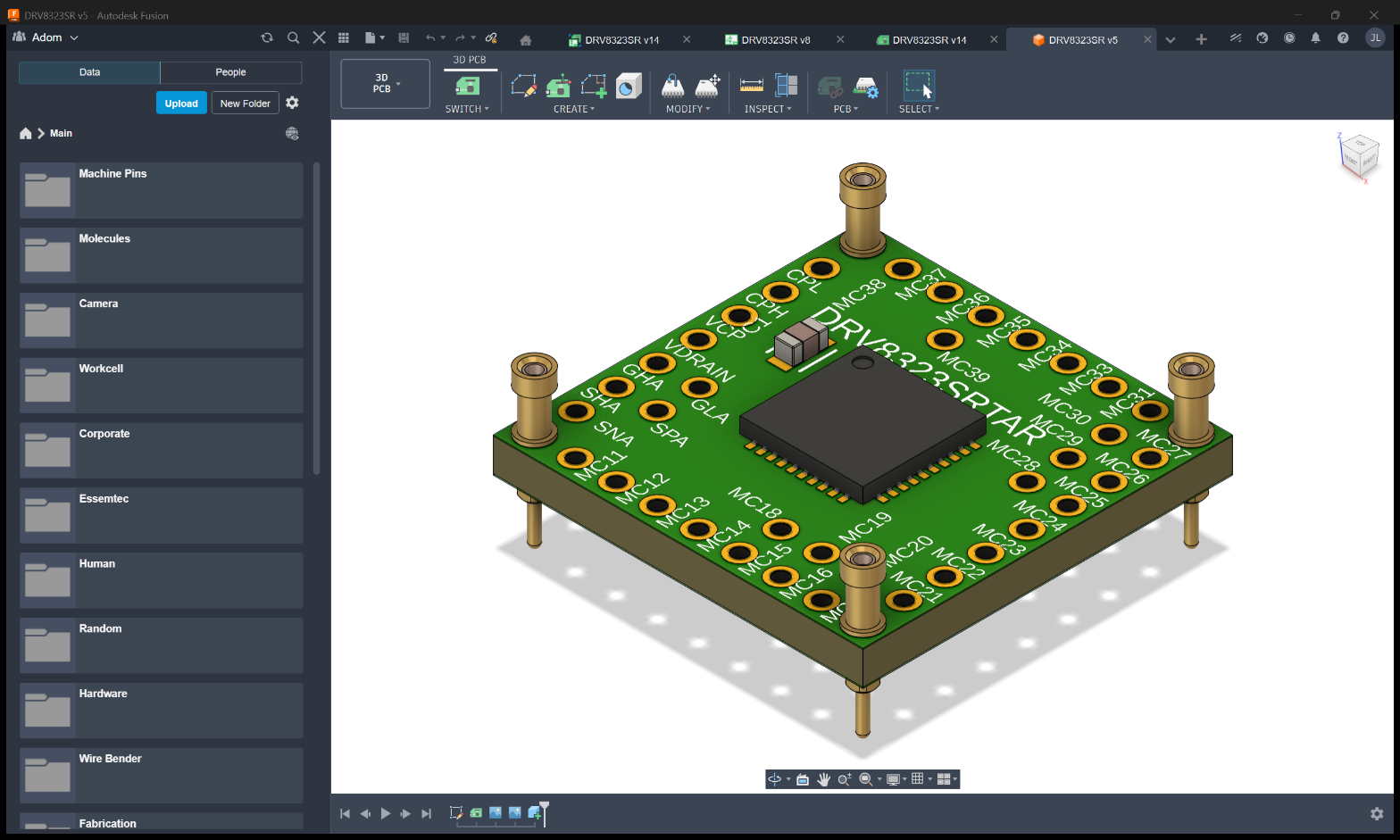
Drive Fusion 360 Electronics from the cloud: open an EAGLE board, lay out copper, render the populated 3D PCB, and export Gerbers / BOM / STEP. Real boards: TI DRV8323SR + DRV8411A motor drivers and an ST VL53L8 time-of-flight sensor.


Source code + contributing (2026-05)
The Fusion 360 bridge moved out of adom-inc/adom-desktop's monorepo into its own dedicated repo so the community can extend it without coordinating with Adom Desktop's release cycle.
Where the source lives
The canonical repo is adom-inc/adom-bridge-fusion on GitHub. It's private today and will go public after a review pass.
In the meantime, the full source — code, history, contributing guide, license — is mirrored on this wiki page:
| Download | What it is | How to use |
|---|---|---|
adom-bridge-fusion-source.tar.gz | Clean source tree, no .git directory. ~115 KB. | tar xzf adom-bridge-fusion-source.tar.gz && cd adom-bridge-fusion/ |
adom-bridge-fusion.bundle | Git bundle with full commit history. ~222 KB. | git clone https://wiki-ufypy5dpx93o.adom.cloud/static/apps/adom-desktop-fusion-bridge/adom-bridge-fusion.bundle adom-bridge-fusion && cd adom-bridge-fusion && git log |
No GitHub account needed to download either — both URLs are public.
How to contribute
We accept community improvements. Most useful targets right now:
- Newer Fusion versions — when Autodesk ships a major Fusion update, the add-in manifest + API call shapes may need tweaking. Fork-friendly.
- Additional export formats — Fusion supports more than what the bridge currently wraps.
- Linux support — Fusion 360 runs on macOS; Linux is a non-starter (Autodesk doesn't ship for Linux), but macOS coverage could expand.
Two contribution paths, depending on your access:
With a GitHub account (preferred): wait until we make the repo public, then fork on GitHub and open a PR. We're aiming to flip the repo public in the next maintenance pass.
Without GitHub access (patch-by-email-style, available right now): Clone the bundle, make your changes, generate a patch with git format-patch origin/main..HEAD --stdout > my-changes.patch, and email it to [email protected]. Adom maintainers will review and apply.
See CONTRIBUTING.md inside the tarball/bundle for the full PR + ship workflow.
How shipping works after merge
- Maintainer merges your PR into
main - Maintainer tags
v<X.Y.Z>+ runsbash scripts/release-bridge.sh fusion360on their box - New zip + manifest published to this wiki page (replaces current version)
- Every Adom Desktop install running v1.7.19+ auto-picks up your change within 4 hours OR immediately via
adom-desktop refresh_bridges
No NSIS installer rebuild required. Your code reaches real users in ~30s after merge.
License
MIT — see the LICENSE file in the tarball.
The Fusion 360 bridge is one of three reference implementations bundled with Adom Desktop. It's the simplest of the three — a Python HTTP server that passes commands through to a Fusion 360 add-in via a local socket. The add-in does the actual Fusion API work in-process.
If you're authoring a new third-party bridge, see the bridge SDK guide first. Use this page if you're building a bridge to any app that exposes a plugin API the bridge can talk to (Altium, Eagle, SolidWorks add-ins all fit this pattern).
Quick facts
| Name | fusion360 |
| Display | Autodesk Fusion 360 |
| Spawn kind | Python (server.py) |
| Port | 8773 |
| Verb prefix | fusion_* (16 verbs) |
| Source zip | fusion360-bridge-v1.0.0.zip |
| Manifest | fusion360-bridge-manifest.json |
| User-facing skill | fusion-SKILL.md |
What it does
- Launch + window control —
fusion_start(handles the webdeploy glob + waits for the add-in handshake + dismisses the startup picker),fusion_close_window,fusion_dismiss_blocking_dialogs. - Design rules + parameters —
fusion_apply_instapcb_rules,fusion_load_design_rules. - Exports —
fusion_export_step/iges/stl/3mf/usdz/obj/dxf/dwg/gerbers. Each accepts a{cloudFile, output}or{localFile, output}pair. - Cloud tree walk —
fusion_walk_cloud_tree(lists hubs/projects/folders/files),fusion_search_cloud_files(text search within a hub).
bridge.json
{
  "manifest_version": 1,
  "name": "fusion360",
  "displayName": "Autodesk Fusion 360",
  "version": "1.0.0",
  "description": "Fusion 360 add-in bridge: design rules, exports (STEP/IGES/STL/3MF/USDZ/OBJ/DXF/DWG/Gerbers), cloud tree walk, search.",
  "homepage": "https://github.com/adom-inc/adom-desktop",
  "author": "Adom Inc.",
  "license": "MIT",
  "spawn": {
    "kind": "python",
    "entrypoint": "server.py",
    "port": 8773,
    "healthEndpoint": "http://127.0.0.1:8773/status",
    "stopMethod": "kill",
    "killImageName": "python.exe"
  },
  "verbPrefixes": ["fusion_"],
  "verbs": [
    "fusion_start", "fusion_close_window",
    "fusion_apply_instapcb_rules", "fusion_load_design_rules",
    "fusion_export_step", "fusion_export_iges", "fusion_export_stl", "fusion_export_3mf",
    "fusion_export_usdz", "fusion_export_obj", "fusion_export_dxf", "fusion_export_dwg",
    "fusion_export_gerbers",
    "fusion_walk_cloud_tree", "fusion_search_cloud_files",
    "fusion_dismiss_blocking_dialogs"
  ],
  "dependencies": { "python": ">=3.11", "fusion360": ">=2.0.0" },
  "category": "CAD",
  "tags": ["fusion360", "autodesk", "cad", "exports"]
}
Architecture: passthrough-to-add-in
This is the cleanest pattern for any host app that runs Python (or any other language) in-process via a plugin API:
Docker Claude ──HTTP──→ adom-desktop CLI ──WS──→ Adom Desktop GUI
                                                       │
                                                       │ spawn fusion bridge process
                                                       ▼
                                            fusion360/server.py (port 8773)
                                                       │
                                                       │ socket to add-in
                                                       ▼
                                  Fusion 360 GUI exe + adom-fusion-addin (loaded)
                                                       │
                                                       ▼
                                            Fusion 360 Python API
                                                  (in-process)
The bridge is thin — it accepts JSON commands over HTTP, validates args, forwards to the add-in via a local socket, awaits the response, returns to the caller. The add-in (running inside Fusion's own Python interpreter) does the actual adsk.fusion.* API work and serializes the result back.
This decoupling means:
- The bridge has zero Fusion-SDK dependencies — it's stdlib Python.
- The add-in can be updated independently of the bridge (different version cadences).
- A Fusion crash takes down the add-in only; the bridge stays up and reports "add-in disconnected" until Fusion restarts.
Directory layout
fusion360/
├── server.py           ← HTTP entry + JSON dispatch
├── bridge.json
├── BRIDGE_VERSION
├── fusion_detect.py    ← Find FusionLauncher.exe via webdeploy glob
├── fusion_helper.py    ← Win32 helpers: launch, wait, dismiss-startup-picker
├── eagle_lbr.py        ← .lbr file format support for the Eagle import verbs
├── handlers/           ← One module per verb group
│   ├── exports.py      ← All fusion_export_* — POSTs to the add-in
│   ├── cloud_tree.py
│   ├── design_rules.py
│   └── …
├── addin/              ← The Fusion add-in itself (loaded into Fusion's Python)
│   ├── AdomFusionAddin.py
│   ├── AdomFusionAddin.manifest
│   └── commands/       ← One file per command the add-in implements
├── install_addin.py    ← Copies addin/ to %APPDATA%\Autodesk\... where Fusion finds it
├── start.bat           ← Local dev launcher
└── README.md
install_addin.py is the deployment glue — Fusion only loads add-ins from %APPDATA%\Autodesk\Autodesk Fusion 360\API\AddIns\<name>\. After the bridge is installed (or updated), the next fusion_start re-runs install_addin.py to keep the add-in in sync with whatever version of the bridge shipped.
Example: export a Fusion design as STEP
# Open Fusion (handles webdeploy + login + startup picker)
adom-desktop fusion_start

# Walk the cloud tree to find the design
adom-desktop fusion_walk_cloud_tree '{"hub":"YourHub","project":"YourProject"}'

# Export — bridge → add-in → adsk.fusion.ExportManager → file on disk
adom-desktop fusion_export_step '{"cloudFile":"/YourHub/YourProject/MyDesign.f3d","output":"C:/tmp/MyDesign.step"}'

# Pull the file back to Docker
adom-desktop pull_file '{"filePaths":["C:/tmp/MyDesign.step"],"saveTo":"/tmp"}'
Reference: install the source locally to read
curl -L https://wiki-ufypy5dpx93o.adom.cloud/static/apps/adom-desktop/fusion360-bridge-v1.0.0.zip -o /tmp/fusion-bridge.zip
mkdir -p /tmp/fusion-bridge && cd /tmp/fusion-bridge && python3 -c "import zipfile; zipfile.ZipFile('/tmp/fusion-bridge.zip').extractall()"
ls -la
Read server.py for the dispatch pattern (similar to hello sample but with handler dirs), then handlers/exports.py for an example of how a bridge passes a request through to a separate process. The addin/ dir is the OTHER half — what the add-in does in-process inside Fusion.
Related
- Bridge SDK guide —
bridge.jsonschema, packaging recipe, lifecycle - KiCad bridge reference — most complex of the three; multi-instance, reverse-bridge
- Puppeteer bridge reference — single-instance, Node + Chrome for Testing
- adom-desktop main page — install the parent app first