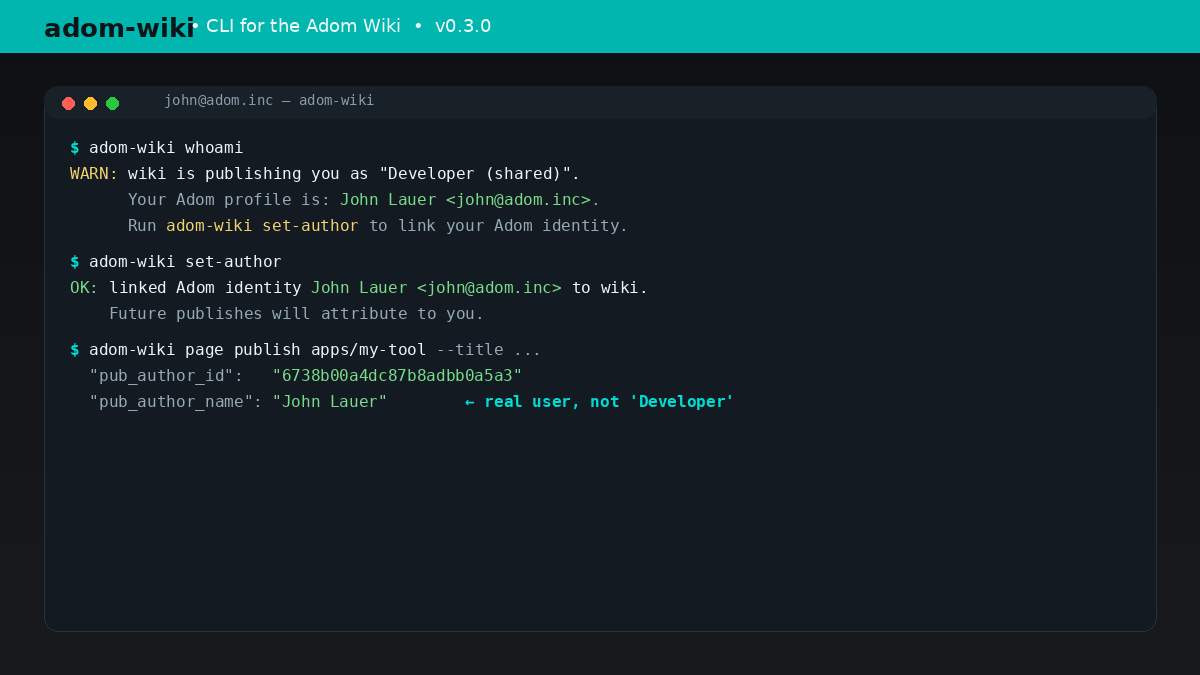
CLI for the Adom Wiki. v0.4.1: `adom-wiki url` returns the wiki origin (and page URLs when given a <type>/<slug>). Inherits v0.4 caption requirement + Developer-identity guard.
adom-wiki — one skill, one CLI
The Adom Wiki lives at https://wiki-ufypy5dpx93o.adom.cloud. It holds skills, molecules (breakout boards), libraries, footprints, symbols, 3dcomps, apps, and datasheets. Every interaction goes through the adom-wiki CLI at /usr/local/bin/adom-wiki. Do not use the MCP mcp__adom-wiki__* tools — they're deprecated and scheduled for removal.
Every CLI invocation prints JSON to stdout. Pipe through jq for extraction.
Page references
Pages are addressed as <type>/<slug>, for example:
apps/adom-desktopskills/symbol-creatormolecules/drv8411a-breakoutsymbols/stm32f103c8t6
Type is always singular in the ref. The CLI pluralizes where the server needs it.
Workflow 1 — search before you build
Before creating any new symbol, footprint, skill, or molecule, check the wiki:
adom-wiki page search "STM32F103" --limit 10
If snippet search returns 0 or the match looks weak, escalate to deep search (enumerates all pages by type and scores matches against title/brief/slug/content):
adom-wiki page search "that obscure buck converter" --deep --limit 15
Deep search is essential for symbols, footprints, libraries, 3dcomps, molecules, and datasheets — their discovery_triggers are often sparse.
Inspect a hit:
adom-wiki page get skills/symbol-creator | jq '.page | {title, brief, version}'
Workflow 2 — publish a page
- Draft the content as markdown in a local file (e.g.,
/tmp/skill.md).
- Draft the discovery snippet with the user. Every wiki page must include
discovery_triggers (comma-separated phrases that should surface this page) and a discovery_pitch (one-line hook). Show these to the user and get approval before publishing. Past failure: initial adom-desktop page missed obvious triggers like "pup", "debug", "screenshot my pc" — user had to add them after. Do not skip this step.
- Draft the install prompt with the user. Every wiki page renders a type-aware "⚡ Install this..." prompt near the top that users copy-paste into Claude Code. The prompt is auto-generated from the page type (skill → save SKILL.md, app → download binary, molecule → pull KiCad files, etc.), but the default may miss project-specific install steps. Show the user the generated prompt text and ask: "Does this install prompt cover everything someone would need? Any steps missing?" We chose this Claude-prompt approach over npx/npm because it's type-aware and zero-dependency — it handles KiCad assets, GitHub Release binaries, and datasheets, not just SKILL.md files. Expect the install flow to evolve, so always get user sign-off on the prompt wording.
- Publish:
adom-wiki page publish apps/adom-desktop \
  --title "Adom Desktop" \
  --brief "Tauri desktop app for the Adom conduit system" \
  --body-md /tmp/skill.md \
  --changelog "Initial page"
- Visual verification is REQUIRED. After publish, open the rendered page in pup/hydrogen and confirm: no console errors, discovery snippet renders, install prompt renders, all sections visible.
curl returning 200 does NOT count as verification.
- Update a single field (no version bump) with
page edit:
adom-wiki page edit apps/adom-desktop --field brief --body-md /tmp/new-brief.txt
Workflow 3 — upload assets (videos, images, files)
Assets attach to a page. Supported --asset-type values:
| type | use for |
|---|
video | uploaded video files (webm/mp4) from the Adom editor recorder |
hero_image | top-of-page banner + index card |
thumbnail | small index card image (overrides hero on index) |
screenshot | gallery images; prefix filename with 01-, 02- for ordering |
viewer_html | interactive sample tab (iframed on the page) |
kicad_sym, kicad_mod, step, glb, lbr | EDA files |
Upload a demo recording:
adom-wiki asset upload apps/adom-desktop \
  --asset-type video \
  --file /home/adom/project/recordings/adom-desktop-main-demo.webm \
  --caption "Main demo — screen recording, KiCad plugin, pup debugging"
Upload screenshots in order:
adom-wiki asset upload apps/adom-desktop --asset-type screenshot --file 01-setup.png --caption "Setup"
adom-wiki asset upload apps/adom-desktop --asset-type screenshot --file 02-kicad.png --caption "KiCad plugin"
Upload a viewer HTML sample tab (creates a sample tab automatically):
adom-wiki asset upload skills/symbol-creator \
  --asset-type viewer_html \
  --file preview.html \
  --label "SOT-23 Transistor" \
  --sort-order 1
List and delete:
adom-wiki asset list apps/adom-desktop | jq '.assets[] | {id, asset_type, filename}'
adom-wiki asset delete apps/adom-desktop --asset-id 42
After uploading viewer_html, verify the tabs render:
adom-wiki test-samples skills/symbol-creator
Workflow 4 — external video embed
For YouTube/Vimeo links (not uploaded files):
adom-wiki video add apps/adom-desktop \
  --url "https://youtube.com/watch?v=..." \
  --label "Community walkthrough" \
  --video-type youtube
Default path for demos is uploaded webm via asset upload --asset-type video. YouTube/Vimeo is the fallback for community-hosted content.
Workflow 5 — add a sub-skill / related link
adom-wiki skill add skills/symbol-creator \
  --url "https://wiki-ufypy5dpx93o.adom.cloud/wiki/skills/kicad-basics" \
  --description "Learn KiCad fundamentals before creating symbols"
Workflow 6 — install content locally
Pull a skill into ~/.claude/skills/:
# 1. Find it
adom-wiki page search "symbol creator" --limit 5

# 2. Fetch it
adom-wiki page get skills/symbol-creator | jq -r '.page.skill_source // .page.content' > ~/.claude/skills/symbol-creator/SKILL.md
Pull a molecule's KiCad files:
# List assets
adom-wiki asset list molecules/drv8411a-breakout | jq '.assets[] | select(.asset_type=="kicad_sym" or .asset_type=="kicad_mod" or .asset_type=="step")'

# Download via the page's file_path (served from the wiki's static dir)
Listing
adom-wiki page list --type molecule --limit 50
adom-wiki page list --type skill --status validated
Auth
The CLI resolves the bearer token in this order:
$ADOM_WIKI_TOKEN/var/run/adom/api-key (container default)$ADOM_API_KEY$X_API_KEY- dev fallback (
adom-wiki-dev-2025)
Read-only commands (search, get, list, asset list, test-samples) don't require auth.
Gotchas
- Never skip the discovery snippet OR install prompt user approval steps. Both require showing the user the draft text and getting explicit sign-off before publishing. The discovery snippet tells Claude when to suggest the page; the install prompt tells users how to install it. Both are wrong on the first draft — the user always catches missing terms.
- Visual verification is REQUIRED after publishing — pup/hydrogen render check, not curl 200.
- Slug format is lowercase-hyphenated (
adom-desktop, stm32f103c8t6). No uppercase, no underscores.
- viewer_html assets auto-create sample tabs — use
--label and --sort-order to name and order them.
- Large video uploads (>50 MB) work fine; the CLI has a 3-minute HTTP timeout.
- Use
--deep search liberally for symbols/footprints/libraries/3dcomps/datasheets/molecules.
name: adom-wiki
description: Search, read, publish, and upload assets to the Adom Wiki via the adom-wiki CLI. Use when the user mentions "wiki", "publish to wiki", "upload video/screenshot to wiki", "search wiki", "install skill from wiki", "install molecule", "find datasheet", or wants to share a skill/molecule/library/footprint/symbol/3dcomp with the team. Also use proactively before creating a new symbol, footprint, or skill — search the wiki first to avoid duplicating work.
adom-wiki — one skill, one CLI
The Adom Wiki lives at https://wiki-ufypy5dpx93o.adom.cloud. It holds skills, molecules (breakout boards), libraries, footprints, symbols, 3dcomps, apps, and datasheets. Every interaction goes through the adom-wiki CLI at /usr/local/bin/adom-wiki. Do not use the MCP mcp__adom-wiki__* tools — they're deprecated and scheduled for removal.
Every CLI invocation prints JSON to stdout. Pipe through jq for extraction.
Page references
Pages are addressed as <type>/<slug>, for example:
apps/adom-desktopskills/symbol-creatormolecules/drv8411a-breakoutsymbols/stm32f103c8t6
Type is always singular in the ref. The CLI pluralizes where the server needs it.
Workflow 1 — search before you build
Before creating any new symbol, footprint, skill, or molecule, check the wiki:
adom-wiki page search "STM32F103" --limit 10
If snippet search returns 0 or the match looks weak, escalate to deep search (enumerates all pages by type and scores matches against title/brief/slug/content):
adom-wiki page search "that obscure buck converter" --deep --limit 15
Deep search is essential for symbols, footprints, libraries, 3dcomps, molecules, and datasheets — their discovery_triggers are often sparse.
Inspect a hit:
adom-wiki page get skills/symbol-creator | jq '.page | {title, brief, version}'
Workflow 2 — publish a page
- Draft the content as markdown in a local file (e.g.,
/tmp/skill.md).
- Draft the discovery snippet with the user. Every wiki page must include
discovery_triggers (comma-separated phrases that should surface this page) and a discovery_pitch (one-line hook). Show these to the user and get approval before publishing. Past failure: initial adom-desktop page missed obvious triggers like "pup", "debug", "screenshot my pc" — user had to add them after. Do not skip this step.
- Draft the install prompt with the user. Every wiki page renders a type-aware "⚡ Install this..." prompt near the top that users copy-paste into Claude Code. The prompt is auto-generated from the page type (skill → save SKILL.md, app → download binary, molecule → pull KiCad files, etc.), but the default may miss project-specific install steps. Show the user the generated prompt text and ask: "Does this install prompt cover everything someone would need? Any steps missing?" We chose this Claude-prompt approach over npx/npm because it's type-aware and zero-dependency — it handles KiCad assets, GitHub Release binaries, and datasheets, not just SKILL.md files. Expect the install flow to evolve, so always get user sign-off on the prompt wording.
- Publish:
adom-wiki page publish apps/adom-desktop \
  --title "Adom Desktop" \
  --brief "Tauri desktop app for the Adom conduit system" \
  --body-md /tmp/skill.md \
  --changelog "Initial page"
- Visual verification is REQUIRED. After publish, open the rendered page in pup/hydrogen and confirm: no console errors, discovery snippet renders, install prompt renders, all sections visible.
curl returning 200 does NOT count as verification.
- Update a single field (no version bump) with
page edit:
adom-wiki page edit apps/adom-desktop --field brief --body-md /tmp/new-brief.txt
Workflow 3 — upload assets (videos, images, files)
Assets attach to a page. Supported --asset-type values:
| type | use for |
|---|
video | uploaded video files (webm/mp4) from the Adom editor recorder |
hero_image | top-of-page banner + index card |
thumbnail | small index card image (overrides hero on index) |
screenshot | gallery images; prefix filename with 01-, 02- for ordering |
viewer_html | interactive sample tab (iframed on the page) |
kicad_sym, kicad_mod, step, glb, lbr | EDA files |
Upload a demo recording:
adom-wiki asset upload apps/adom-desktop \
  --asset-type video \
  --file /home/adom/project/recordings/adom-desktop-main-demo.webm \
  --caption "Main demo — screen recording, KiCad plugin, pup debugging"
Upload screenshots in order:
adom-wiki asset upload apps/adom-desktop --asset-type screenshot --file 01-setup.png --caption "Setup"
adom-wiki asset upload apps/adom-desktop --asset-type screenshot --file 02-kicad.png --caption "KiCad plugin"
Upload a viewer HTML sample tab (creates a sample tab automatically):
adom-wiki asset upload skills/symbol-creator \
  --asset-type viewer_html \
  --file preview.html \
  --label "SOT-23 Transistor" \
  --sort-order 1
List and delete:
adom-wiki asset list apps/adom-desktop | jq '.assets[] | {id, asset_type, filename}'
adom-wiki asset delete apps/adom-desktop --asset-id 42
After uploading viewer_html, verify the tabs render:
adom-wiki test-samples skills/symbol-creator
Workflow 4 — external video embed
For YouTube/Vimeo links (not uploaded files):
adom-wiki video add apps/adom-desktop \
  --url "https://youtube.com/watch?v=..." \
  --label "Community walkthrough" \
  --video-type youtube
Default path for demos is uploaded webm via asset upload --asset-type video. YouTube/Vimeo is the fallback for community-hosted content.
Workflow 5 — add a sub-skill / related link
adom-wiki skill add skills/symbol-creator \
  --url "https://wiki-ufypy5dpx93o.adom.cloud/wiki/skills/kicad-basics" \
  --description "Learn KiCad fundamentals before creating symbols"
Workflow 6 — install content locally
Pull a skill into ~/.claude/skills/:
# 1. Find it
adom-wiki page search "symbol creator" --limit 5

# 2. Fetch it
adom-wiki page get skills/symbol-creator | jq -r '.page.skill_source // .page.content' > ~/.claude/skills/symbol-creator/SKILL.md
Pull a molecule's KiCad files:
# List assets
adom-wiki asset list molecules/drv8411a-breakout | jq '.assets[] | select(.asset_type=="kicad_sym" or .asset_type=="kicad_mod" or .asset_type=="step")'

# Download via the page's file_path (served from the wiki's static dir)
Listing
adom-wiki page list --type molecule --limit 50
adom-wiki page list --type skill --status validated
Auth
The CLI resolves the bearer token in this order:
$ADOM_WIKI_TOKEN/var/run/adom/api-key (container default)$ADOM_API_KEY$X_API_KEY- dev fallback (
adom-wiki-dev-2025)
Read-only commands (search, get, list, asset list, test-samples) don't require auth.
Gotchas
- Never skip the discovery snippet OR install prompt user approval steps. Both require showing the user the draft text and getting explicit sign-off before publishing. The discovery snippet tells Claude when to suggest the page; the install prompt tells users how to install it. Both are wrong on the first draft — the user always catches missing terms.
- Visual verification is REQUIRED after publishing — pup/hydrogen render check, not curl 200.
- Slug format is lowercase-hyphenated (
adom-desktop, stm32f103c8t6). No uppercase, no underscores.
- viewer_html assets auto-create sample tabs — use
--label and --sort-order to name and order them.
- Large video uploads (>50 MB) work fine; the CLI has a 3-minute HTTP timeout.
- Use
--deep search liberally for symbols/footprints/libraries/3dcomps/datasheets/molecules.