APP

Adom VS Code

VS Code Server control CLI + extension โ€” open files, reveal in explorer, paste screenshots, context viewer, workspace modes. v1.0.5.

Adom VS Code
๐Ÿ’ฌ Sample prompts Paste any of these into Claude Code to use this app
Reveal /home/adom/project/foo in VS Code Explorer
Open this file in VS Code
Switch VS Code into Claude Code mode
Show me the markdown preview for README.md
Toggle the VS Code sidebar
Open a new Claude Code conversation in VS Code
โšก Install this app

Paste this into Claude Code (VS Code panel, Adom editor, or terminal) to install:

I want to install the "Adom VS Code" app from the Adom Wiki (https://wiki-ufypy5dpx93o.adom.cloud/wiki/apps/adom-vscode). For the Docker CLI: curl -fsSL https://wiki-ufypy5dpx93o.adom.cloud/static/apps/adom-vscode/adom-vscode -o /usr/local/bin/adom-vscode && chmod +x /usr/local/bin/adom-vscode && adom-vscode install Then verify the install works.

Download latest

โŠž Windows coming soon
macOS coming soon
๐Ÿง Linux coming soon
๐Ÿณ Adom Docker CLI adom-vscode ยท

See all releases on GitHub (private repo โ€” access required)

Adom VS Code

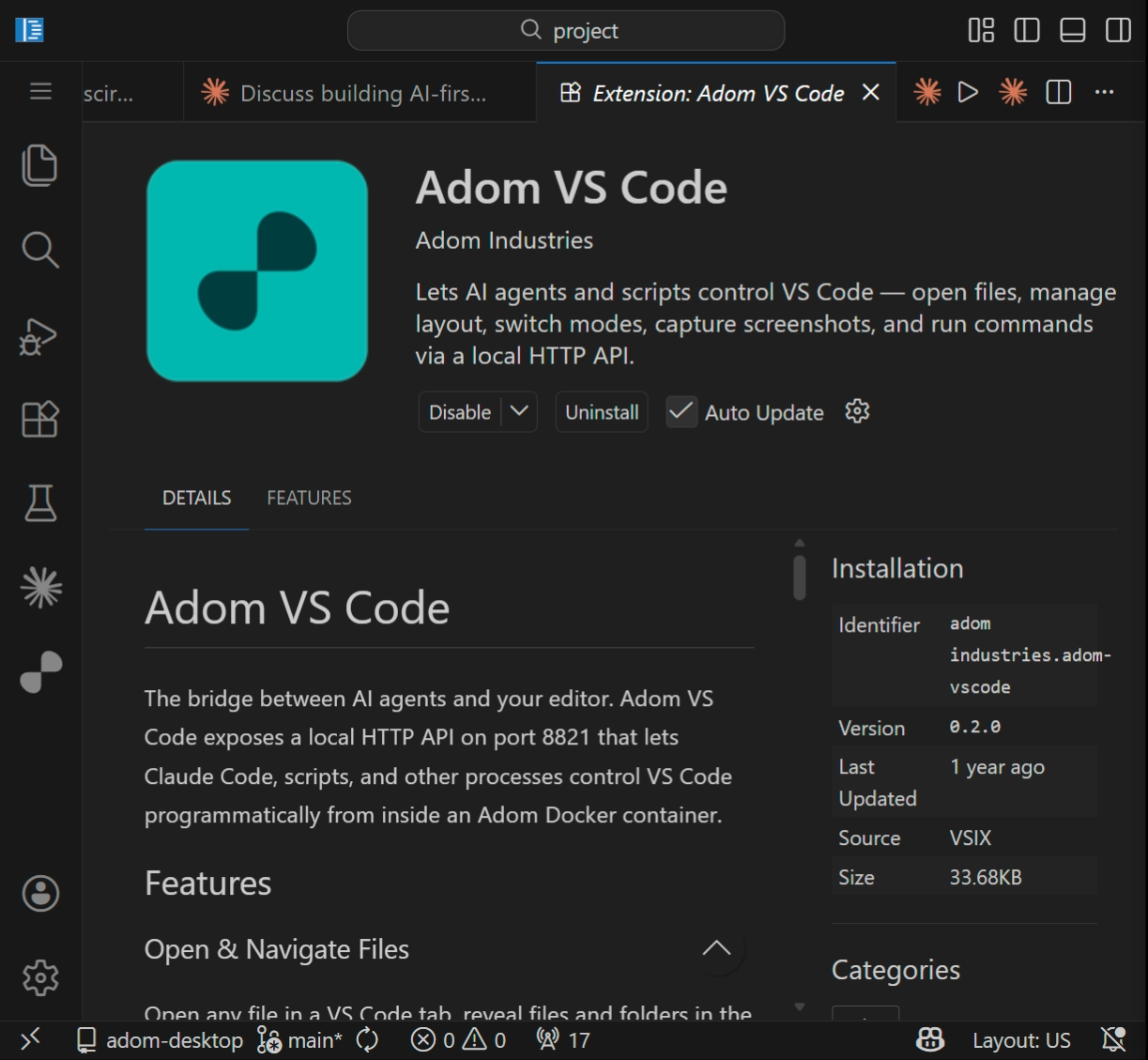
VS Code extension and CLI for controlling code-server from inside Adom Docker containers. AI agents (Claude Code) and scripts use this to open files, manage extensions, control the layout, and switch VS Code into different modes.

Pre-installed in all Adom containers. Runs an HTTP server on port 8821 and provides the adom-vscode CLI.

Quick Start

adom-vscode health                        # Check extension is running
adom-vscode open /path/to/file.png        # Open file in VS Code tab
adom-vscode reveal /path/to/folder/       # Reveal in Explorer sidebar
adom-vscode preview /path/to/README.md    # Markdown preview
adom-vscode claude new                    # New Claude Code chat
adom-vscode sidebar toggle                # Toggle sidebar
adom-vscode panel toggle                  # Toggle bottom panel
adom-vscode terminal new                  # New terminal
adom-vscode activity-bar toggle           # Toggle activity bar
adom-vscode extensions search "python"    # Search extensions
adom-vscode extensions install ms-python.python  # Install by ID
adom-vscode notify "Build complete"       # Toast notification
adom-vscode reload                        # Reload VS Code window
adom-vscode command <any-vscode-command>  # Generic escape hatch
adom-vscode --help                        # All commands

Modes

Modes take over VS Code's full screen for a focused experience. Use mode reset to return to normal.

adom-vscode mode claudecode               # Claude Code panel UI
adom-vscode mode claudetty                # Full-screen terminal + claude CLI
adom-vscode mode tty                      # Blank full-screen terminal
adom-vscode mode tty -c "echo hello" -n "Demo"  # TTY with auto-command
adom-vscode mode reset                    # Exit any mode

URL Auto-Trigger

Add ?mode=X to any VS Code URL to auto-enter a mode on page load. Perfect for sharing onboarding links with new users.

URL paramMode
?mode=claudecodeClaude Code panel UI
?mode=claudettyFull-screen terminal + claude CLI
?mode=ttyBlank full-screen terminal
?mode=tty&cmd=echo%20helloTTY with auto-command

Paste-Screenshot Interceptor

When you press Ctrl+V with an image on the clipboard while focused in a code-server terminal (e.g. running CLI Claude Code), the interceptor uploads the image to the extension at POST /paste-screenshot, which saves it to /tmp/shots/ (deduplicated via SHA-256) and writes the file path back to the terminal so the CLI can ingest it.

Without this, code-server's clipboard.readText() returns an empty string when the clipboard holds only an image, so the paste does nothing โ€” useful workflows like screenshotting a UI bug and dropping it into the CLI for the AI to inspect would silently fail.

Activity Bar

Click the Adom icon in the VS Code activity bar to open a sidebar with:

  • Overview โ€” what the extension does
  • Modes โ€” Claude Code and TTY modes with quick-launch buttons
  • Commands โ€” all CLI commands with descriptions
  • AI Prompts โ€” sample prompts for Claude Code

How It Works

Claude Code / scripts
    |  runs CLI
adom-vscode open /foo/bar.png
    |  HTTP POST to localhost:8821
Adom VS Code Extension (inside code-server)
    |  vscode.* API
VS Code UI

The extension starts an HTTP server on localhost:8821 when VS Code activates. The companion CLI sends requests to this server. The extension translates them into native vscode.* API calls.

Reinstall

Already installed in all Adom containers. To reinstall after a code-server update:

adom-vscode install

Changes in v1.0.1

The legacy adom-vscode screenshot command was removed. It used an inline html2canvas bridge injected into workbench.html, but webview iframes and GPU content rendered as black rectangles, the bridge bloated the browser payload by ~50KB, and the injection occasionally corrupted on partial cleanups. For pixel-perfect captures, use av_tab_capture. Running adom-vscode install after upgrading also strips the legacy bridge from workbench.html automatically.

ADOM
adom-vscode 21 days ago
adom-vscode CLI binary (Linux x86_64)
remove status bar, lazy context watchers โ€” zero idle CPU when panel closedKyle Bergstedt ยท 21 days ago
2.2 MB
MD
SKILL.md 22 days ago
Skill content fetched at install time by adom-vscode 1.0.2+ โ€” defines workspace-scope rule and CLI usage
v1.0.2: workspace-scope rule + reveal/open behavior outside /home/adom/projectJohn Lauer ยท 22 days ago
6.7 KB

Install notes

Adom Docker CLI install steps
curl -fsSL https://wiki-ufypy5dpx93o.adom.cloud/static/apps/adom-vscode/adom-vscode -o /usr/local/bin/adom-vscode && chmod +x /usr/local/bin/adom-vscode && adom-vscode install

AI Skill โ€” how Claude uses this app

Edit AI Skill

name: adom-vscode description: "Control VS Code Server (code-server) from inside the Docker container. THIS is the wrapper for the VS Code FILE EXPLORER sidebar, editor tabs, markdown preview, etc. โ€” when the user says 'reveal in file explorer' or 'open in vscode' they mean this CLI, NOT adom-desktop (which controls Chrome browser windows). Open files, reveal in Explorer sidebar, preview markdown, search/install extensions, start Claude Code chats, switch UI modes (claudecode, claudetty, tty), show notifications, run any VS Code command. Trigger words: adom-vscode, open in vscode, reveal in explorer, file explorer, sidebar reveal, preview markdown, install extension, search extensions, claude new chat, vscode command, vscode mode, vscode notify."

adom-vscode โ€” VS Code Control

Disambiguation โ€” read first. When the user says "open in file explorer" / "reveal" / "show me where this file is" / "click to open in vscode" they almost always mean the VS Code Server's sidebar Explorer (the panel inside this Docker container's running VS Code instance). That's THIS CLI: adom-vscode reveal <path>.

Do NOT reach for adom-desktop for that โ€” adom-desktop controls puppeteer / Chrome browser windows, not VS Code.

Do NOT use the desktop code CLI either โ€” it is not on PATH in code-server containers (which code returns nothing). The wrapper that talks to the running code-server's REST API on port 8821 is this binary.

If the user mentions "vscode", "explorer", or wants to see a file in the editor, default to adom-vscode. Save adom-desktop for cases where the trigger is clearly Chrome / browser / pup / shotlog tab.

CLI + VS Code extension for controlling code-server from Docker processes. The extension runs an HTTP server on port 8821; the CLI wraps those calls with AI-oriented colored output.

Binary: /usr/local/bin/adom-vscode Extension port: 8821 (127.0.0.1 only)

File operations

adom-vscode open /path/to/file.png       # Open any file in VS Code tab
adom-vscode reveal /path/to/folder/      # Reveal in Explorer sidebar
adom-vscode preview /path/to/README.md   # Markdown preview

Layout

adom-vscode sidebar show                 # Guaranteed show
adom-vscode sidebar hide                 # Guaranteed hide
adom-vscode sidebar toggle               # Flip current state
adom-vscode panel show|hide|toggle       # Bottom panel
adom-vscode terminal show|hide|toggle|new  # Terminal
adom-vscode activity-bar show|hide|toggle  # Left icon strip

Extensions

adom-vscode extensions search "python"           # Open Extensions sidebar with search
adom-vscode extensions install ms-python.python   # Install by ID

Claude Code

adom-vscode claude new                   # New Claude Code conversation

Modes

Full-screen focused experiences. Use mode reset to exit.

adom-vscode mode claudecode              # Claude Code panel UI (graphical chat)
adom-vscode mode claudetty               # Full-screen terminal + claude CLI
adom-vscode mode tty                     # Blank full-screen terminal
adom-vscode mode tty -c "echo hello" -n "Demo"  # TTY with auto-command
adom-vscode mode reset                   # Exit any mode, restore default layout

Generic command (escape hatch)

adom-vscode command workbench.action.reloadWindow
adom-vscode command workbench.action.toggleSidebarVisibility

For the full VS Code command reference, read COMMANDS.md in the adom-vscode repo.

Notifications

adom-vscode notify "Build complete" --level info
adom-vscode notify "Check this" --level warning
adom-vscode notify "Failed" --level error

Management

adom-vscode health              # Check extension is running (shows version + port)
adom-vscode install             # Install everything: extension, skill, completions
adom-vscode reload              # Reload VS Code window (warning: kills active Claude Code sessions)

URL auto-trigger

Add ?mode=X to the VS Code URL to auto-enter a mode on page load:

  • ?mode=claudecode โ€” Claude Code panel UI
  • ?mode=claudetty โ€” terminal + claude CLI
  • ?mode=tty โ€” blank terminal
  • ?mode=tty&cmd=COMMAND โ€” terminal with auto-command

Output format

  • Success: OK: <what happened> (green)
  • Failure: ERROR: <what went wrong> (red) + Hint: <next action> (dim)

If extension not running

adom-vscode install
adom-vscode reload

Sub-Skills
?
What are Sub-Skills?

Sub-skills are community-contributed AI skill extensions for this component. They teach AI assistants about specific tools, configurators, or workflows.

Examples:

  • A manufacturer’s configuration tool for a motor controller
  • A community-written design guide for an amplifier circuit
  • An automated test/validation script for a sensor module

How to add one: Click Add Sub-Skill, provide the URL to your skill and a brief description. Submissions are reviewed by the Adom team before going live.

No sub-skills yet. Be the first to contribute one!

๐Ÿ”Ž How Claude finds this page (discovery snippet)

This page opts into Adom Wiki auto-discovery. When a user working in Claude Code mentions any of the trigger phrases below, Claude can proactively suggest this page. The pitch is exactly what Claude will say.

Pitch
"Adom VS Code lets AI agents and scripts open files, switch UI modes, and control VS Code layout via a local HTTP API. Includes a paste-screenshot interceptor so Ctrl+V on an image in any code-server terminal saves the file and pastes its path โ€” perfect for dropping screenshots into the CLI Claude Code."
Triggers
"adom-vscode", "vscode extension", "open file in vscode", "reveal in explorer", "vscode file explorer", "claude mode", "vscode mode", "claudetty", "claudecode mode", "terminal mode", "vscode tty", "vscode sidebar", "control vscode", "vscode layout", "toggle sidebar", "toggle panel", "vscode activity bar", "paste screenshot in terminal", "ctrl+v image", "code-server"

Recent activity

6 commits