name: adom-tsci
description: >
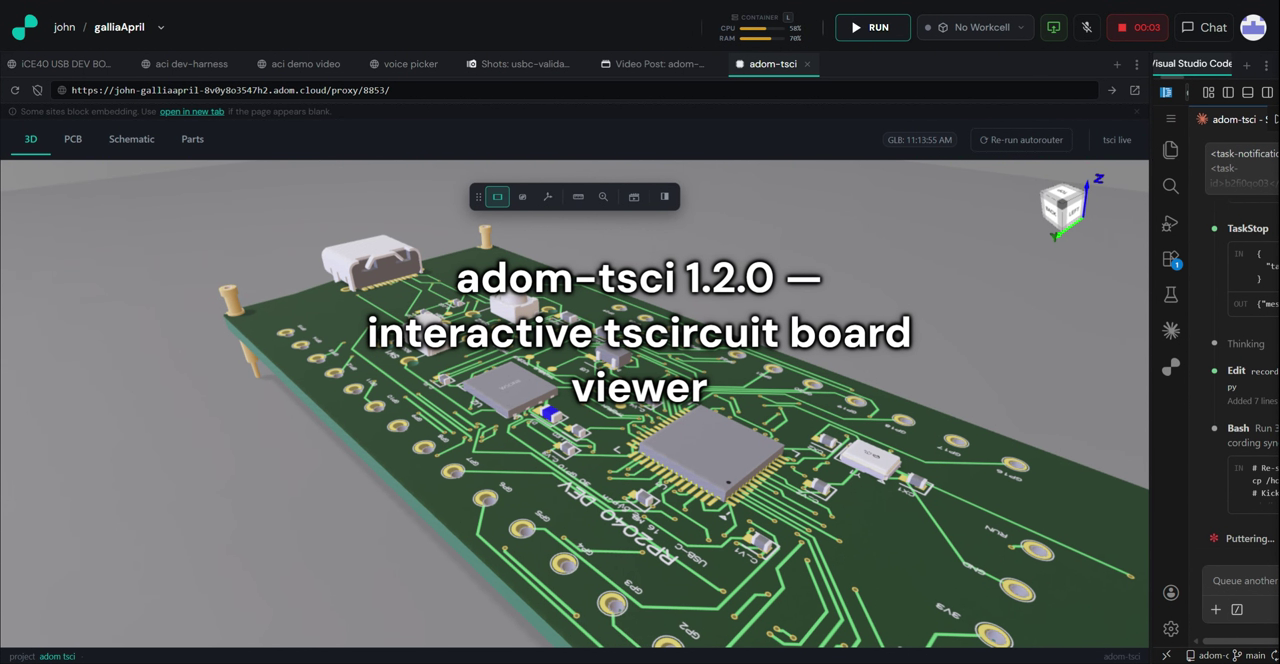
Interactive tscircuit preview inside a Hydrogen webview panel
("Tscircuit Board Viewer"). First-class 3D / PCB / Schematic tabs
rendered from the tscircuit build output, plus: an Inspect tool
(hover any chip / pad / hole / via / silkscreen / board and get a
labelled info card with refdes, footprint, net routing, stackup —
all pulled from circuit.json), a Measure tool (Fusion 360-style
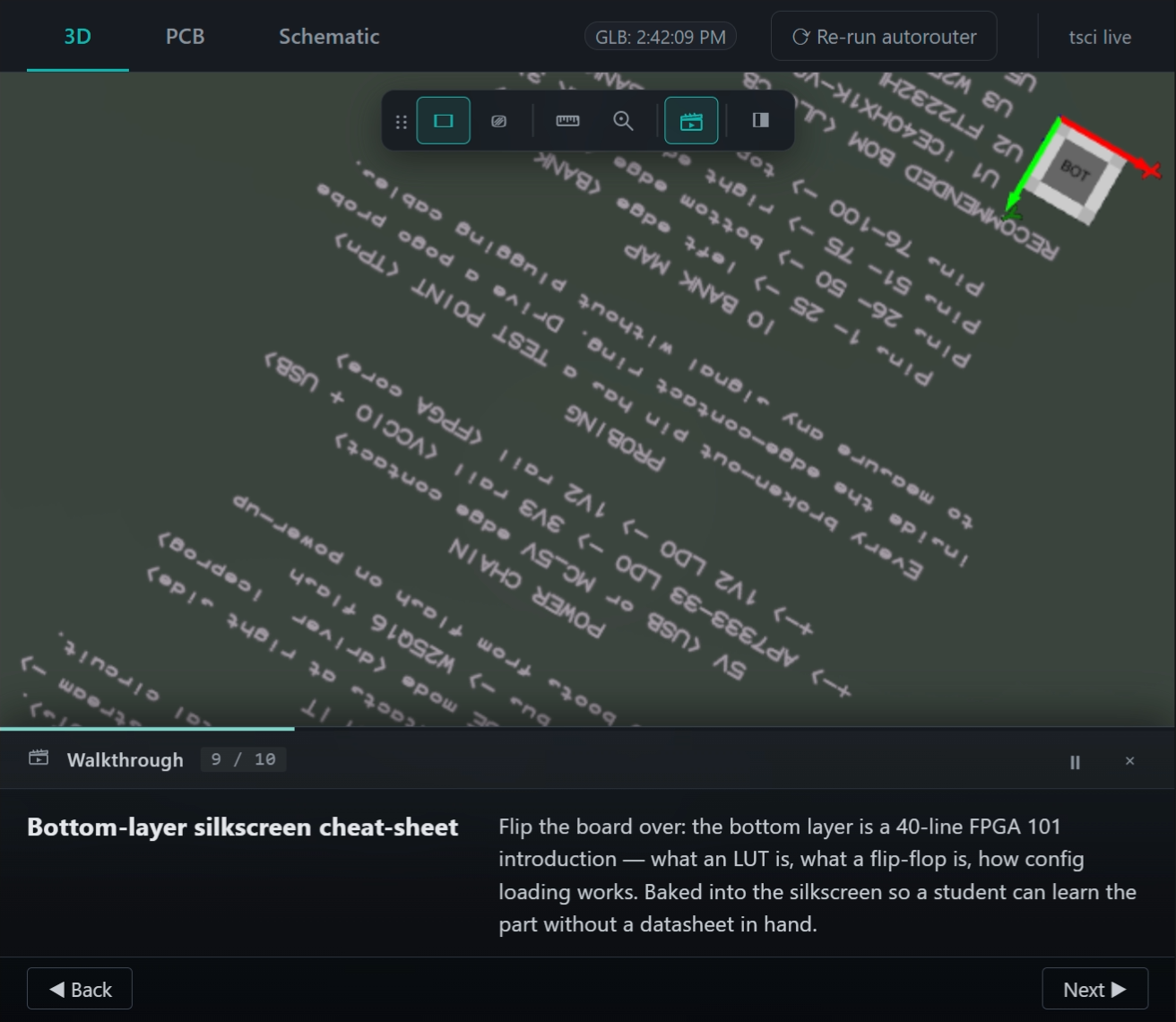
smart picking + precision + mm/inches/mils), a Walkthrough Demo
(guided 10-step tour with 3D flyover animations across the contact
ring + testpoints), a one-click Re-run autorouter, a background
stale-deps check, and a --texture-resolution N flag that
re-bakes the board-surface texture up to 8192x8192 so silkscreen
stays readable at zoom. The 3D viewer is fully AI-drivable: every
toolbar action has a CLI subcommand + HTTP endpoint + JS eval
channel + console forwarder. Use when the user asks to preview a
tscircuit project, inspect board features, measure pin-to-pin
distances, start a walkthrough demo, re-run the autorouter, bump
the silkscreen resolution, or upgrade tscircuit packages. Trigger
words: tscircuit preview, adom-tsci, tsci dev webview, preview
tscircuit, interactive tscircuit viewer, inspect board, hover chip
info, what is this chip, pcb inspect tool, measure pcb distance,
measure between pins, tscircuit hot reload, rerun autorouter, re-run
autorouter, walkthrough demo, board walkthrough, sharper silkscreen,
bump texture resolution, tscircuit 8192, upgrade tscircuit, stale
tscircuit deps, hide chip see traces, AI-driven 3D pcb viewer.
adom-tsci
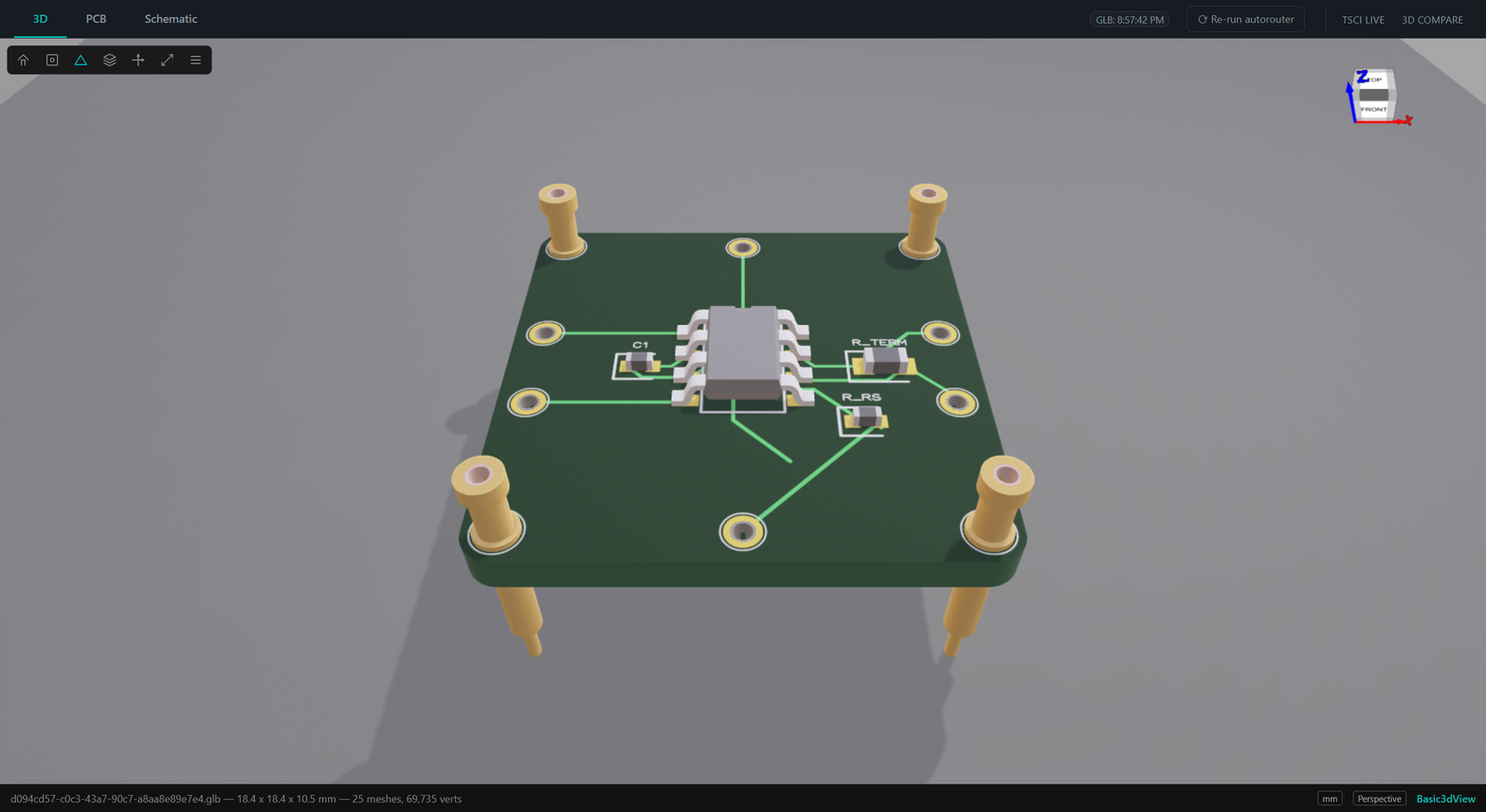
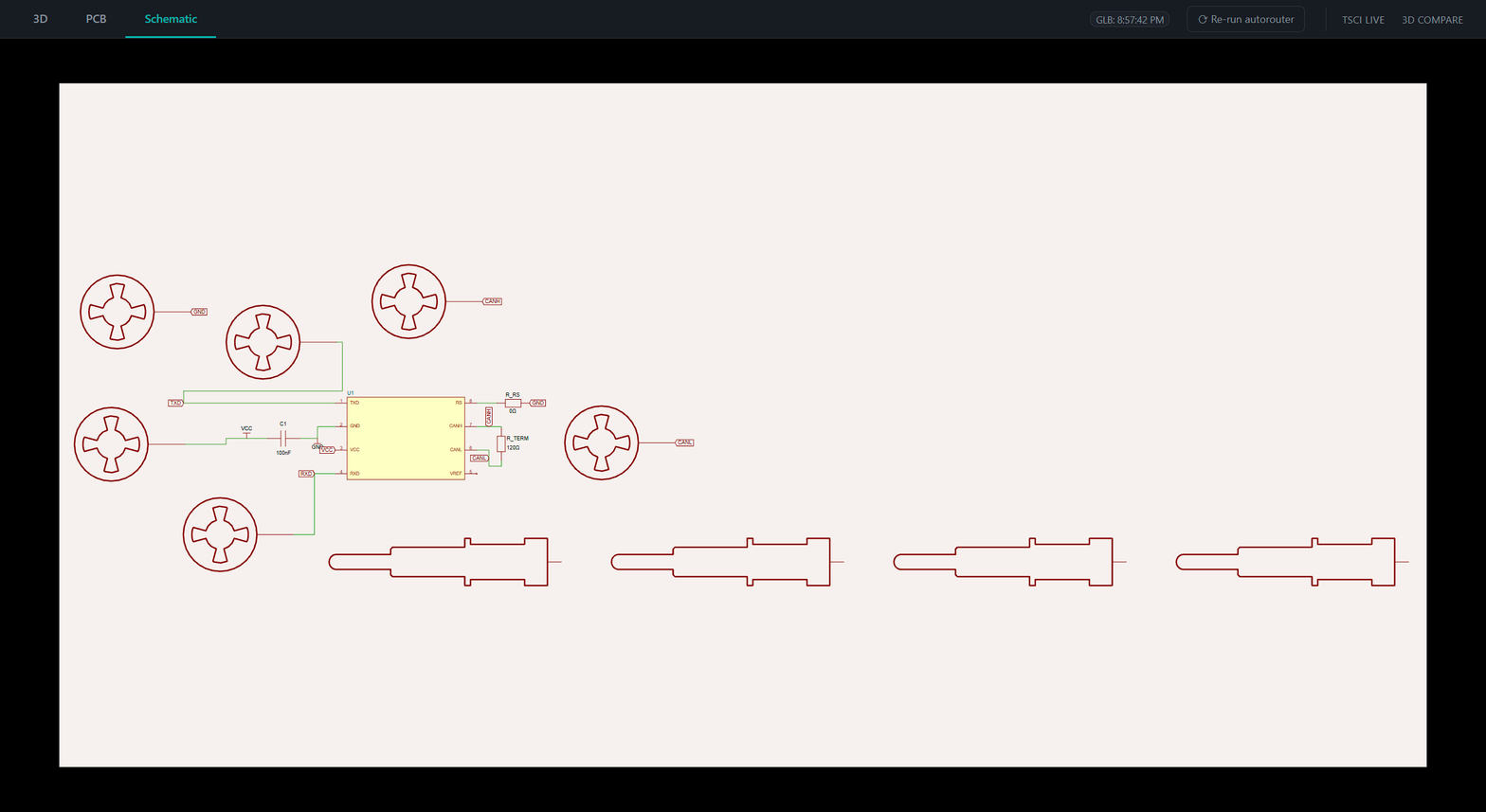
An Adom app that gives you first-class 3D / PCB / Schematic tabs for a
tscircuit project inside a Hydrogen webview panel, plus a one-click
Re-run autorouter button, a background stale-deps check against the
npm registry, and a secondary tsci live tab (the raw tscircuit
RunFrame, served through a slingshot proxy) for features the primary UI
hasn't wrapped.
⚡ CLI-FIRST — non-negotiable
If an adom-tsci preview is running (or you're about to start one),
every interaction goes through the adom-tsci CLI. Do not reach
for adom-cli hydrogen workspace add-tab, raw curl to the slingshot,
fetch('/api/...') inside a shell, or any other workaround. The CLI
has a subcommand for every runtime concern — including multi-instance
tab management, JS eval inside the webview, console tailing, camera
control, per-component visibility, and autorouter rerun.
The reflex: when you think "I need to touch the running preview",
run adom-tsci --help first and find the subcommand. If the CLI
doesn't expose it, that's a bug in the tool, not a reason to
hand-roll bash — stop and extend the CLI instead. (If you need to
ship a temporary workaround, leave a TODO: CLI gap — add <flag>
breadcrumb in the skill so the gap gets closed.)
Quick-reference table — the subcommand you want is probably here:
| I want to… | Command |
|---|
| Spin up a preview (1st instance) | adom-tsci start <dir> |
| Spin up a 2nd / Nth preview (no tab collision) | adom-tsci start <dir> --port 8851 --tsci-port 3041 --tab-name "adom-tsci <ProjectName>" |
| Open / re-attach the webview tab on an existing slingshot | adom-tsci open --port <N> [--tab-name "..."] [--display-icon mdi:led-on] |
| Stop the preview (clean: kills tsci dev group + releases PID lock) | adom-tsci stop [--port <N>] |
| Re-run the autorouter on the running project | adom-tsci rerun [--clean] [--fast] |
| Kick the 3D / PCB / Schematic tabs to re-poll the build | adom-tsci reload [--port <N>] |
| Move the 3D camera | adom-tsci view <front|back|left|right|top|bottom|iso> or adom-tsci camera --alpha <A> --beta <B> --radius <R> |
| Cinematic orbit | adom-tsci tour start | stop |
| Run the guided walkthrough | adom-tsci walkthrough <start|next|prev|pause|resume|close|status> |
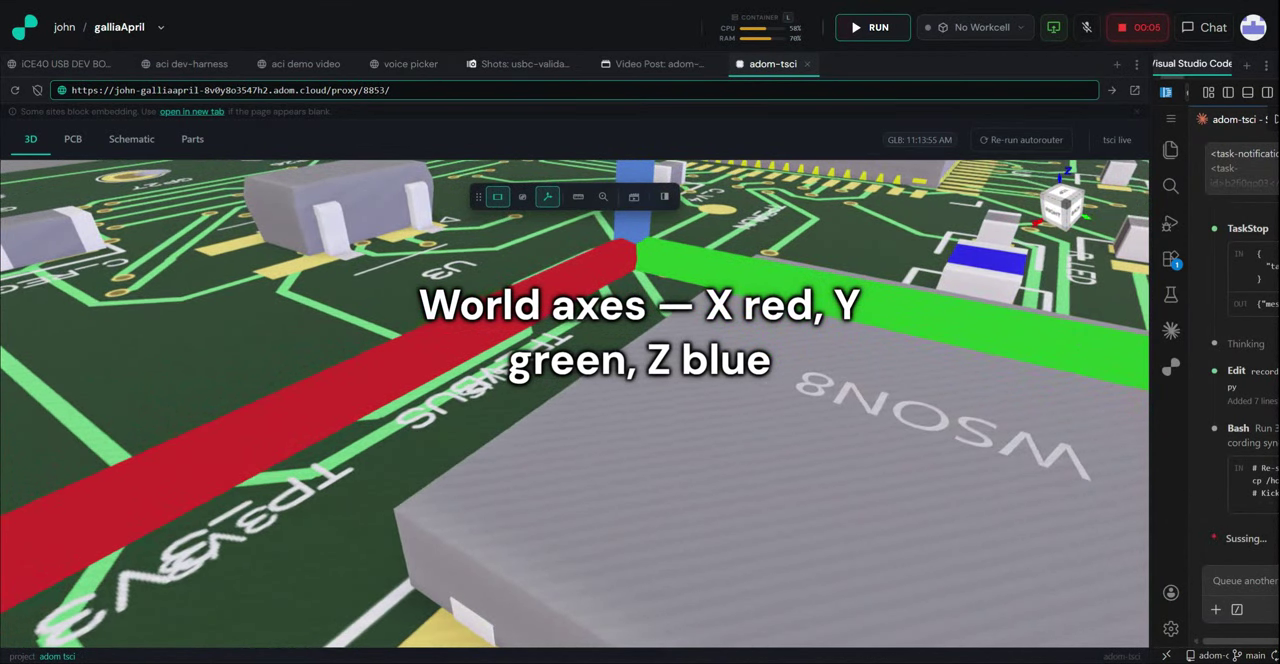
| Flip a toolbar flag | adom-tsci toggle <ground|wireframe|axes> |
| Hide a chip to see traces under it | adom-tsci toggle-component U1 --hide |
| List components in the loaded GLB | adom-tsci list-chips |
| Run JS inside the webview | adom-tsci eval "<js>" |
| Read the browser console | adom-tsci console [--follow] [--tail N] [--level log,warn,error] |
| Health / status | adom-tsci health [--port <N>], adom-tsci status [--port <N>] [--json] |
| Upgrade tscircuit packages in the target project | adom-tsci upgrade [<dir>] |
Every write-mutation targeting the preview has --port <N> if you
need to target a specific instance; defaults to 8850.
No Adom Viewer dependency (v0.3.0+)
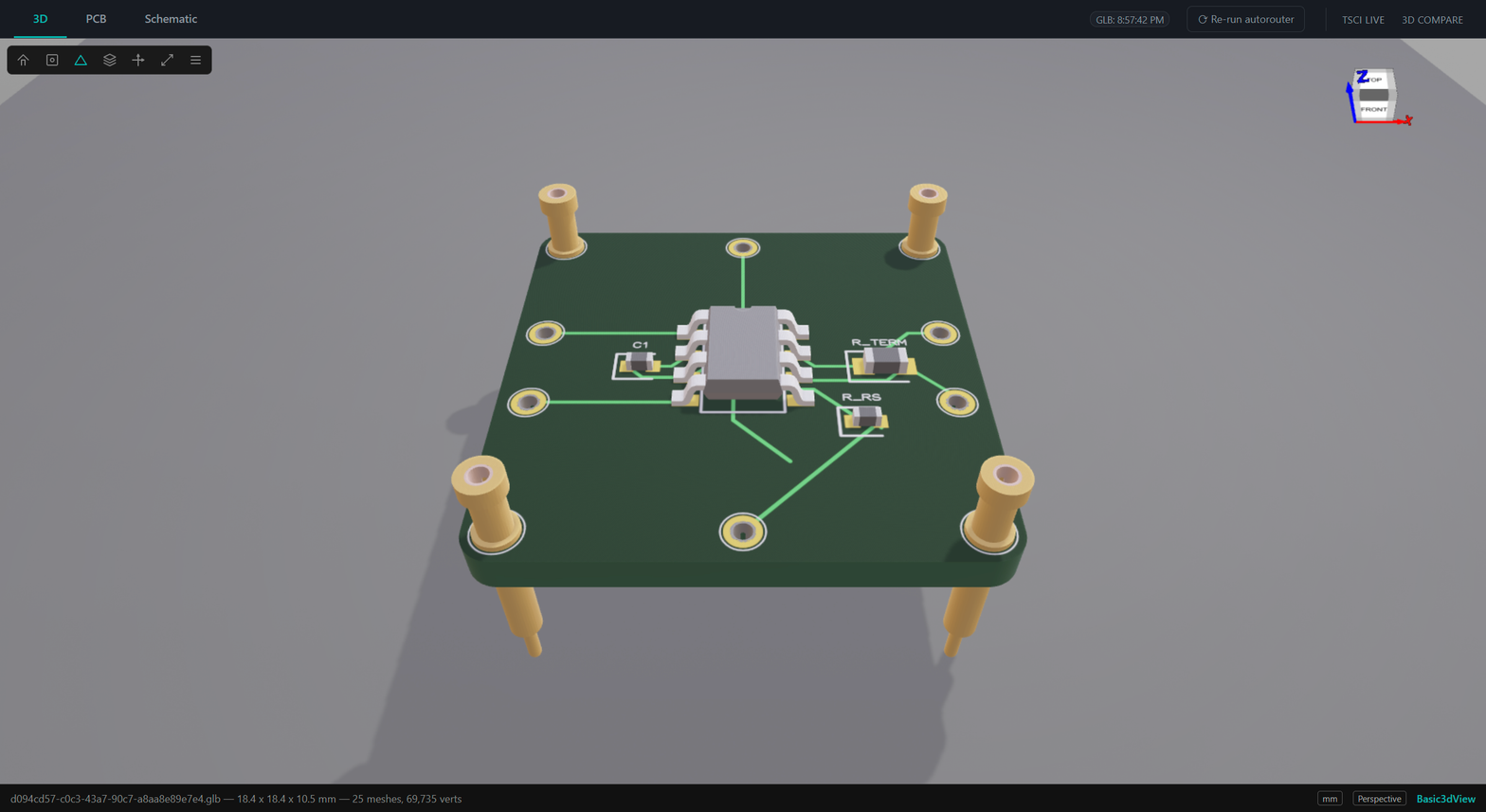
As of v0.3.0, the 3D tab is a self-contained three.js canvas — no
external service, no port 8770 probe, no "AV not reachable" states.
The old Basic3dView iframe and the av_bridge module were removed. The
3D view is fully AI-drivable from the CLI: every toolbar button has
a subcommand, plus there's a JS eval channel for hot-patching and a
console forwarder so Claude can read UI-side errors. See the
"Remote-control from the CLI" section below.
What's new in v0.4.x
Everything below is in the v0.4.0 / v0.4.1 binary that's on the
wiki right now:
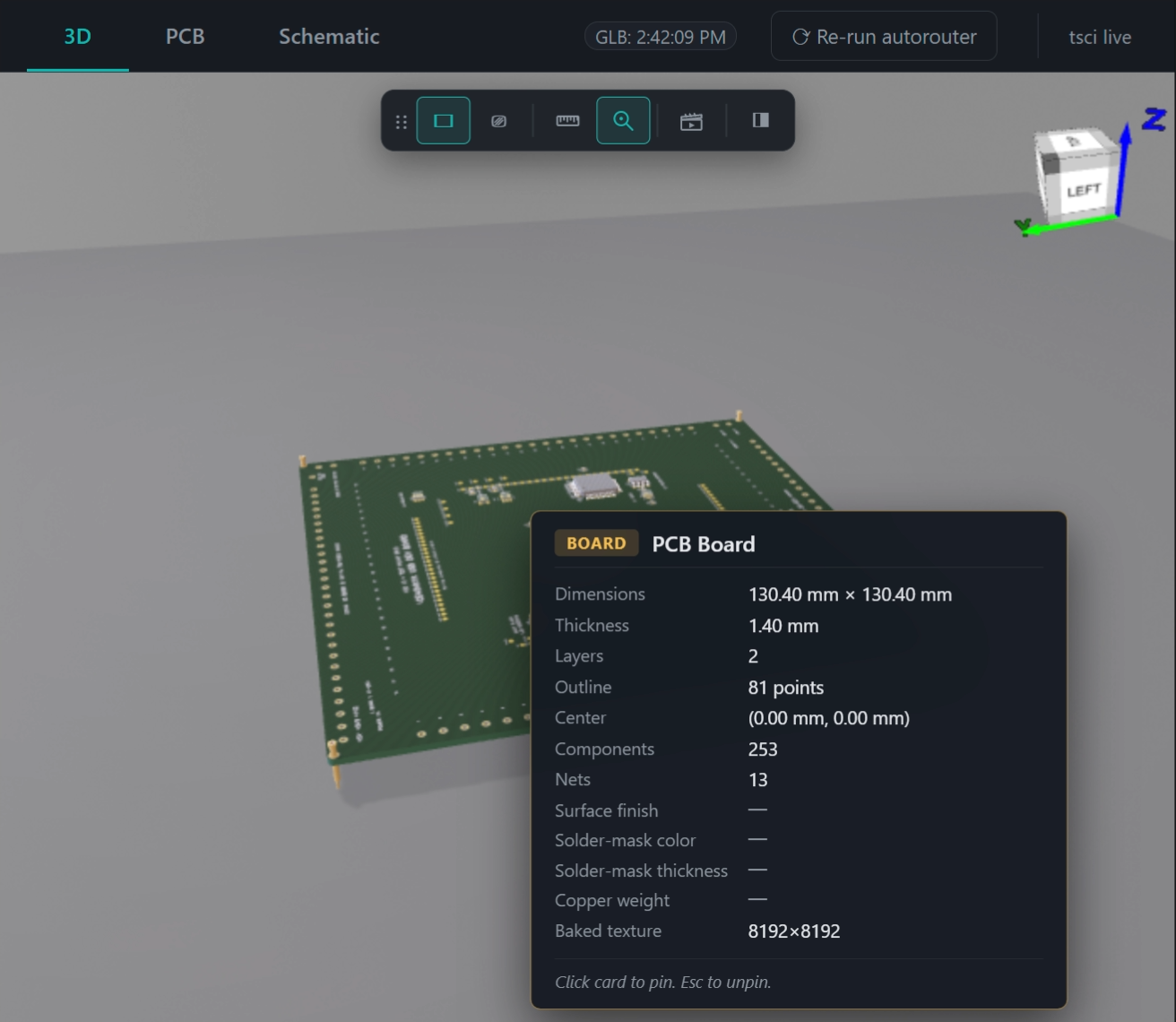
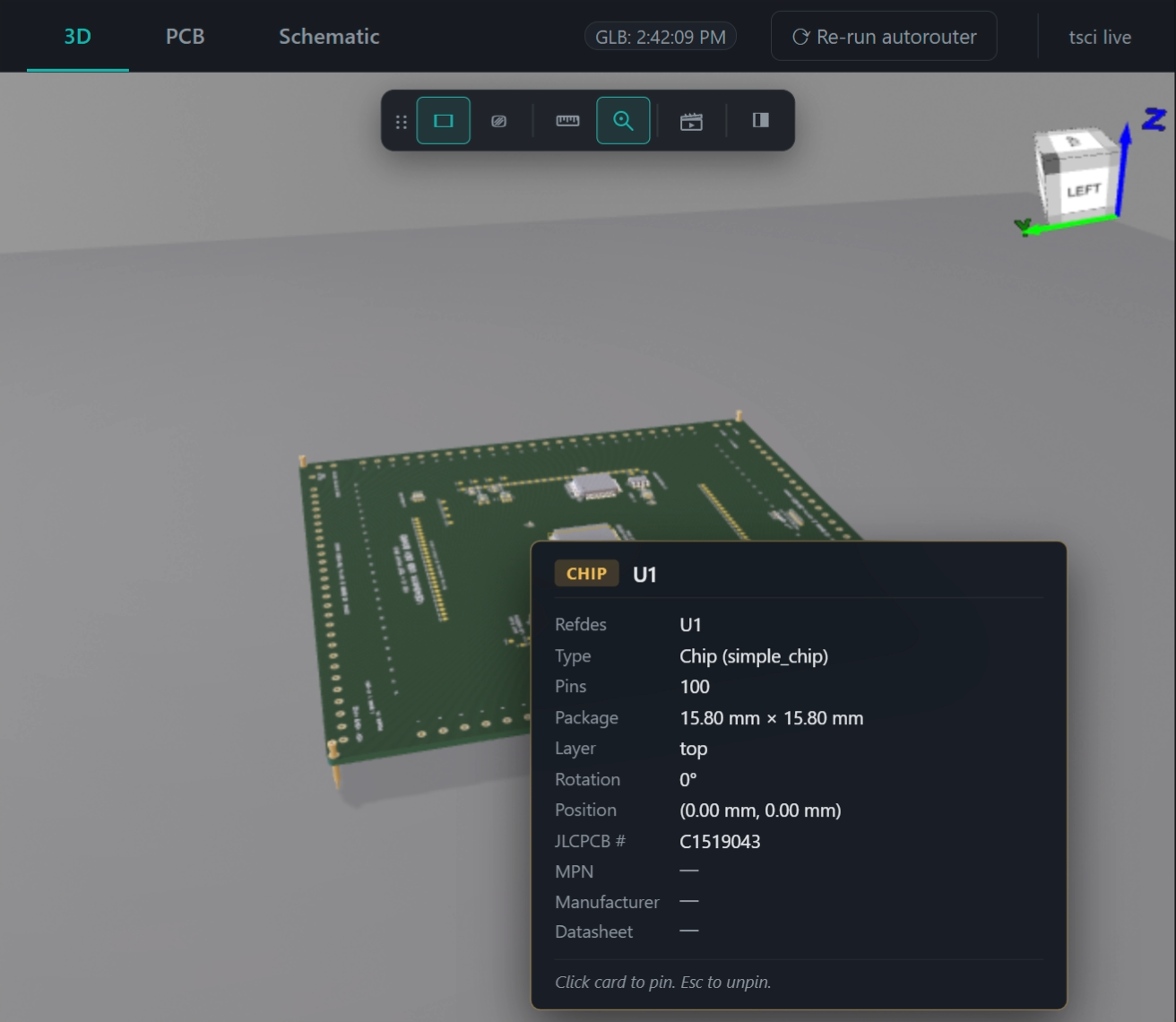
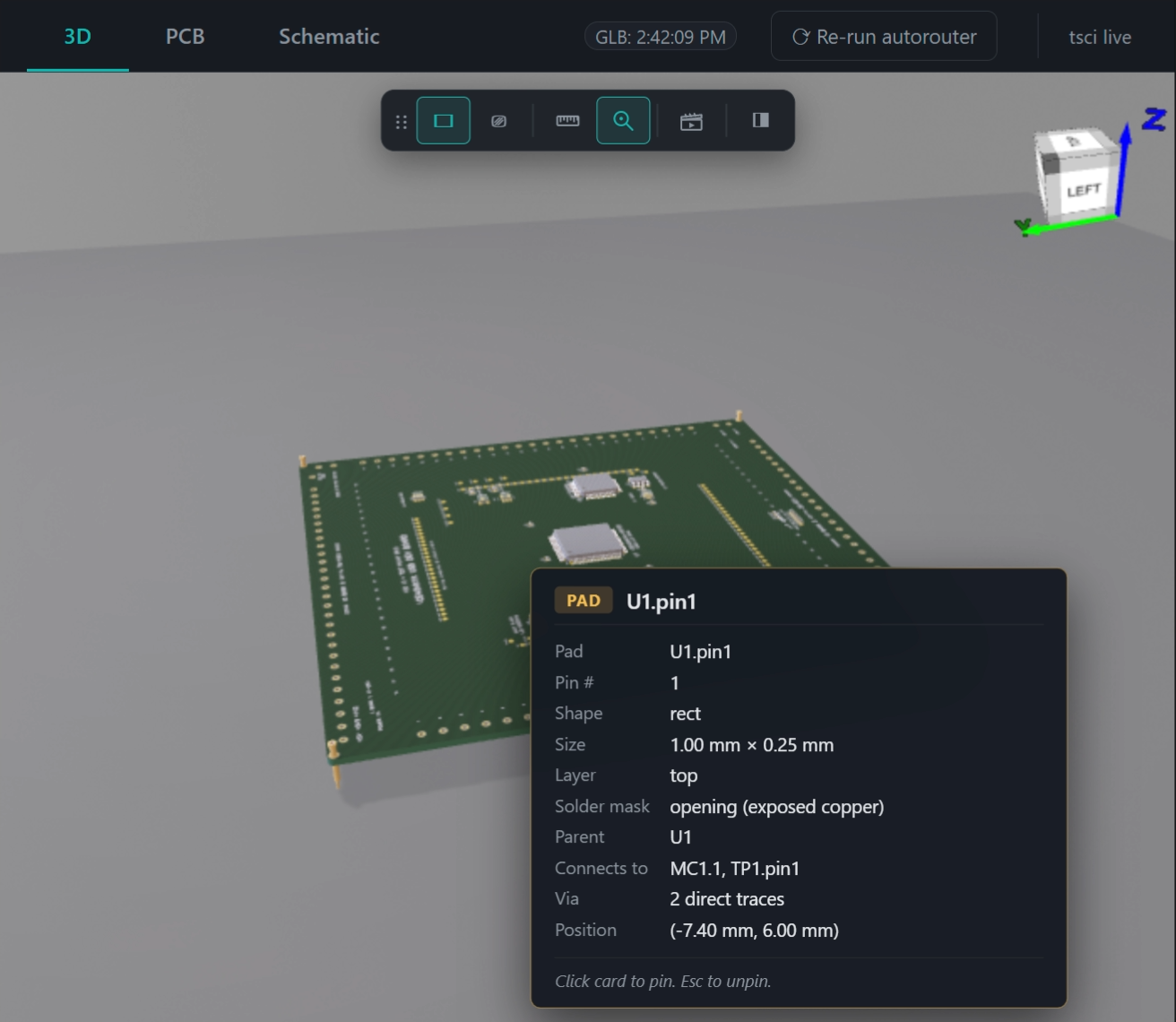
- Inspect tool (🔍 / keybind
I). Hover any feature on the board
for a labelled info card: chip refdes + footprint + pin count + JLCPCB
part #; pad → pin name + net + "Connects to MC1.pin1, TP1.pin1" via
N direct traces + solder-mask state; plated hole → drill/outer
diameters + role (mechanical-only vs wired); via → drill/pad/bridged
layers/net; silkscreen → text + layer + parent; board → dims +
thickness + layer count + baked texture resolution. Click to pin,
Esc unpins. Fields tscircuit doesn't emit today (MPN, datasheet,
surface finish) render as — with a tooltip explaining and linking
to upstream feature requests filed in TSCIRCUIT_FEATURE_REQUESTS.md.
- Measure tool (📏 / keybind
M). Fusion 360-style smart picking
(pad / hole / chip / pin / edge), precision + secondary units
(mm / inches / mils), vertex snap. Hover highlights in cyan; Inspect
uses amber so you can tell them apart.
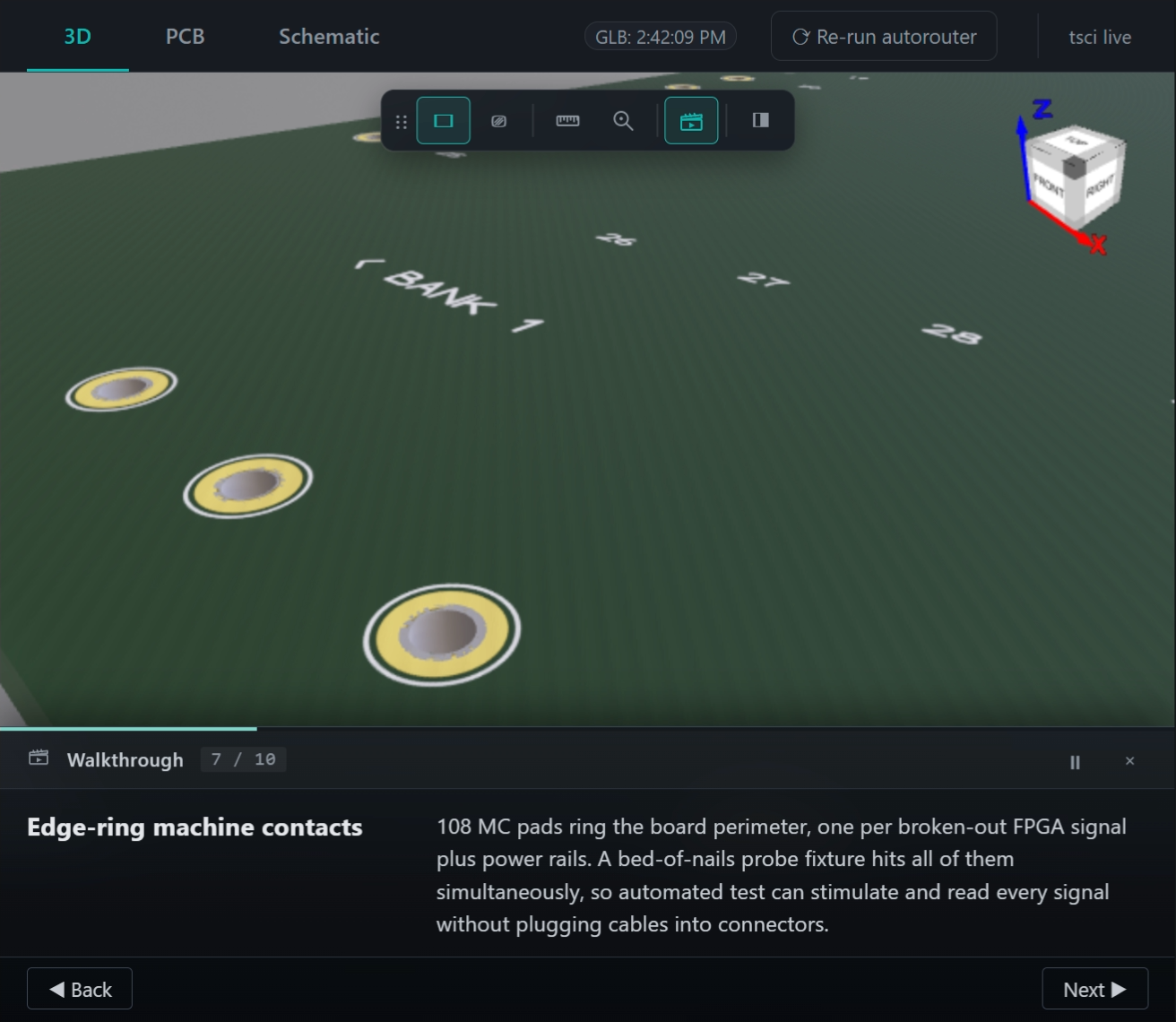
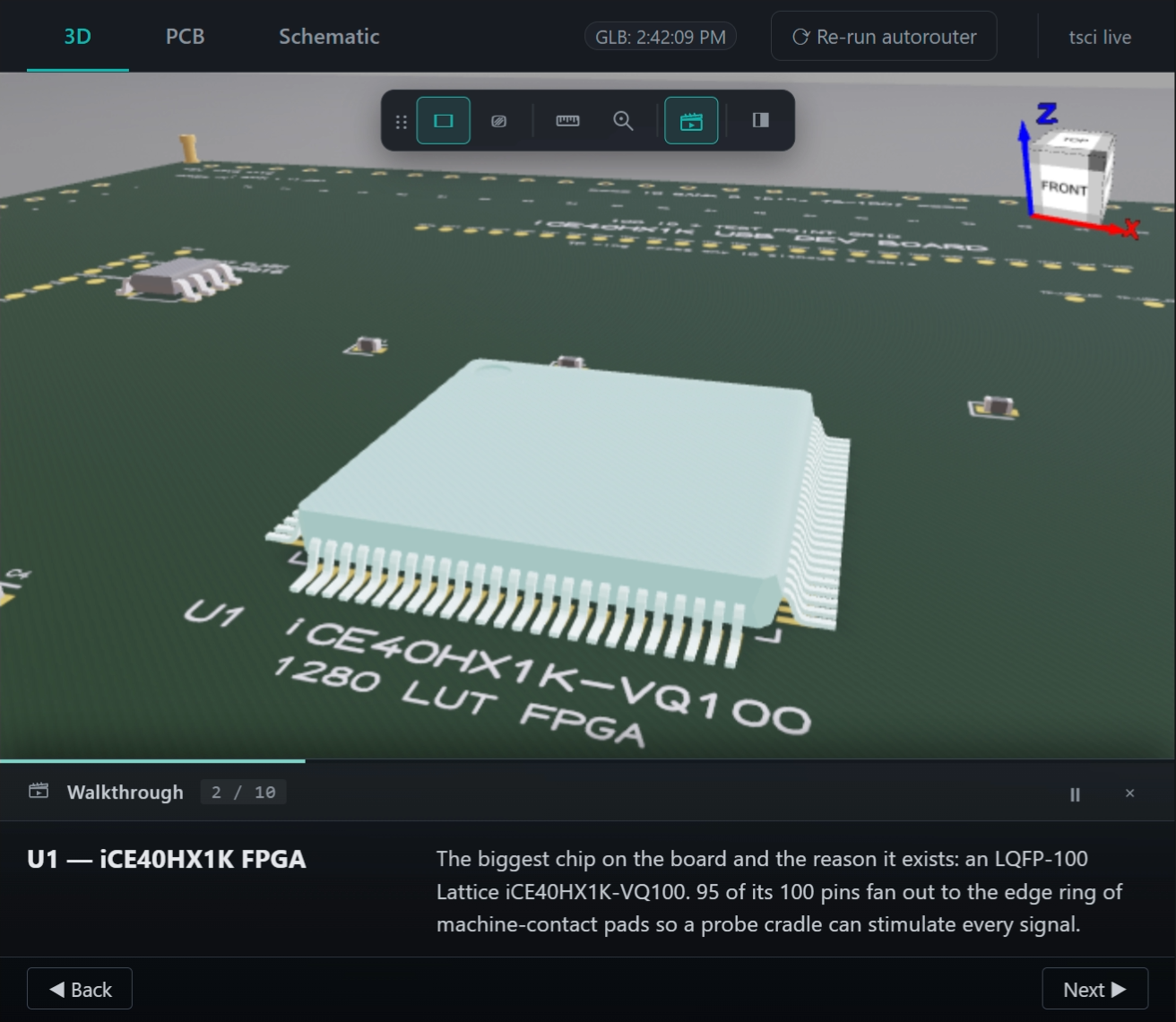
- Walkthrough Demo (🎬). A narrated 10-step tour. Auto-advances
based on narration text length; orbit auto-pauses; 3D flyover
animations on the contact-ring + testpoint steps (6 waypoints per
step, ease-in-out, so the camera visibly scans instead of staring).
CLI drivable:
adom-tsci walkthrough start | next | prev | pause | resume | close | status.
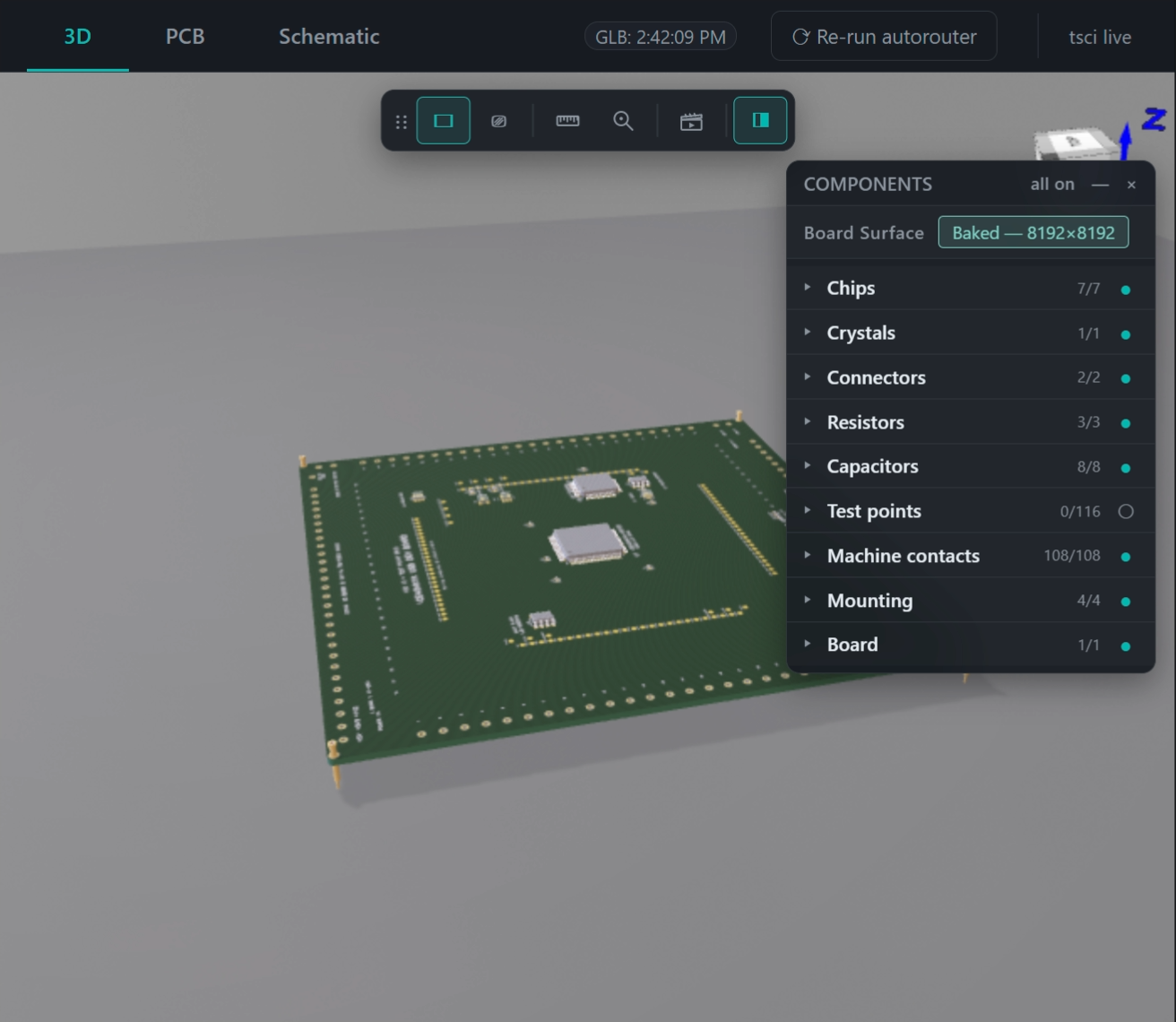
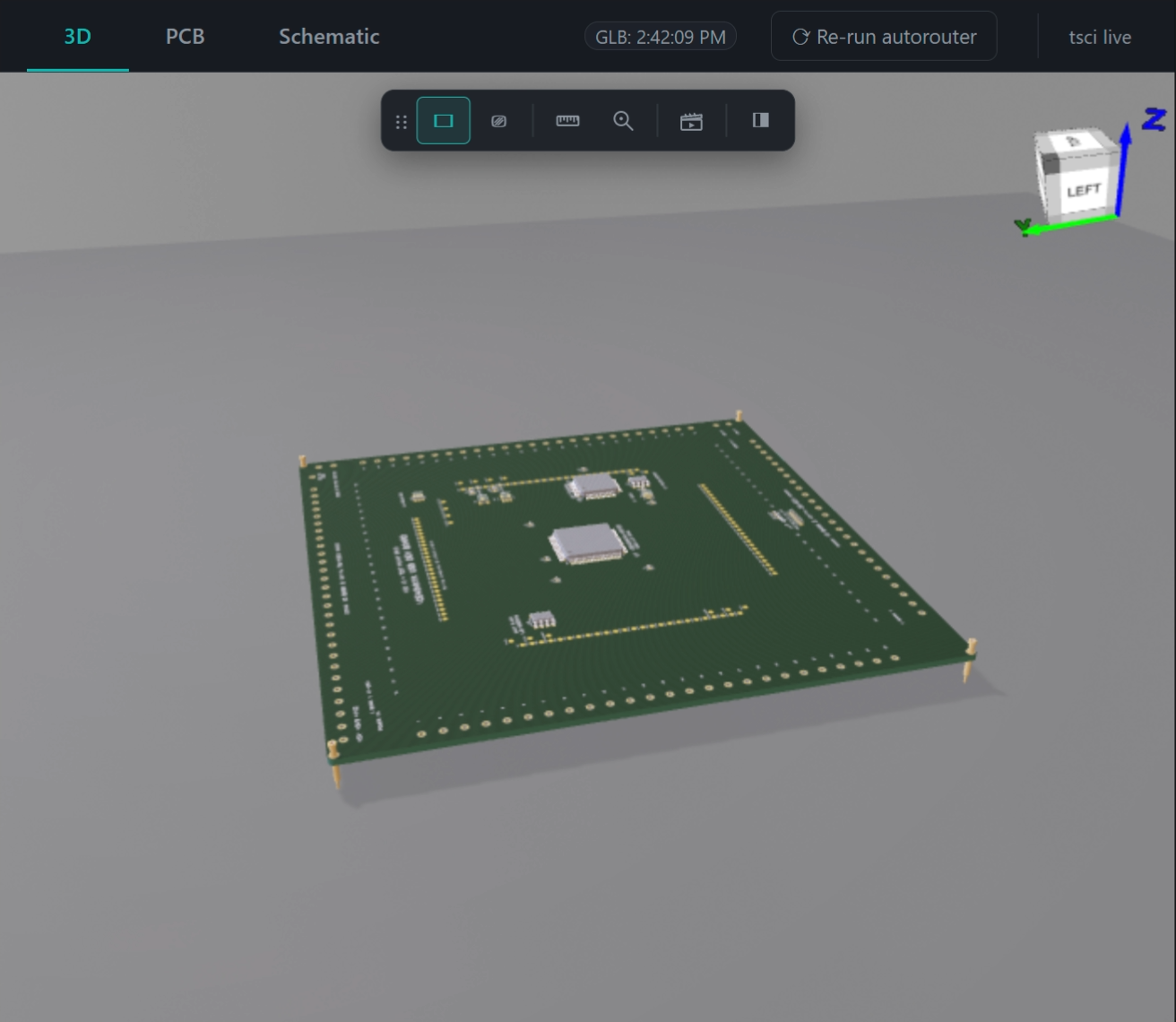
- Board-surface texture resolution — tscircuit bakes silkscreen +
copper pads + annular rings + solder mask into a single PNG per
board face, hardcoded at 1024. On big boards that's unreadable at
zoom.
adom-tsci start --texture-resolution 8192 re-bakes the GLB
via circuit-json-to-gltf and caches by circuit.json content hash
(first bake ~75s; cache hit ~190ms). Current resolution is shown on
the "Board Surface → Baked" row of the Components HUD.
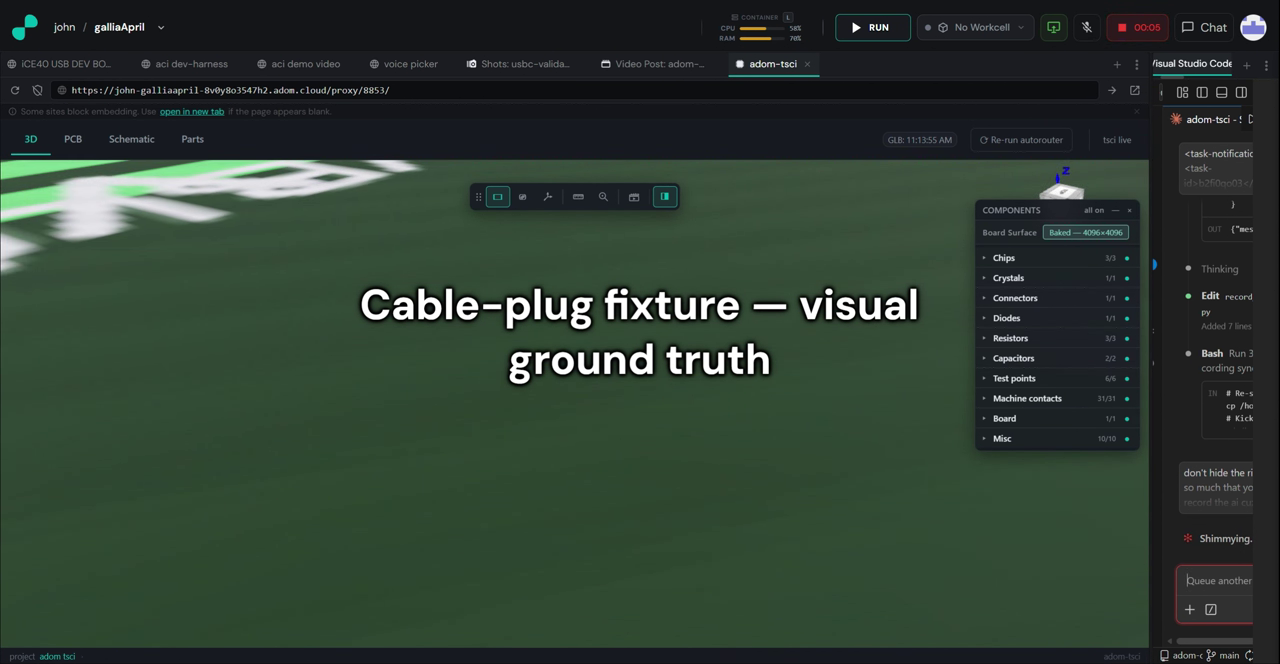
- Components HUD group toggles. Master eye per group (●/○/◐).
Test points are hidden by default — tscircuit's default cuboid
placeholders add noise without detail; toggle them on when needed.
- Custom monochrome SVG toolbar icons per the Adom brand rule — no
emoji anywhere. Ruler with ticks for Measure, magnifier with a
data-point for Inspect, clapperboard with play arrow for
Walkthrough.
- Robust shutdown + PID lock (v0.4.1).
adom-tsci start scans
/proc for stale bun tsci dev processes from prior runs and
SIGTERM+SIGKILL them before spawning. Atomic PID lock at
/tmp/adom-tsci-<port>.pid refuses to double-start on the same
port. Fixes the "15 orphan tsci devs from 15 crashed restarts"
situation that used to compound.
Keyboard shortcuts
| Key | Action |
|---|
M | Toggle Measure tool |
I | Toggle Inspect tool |
G | Toggle ground plane |
W | Toggle wireframe |
C | Toggle Components panel |
Space | Pause / resume walkthrough |
Esc | Unpin Inspect card / close tool |
Shortcuts only fire when the 3D tab is active and no input field is
focused.
Credit to Ray
This app is an onboarding layer over Ray's authoritative tscircuit
workflow guide at
~/.claude/skills/adom/guides/adom-tscircuit-skill.md (author: ray,
22 kB). Everything this tool does with tscircuit — the <Molecule>
component, MachineContactMedium placement rules, the sizing grid, the
DRC notes, the bunx tsci build --glbs --svgs flags, the project
skeleton, the SN65HVD230 reference — traces back to Ray's guide. If
you're building more than a single-chip molecule (connector families,
molecule generators, review servers, DRC tooling), go read Ray's
guide. This app doesn't replace any of it; it just makes the "show me
what I'm building" step trivial.
Quick start
# One-time install
curl -fsSL https://wiki-ufypy5dpx93o.adom.cloud/static/apps/adom-tsci/adom-tsci \
    -o /usr/local/bin/adom-tsci && \
  chmod +x /usr/local/bin/adom-tsci && \
  adom-tsci install

# From any tscircuit project directory:
adom-tsci start .
# …open the adom-tsci tab in your editor, edit lib/index.tsx,
#    click Re-run autorouter when you want fresh outputs,
#    stop with:
adom-tsci stop
The UI
┌──────────────────────────────────────────────────────────────────────────┐
│ [3D*]  [PCB]  [Schematic]   GLB: 8:56:56 AM   ⟳ Re-run autorouter  │
│                                                ─────   tsci live    │
├────┬─────────────────────────────────────────────────┬───────────────────┤
│ ⌂  │                                                 │  COMPONENTS       │
│ T  │                                                 │   U1    CHIP      │
│ F  │               (three.js canvas —                │   U2    CHIP      │
│ R  │            self-contained, no AV)               │   C1    CAPACITOR │
│ I  │                                                 │   Y1    CRYSTAL   │
│ ⎚  │                                                 │   TP1   TESTPOINT │
│ ▭  │                                                 │   ...             │
└────┴─────────────────────────────────────────────────┴───────────────────┘
Primary tabs (first-class, big, prominent):
3D (default). A full-bleed canvas rendered by the real
Adom 3D Viewer (adom-3d-viewer.min.js, the same Babylon-based
engine the rest of Adom uses for 3D), bundled into the adom-tsci
binary so there is no AV service dependency — no port 8770
probe, no "AV not reachable" states. Shadows, IBL environment,
transparent ground plane all work out of the box.
Everything else floats over the canvas so it doesn't steal real
estate:
- Floating toolbar (top-centre, draggable via the
⋮⋮ grip):
⌂ home (iso), ◱ frame, T top, F front, R right, I iso,
▭ ground, ⎚ wireframe, ⊡ ortho/perspective, 📏 measure.
- Measure tool: click
📏 then click two points on the
model to get the distance between them in millimetres, with an
on-screen label at the midpoint. Click a third time to clear.
- Floating component panel (top-right, draggable via header,
collapsible with
—, dismissible with ×, restorable via the
☰ button): every chip / passive / testpoint / machine contact
from circuit.json, listed with kind. Click a row to hide
that component — the "hide U1 to see the traces routed under
the FPGA" use case. Click "all on" to restore.
Mesh → component-name mapping: tscircuit's GLB writer names meshes
Box0_primitive0 / OBJBox12_primitive1 (no component names in the
scene graph). The UI fetches /circuit.json, auto-detects the GLB
unit scale (meters vs mm), probes orientation via mounting-post
corner positions, and groups meshes by nearest-neighbour assignment
within a per-kind tolerance (chip=10mm, testpoint=1.2mm,
contact=2mm, …). Meshes outside tolerance land in a catch-all
Board group so the board outline and any unmatched geometry is
still toggleable.
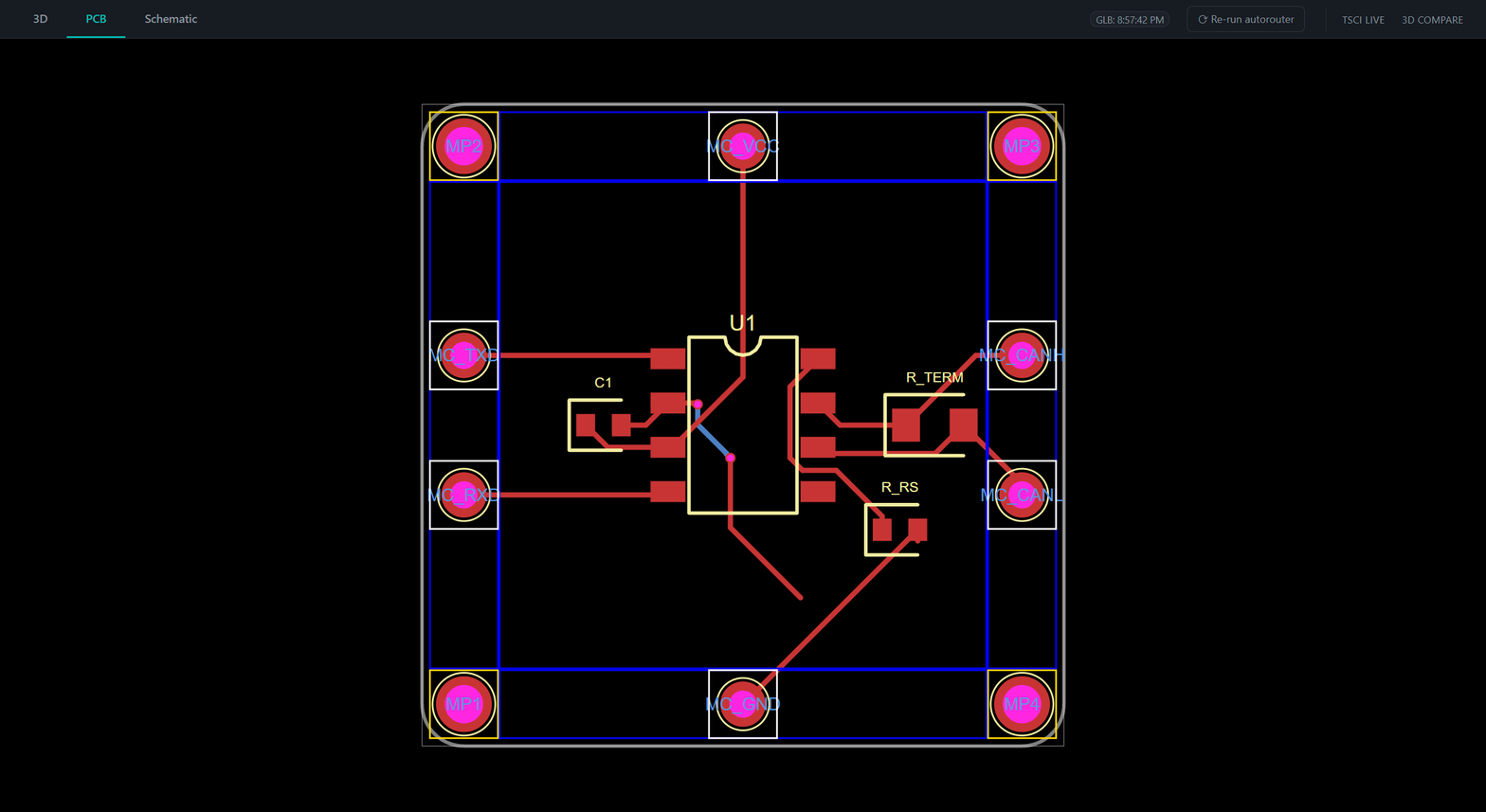
PCB. Inline dist/lib/index/pcb.svg in a panzoom container. Scroll
wheel zooms toward cursor, drag to pan. Lazy-loaded on first click.
Schematic. Inline dist/lib/index/schematic.svg, same panzoom.
Lazy-loaded on first click.
Secondary tab:
- tsci live. The raw tscircuit RunFrame served through the slingshot
proxy. Escape hatch for features tscircuit ships in the future that
we haven't wrapped yet. Dimmed via CSS
filter: brightness(0.78)
because RunFrame's light theme is hardcoded and would be blinding
inside a dark editor.
The Re-run autorouter button
Top-right of the header. Click it to:
- Touch
lib/index.tsx via the slingshot → tsci dev file server.
A no-op POST /api/files/upsert fires a FILE_UPDATED event,
tsci dev re-evaluates the circuit (which re-runs the autorouter),
and RunFrame (the tsci live tab) refreshes its in-memory view.
- Spawn
bunx tsci build lib/index.tsx --glbs --svgs in the
background. This regenerates dist/lib/index/{3d.glb,pcb.svg, schematic.svg} on disk, which the first-class 3D / PCB / Schematic
tabs poll for (/glb/meta every 3 s). Within ~30 s the tabs
re-render with the new output.
- Shift-click for a clean re-run. Holding Shift while clicking
deletes
manual-edits.json first, so any interactive trace edits
made in RunFrame's PCB editor are discarded and the autorouter runs
from scratch.
Same feature from the CLI:
adom-tsci rerun                # re-run autorouter, preserve manual edits
adom-tsci rerun --clean        # also delete manual-edits.json first
Stale-deps check
On adom-tsci start, a background thread queries
https://registry.npmjs.org/@tscircuit/cli/latest and compares against
the version field in
<project>/node_modules/@tscircuit/cli/package.json. If the installed
version is behind the latest, you see a HINT: line:
HINT: @tscircuit/cli is out of date (installed 0.1.1226, latest 0.1.1234).
Run `adom-tsci upgrade` to refresh.
The check is non-fatal (3-second timeout, no network → no warning)
and never blocks startup. tscircuit does daily releases — this just
nudges you when you're behind.
adom-tsci upgrade [project-dir] shells out to
bun update --latest in the target directory, upgrading every dep to
its latest version (not just tscircuit). Restart adom-tsci start for
changes to take effect.
Credit to the slingshot: the 127.0.0.1 problem
tsci dev emits a hardcoded absolute URL in its HTML shell:
<script>
  window.TSCIRCUIT_FILESERVER_API_BASE_URL = "http://127.0.0.1:3040/api";
</script>
<script type="module" src="/standalone.min.js"></script>
Inside a Hydrogen webview iframe, 127.0.0.1 resolves to the
user's machine, not the container, so every fetch fails and
RunFrame hangs at loading... forever.
adom-tsci's slingshot:
- Fetches the shell HTML from
127.0.0.1:3040/.
- Rewrites the two hardcoded references to relative paths:
TSCIRCUIT_FILESERVER_API_BASE_URL = "api" and
<script src="standalone.min.js">.
- Proxies
/runframe/api/* and /runframe/standalone.min.js to
127.0.0.1:3040, preserving HTTP method, body, and query
string. A v0.1 bug dropped query strings on forward, which broke
files/get?file_path=...; fixed in v0.2 with a full method-aware
proxy.
Tsci dev uses HTTP polling (/api/events/list?since=<id>) for hot
reload — no WebSockets — so the slingshot is a plain HTTP forwarder.
CLI commands
Every command follows the Adom CLI conventions (OK: / ERROR: /
Hint: prefixes, both human and --json output).
| Command | Purpose |
|---|
adom-tsci start <dir> [--port 8850] [--tsci-port 3040] [--no-open] [--texture-resolution N] | Spawn tsci dev, start the slingshot + shell server, open the webview tab. --texture-resolution N re-bakes the board-surface texture at N×N (default 1024; recommend 2048 for 60-100 mm boards, 4096 for 100-200 mm, 8192 for >200 mm) |
adom-tsci stop | Clean shutdown of the preview server + the tsci dev process group (and the descendant sweep + PID lock release — no more orphan bun processes) |
adom-tsci walkthrough <start|next|prev|pause|resume|close|status> | Drive the Walkthrough Demo from the CLI / AI |
adom-tsci status [--json] | GET /state from the running instance |
adom-tsci open | Re-add or navigate to the webview tab |
adom-tsci reload | Force the 3D / PCB / Schematic tabs to re-poll the build outputs |
adom-tsci rerun [--clean] | Re-run the tscircuit autorouter (optionally deleting manual-edits.json) |
adom-tsci upgrade [dir] | bun update --latest in the target tscircuit project |
adom-tsci health | Probe tsci_reachable |
adom-tsci install | Drop SKILL.md into ~/.claude/skills/adom-tsci/ |
adom-tsci --version | Print version |
Remote-control the 3D viewer from the CLI (no clicking):
| Command | Purpose |
|---|
adom-tsci view <preset> | Camera preset: front / back / left / right / top / bottom / iso / isometric |
adom-tsci camera [--alpha A] [--beta B] [--radius R] | Raw alpha/beta (radians) + radius multiplier |
adom-tsci tour start | stop | Cinematic slow-orbit camera |
adom-tsci toggle <flag> | Flip a toolbar flag: ground, wireframe, axes |
adom-tsci toggle-component <NAME> [--hide | --show] | Show/hide a single component — e.g. adom-tsci toggle-component U1 --hide to see traces under the FPGA |
adom-tsci list-chips | List the components the 3D viewer discovered in the current GLB |
adom-tsci eval "<js>" | Run a JS snippet inside the running webview, print the result |
adom-tsci console [--follow] [--tail N] [--level log,warn,error] | Print the JS console log forwarded from the webview (all console.* + uncaught errors) |
HTTP API
Every CLI verb is a thin wrapper over an HTTP endpoint. Curl them
directly if you want to script without the CLI. All on
127.0.0.1:8850 by default.
| Route | Method | Purpose |
|---|
/ | GET | The tabbed shell HTML |
/runframe/ | GET | Slingshot root: rewrites tsci dev's HTML shell to relative paths |
/runframe/api/* | any | Full HTTP proxy to 127.0.0.1:<tsci-port>/api/* (method, body, query string preserved) |
/runframe/standalone.min.js | GET | Streamed proxy of the 8.6 MB RunFrame bundle |
/adom.css, /favicon.svg | GET | Static brand assets |
/glb | GET | Streams <project>/dist/lib/index/3d.glb |
/glb/meta | GET | {mtime, size} for polling |
/pcb.svg | GET | Streams <project>/dist/lib/index/pcb.svg |
/schematic.svg | GET | Streams <project>/dist/lib/index/schematic.svg |
/circuit.json | GET | Streams <project>/dist/lib/index/circuit.json (UI uses it to map GLB meshes to component names) |
/rerun[?clean=1] | POST | Touch lib/index.tsx via upsert + spawn bunx tsci build --glbs --svgs |
/reload | POST | Bump GLB mtime to force 3D tab reload |
/health | GET | {ok, tsci_reachable, project_dir} |
/state | GET | Server state + toolbar flags + component visibility + component list |
/shutdown | POST | Kill tsci dev process group, return 204, exit |
/api/set-view | POST | Body {"view":"top"} — camera preset |
/api/set-camera | POST | Body {"alpha":…,"beta":…,"radius":…} — raw camera |
/api/tour | POST | Body {"action":"start"|"stop"} — slow orbit |
/api/toggle | POST | Body {"name":"wireframe"} — toggle a toolbar flag |
/api/toggle-component | POST | Body {"name":"U1"[,"visible":false]} — show/hide a component |
/api/components | GET/POST | GET returns the UI-discovered component list; POST is how the UI publishes it after GLB load |
/api/camera-command | GET | UI polls this every 500 ms; returns the latest queued command and atomically clears it |
/console | GET/POST | POST from UI appends a console message; GET returns {messages, next_since} for the CLI adom-tsci console |
/eval | POST | Body {"code":"…"} — queue a JS snippet; returns {"id":…} |
/eval/pending | GET | UI polls this; returns the next pending snippet or 204 |
/eval/:id/result | POST | UI posts the snippet's result |
/eval/:id | GET | AI polls for the result |
curl examples:
# Health check
curl -sS http://127.0.0.1:8850/health

# Re-run autorouter, clean mode
curl -sS -X POST "http://127.0.0.1:8850/rerun?clean=1"

# Fetch the PCB SVG
curl -sS http://127.0.0.1:8850/pcb.svg > pcb.svg

# Stop the server
curl -sS -X POST http://127.0.0.1:8850/shutdown
Architecture
+---------------------------+        +---------------------------+
|  Hydrogen webview tab     |        |  adom-tsci (Rust)         |
|  /proxy/8850/             |<------>|  tiny_http on 127.0.0.1:8850
|                           |        |                           |
|  +----------+             |        |  /              shell.html
|  |   3D     |<------------+------->|  /glb           file stream
|  +----------+             |        |  /pcb.svg       file stream
|  |  PCB     |             |        |  /schematic.svg file stream
|  +----------+             |        |                           |
|  | Schematic|             |        |  /runframe/     slingshot
|  +----------+             |        |  /runframe/api/*  (proxy)
|                           |        |  /runframe/standalone.min.js
|  +----------+             |        |                           |
|  | tsci live|<------------+------->|  /compare       compare.html
|  +----------+             |        |  /av/basic3d    AV bridge
|  | 3d cmp   |             |        |  /av/upload-glb AV bridge
|  +----------+             |        |                           |
|                           |        |  /rerun         [-> upsert + spawn build]
|  ⟳ Re-run autorouter -----+------->|  /reload  /shutdown  /health
+---------------------------+        +---------------------------+
                                              |           |
                                              v           v
                          +--------------------+   +----------------+
                          | bun tsci dev       |   | AV (8770/8771) |
                          |   -p 3040          |   | Basic3dView +  |
                          | (process group)    |   | serve_glb      |
                          +--------------------+   +----------------+
Example session
User: preview my SN65HVD230 molecule
Claude: (runs adom-tsci start ~/project/tscircuit-projects/SN65HVD230-Molecule)
Output:
OK: spawning tsci dev -p 3040
HINT: @tscircuit/cli is out of date (installed 0.1.1226, latest 0.1.1234).
      Run `adom-tsci upgrade` to refresh.
OK: tsci dev is ready
OK: webview tab created
OK: adom-tsci running — project=... port=8850 tsci_port=3040
The adom-tsci webview tab opens in the editor (with a brand-compliant
#e6edf3 monochrome chip icon in the tab bar). The 3D tab is active
by default, showing the molecule in a clean dark-themed three.js
viewer. User rotates with the mouse, clicks through to PCB, then
Schematic, sees the tscircuit SVGs in panzoom containers.
User: move R_TERM to pcbX=8
Claude: (edits lib/index.tsx) Done. Click ⟳ Re-run
autorouter in the header to regenerate the build outputs, then the
3D / PCB / Schematic tabs will auto-refresh.
User: (clicks the button)
Shell flashes ⟳ Running… → ⟳ Re-ran. ~30 s later the 3D tab shows
R_TERM at its new position; PCB and Schematic re-fetch on next click.
User: ship it
Claude: (runs bunx tsci push)
Troubleshooting
HINT: @tscircuit/cli is out of date
Not an error. tscircuit does daily releases; adom-tsci upgrade in
your project directory pulls the latest. Or ignore it — the hint is
fire-and-forget.
Re-run autorouter button does nothing visible
The rebuild is async and takes ~30 s. Watch the GLB: <time> pill in
the header; when it updates, the 3D tab has re-rendered. PCB and
Schematic lazy-reload on next click.
tsci dev crashed with MethodNotAllowedError: only POST accepted
That's tsci dev's own internal fileserver spitting non-fatal noise
during its node_modules upload on startup. Doesn't break anything —
the server recovers. Check /health to confirm tsci_reachable: true.
Webview stuck at Loading files...
Known tscircuit v0.1.1226+ issue. RunFrame's isLoadingFiles flag
only clears when files/list + files/get?file_path=... both succeed.
In v0.1 of this app, the slingshot dropped query strings on forward,
which broke files/get; v0.2 forwards the query string. If you're
hitting this on v0.2, curl http://127.0.0.1:8850/runframe/api/files/get?file_path=lib/index.tsx
and see if the response has the real file content.
3D tab — flat-lit, no shadows, no transparent ground
The same-origin bridge didn't run. Symptoms:
- ground plane is opaque (not 50% transparent)
- no board shadow on the ground
iframe.contentWindow.viewer is undefined
Causes to check:
- Different origin. If the shell is on
/proxy/8850/ but
Basic3dView is on a different host (not /proxy/8770/ on the
same subdomain), the contentWindow.viewer access will throw
SecurityError: Blocked a frame with origin. Check that
VSCODE_PROXY_URI is set to the same subdomain as AV's 8770.
- Viewer not yet constructed. The bridge polls for up to
10 s waiting for
scene.meshes to have at least one
non-ground mesh. On a cold cache where Basic3dView has to
download its Babylon bundle + the GLB, this may not be enough.
- basic-3d.html changed module structure. The bridge relies
on
var viewer being top-level scope in a non-module <script>.
If upstream Adom wraps basic-3d.html in type="module", the bridge
breaks. Confirm with
curl .../proxy/8770/basic-3d.html | grep 'var viewer'.
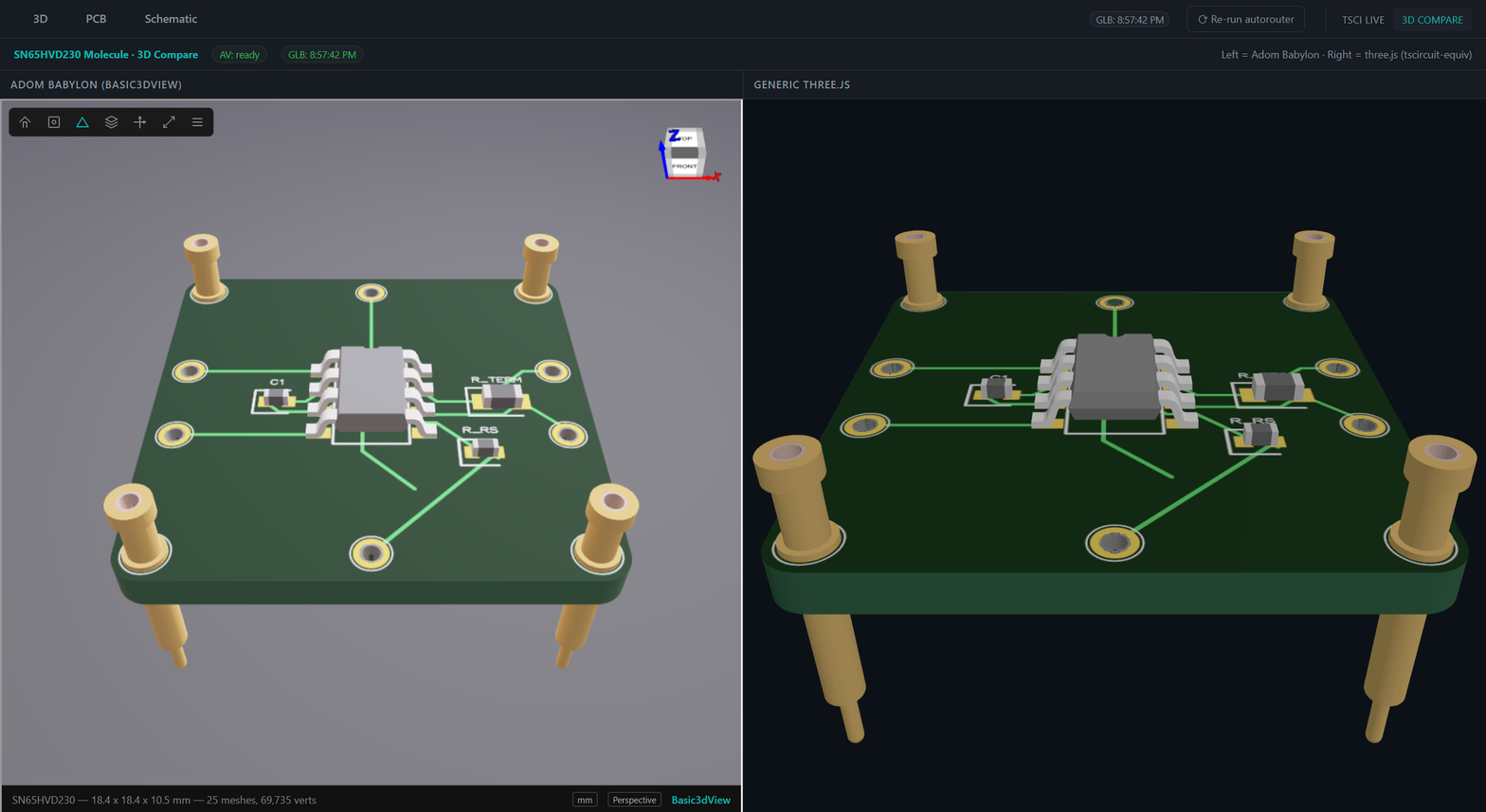
3D compare pane is still flat-lit
Known v0.2 limitation. The 3d compare secondary tab lives in a
separate compare.html where both Basic3dView and three.js use
default lighting. The compare view is for material-fixup regression,
not for aesthetic rendering. Tracked for v0.3.
"Some sites block embedding" banner at the top of the webview
That banner is a persistent affordance shown on every webview tab
regardless of whether the page loaded. It is not an error signal.
If the panel below it is actually blank, check /health and the
tsci-preview.log file for subprocess errors.
tsci dev subprocess doesn't die after stop
Shouldn't happen in v0.1.0+. tsci dev is spawned in a new process
group (setsid) and the whole group is killed on shutdown. If you
see an orphan bun ... tsci dev after adom-tsci stop, file an
issue with ps auxf | grep tsci output.
Publishing your molecule
adom-tsci is a preview tool — it doesn't publish anything. Use
tscircuit's own flow:
cd ~/project/tscircuit-projects/MyChip-Molecule
bunx tsci push
This publishes to @tsci/<your-user>.MyChip-Molecule on the
tscircuit registry. Requires bunx tsci login once (browser OAuth,
must be an adom-inc org member).
For the full production workflow (connector families, molecule
generators, DRC, review servers, snapshot approval), go to Ray's
guide at ~/.claude/skills/adom/guides/adom-tscircuit-skill.md.
See also
- Ray's guide:
~/.claude/skills/adom/guides/adom-tscircuit-skill.md
— the authoritative tscircuit workflow. Go there for production
molecule families.
- adom-tscircuit skill:
~/.claude/skills/adom-tscircuit/SKILL.md
— onboarding layer that points new users to this app for display.
- hydrogen-tab-icons skill: documents how the
#e6edf3 monochrome
chip favicon in src/assets/icon.svg ends up on the tab bar (spoiler:
the page's <link rel="icon"> overrides any --display-icon placeholder).
- Basic3dView:
~/.claude/skills/adom/guides/basic-3d-viewer.md
— the Adom Babylon viewer used in the 3D compare tab's left pane.
- Web View panel API:
~/.claude/skills/adom/webview/SKILL.md.
- Adom brand guide:
~/.claude/skills/adom/guides/brand/SKILL.md
— all icons must be monochrome #e6edf3, the chip favicon follows
this rule.
- tscircuit docs · iconify MDI
catalog