name: adom-rc
description: >
Manage parallel Claude Code chat threads on this Adom container — pop each
one out as its own dedicated Hydrogen webview tab with a Claude-style chat
surface (header, conversation feed, composer with image paste), or drive
it from the official Claude phone app / claude.ai/code in your native
browser. Every thread you spawn is named after the work, anchored on
every surface (web, phone, REPL) via label coercion and a seed message,
and remains in sync because all surfaces read the same JSONL on disk.
Use when the user says: new chat thread, parallel claude, multiple
claude tabs, claude in webview, chat panel, label this thread, name
this thread, sync claude.ai with my container, go mobile, phone handoff,
continue this on my phone, remote claude, claude rc, kill stale claude
sessions, claude squad is overwhelming my phone, rc session, adom rc,
/adom-rc.
user-invocable: true
Adom RC
adom-rc runs many parallel Claude Code threads inside one Adom container,
each with its own dedicated chat tab in your Hydrogen workspace and a
matching conversation on claude.ai/code + the Anthropic Claude phone
app. All three surfaces are bound to the same on-disk JSONL transcript —
you can type from any of them and the others see it.
The threads are tmux-hosted Claude REPLs (claude --permission-mode bypassPermissions, not claude rc). Each thread is created on demand,
named after the work (adom-rc: silkscreen-readability,
adom-rc: drone-delivery-pricing), and lives until you kill it.
Spawn a new chat thread
From the management UI:
- Run
adom-rc open — opens the Adom RC management UI as a Hydrogen tab.
- Type a label in the input box (
silkscreen-readability, tps562201-eval, …).
- Click New chat ⧉. A new Hydrogen tab pops out:
RC · <label>.
- The thread auto-receives a seed message anchoring the conversation
title on every surface (web, phone, REPL
/resume). Claude replies
"Ready" and the composer is yours.
From a terminal:
curl -X POST http://127.0.0.1:8773/api/new_thread \
  -d '{"label":"silkscreen-readability"}'
Drive a chat tab from the CLI
# Type "<text>" into a thread's composer + submit, as if the user did it.
# Useful for ralph-loops and automation that needs to talk to a live thread.
adom-rc input <tmux-name-or-label-slug> "<text>"
The chat tab consumes the queued input on its next livetail tick (~1s) and
fires the same code path as a real Enter keystroke.
What gets bound to each thread
When /api/new_thread runs:
| Bind point | Mechanism |
|---|
Local REPL prompt + /resume picker | claude -n "<label>" |
| customTitle / sessionTitle in JSONL | ADOM_RC_LABEL=<label> + UserPromptSubmit hook (gallia/hooks/adom-rc-title-anchor.sh) |
| First user turn = the topic name | Seed message sent via tmux send-keys 9s after spawn |
| chat.html ↔ JSONL hard-binding | transcript_uuid discovered from projects-dir snapshot diff after seed |
| claude.ai web link | bridgeSessionId read from ~/.claude/sessions/<pid>.json |
That's why the thread shows up by your label on every surface
(claude.ai history, phone app, /resume, terminal title bar, Hydrogen tab).
The chat tab UI
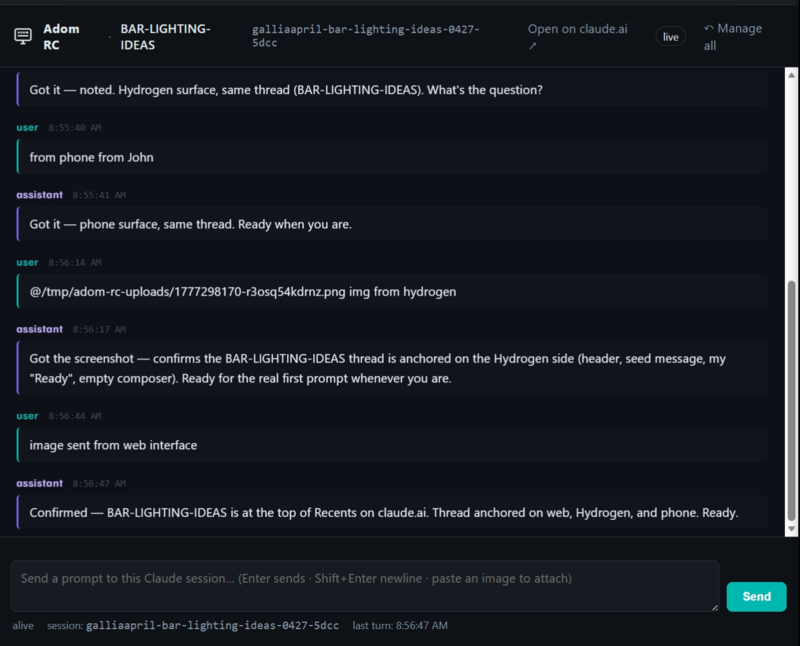
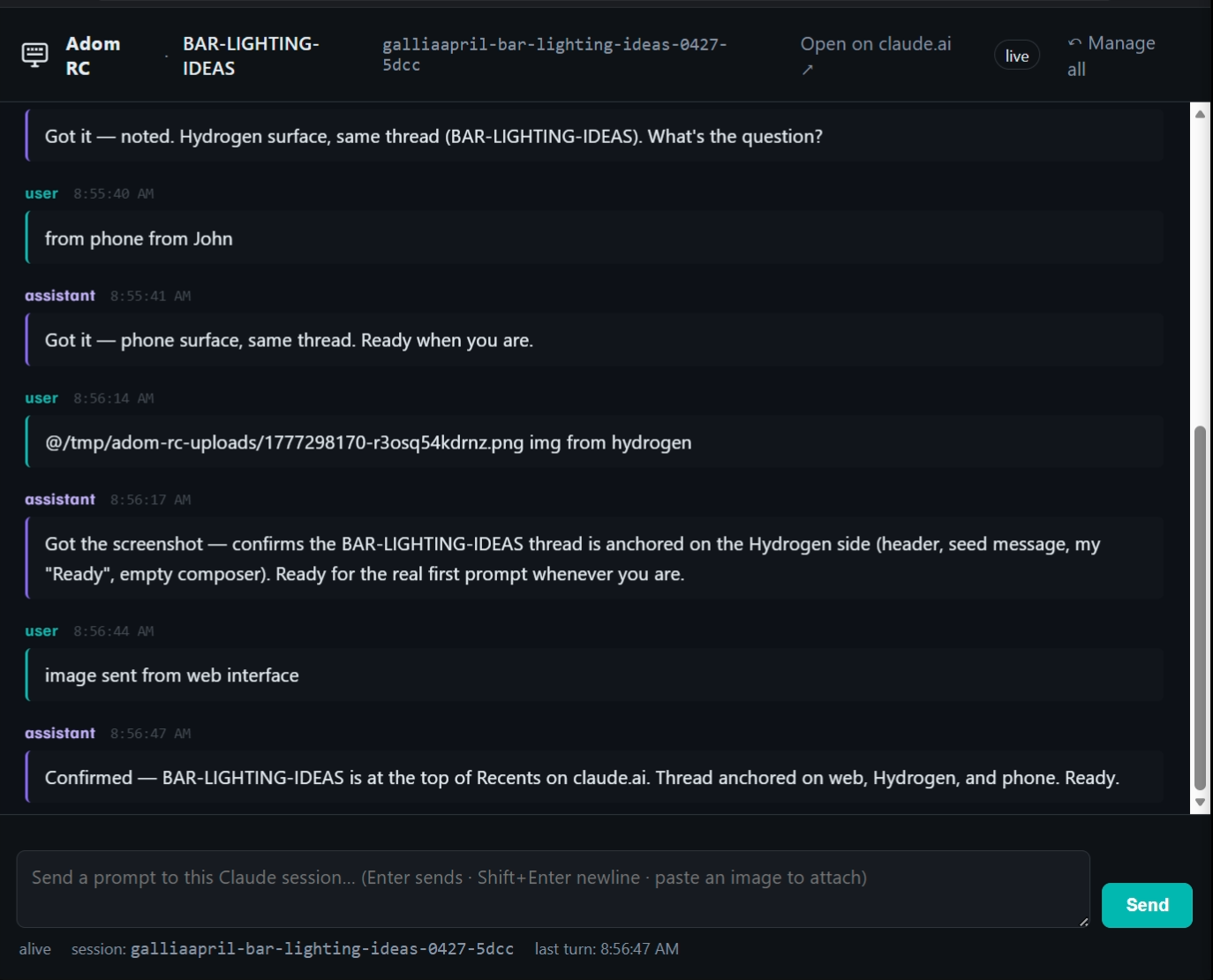
The Hydrogen webview tab is a Claude-style chat surface bound to a single
thread:
- Header: brand (
Adom RC), label, tmux name, Open on claude.ai ↗,
live/sending/thinking pill, ↶ Manage all link
- Conversation feed: oldest → newest, auto-scroll to bottom unless
you've scrolled up (a floating "↓ Jump to latest" pill appears, with a
glowing dot if new turns arrived while scrolled away)
- Composer:
Enter sends, Shift+Enter newline, paste an image to
attach
- Image paste UX: clipboard images upload to
/tmp/adom-rc-uploads/,
show as 88×88 thumbnail chips above the composer, click to zoom (1600 px
preview), × to remove. Auto-resized to max 1000 px on the longest side
(Claude rejects huge images). The @/tmp/... path is hidden from your
composer text — only injected at send time.
- Optimistic UI: textarea clears the same frame you hit Enter, your
message appears immediately as a "sending" bubble, "Claude is
thinking…" dots show below until the assistant turn arrives.
Open the same conversation in your native browser
The header's Open on claude.ai ↗ link routes through adom-desktop desktop_open_url, which launches your default OS browser (Edge,
Chrome, Firefox, Brave — whatever you actually use), where you're already
signed in to claude.ai. Same JSONL, no extra login, no pup window.
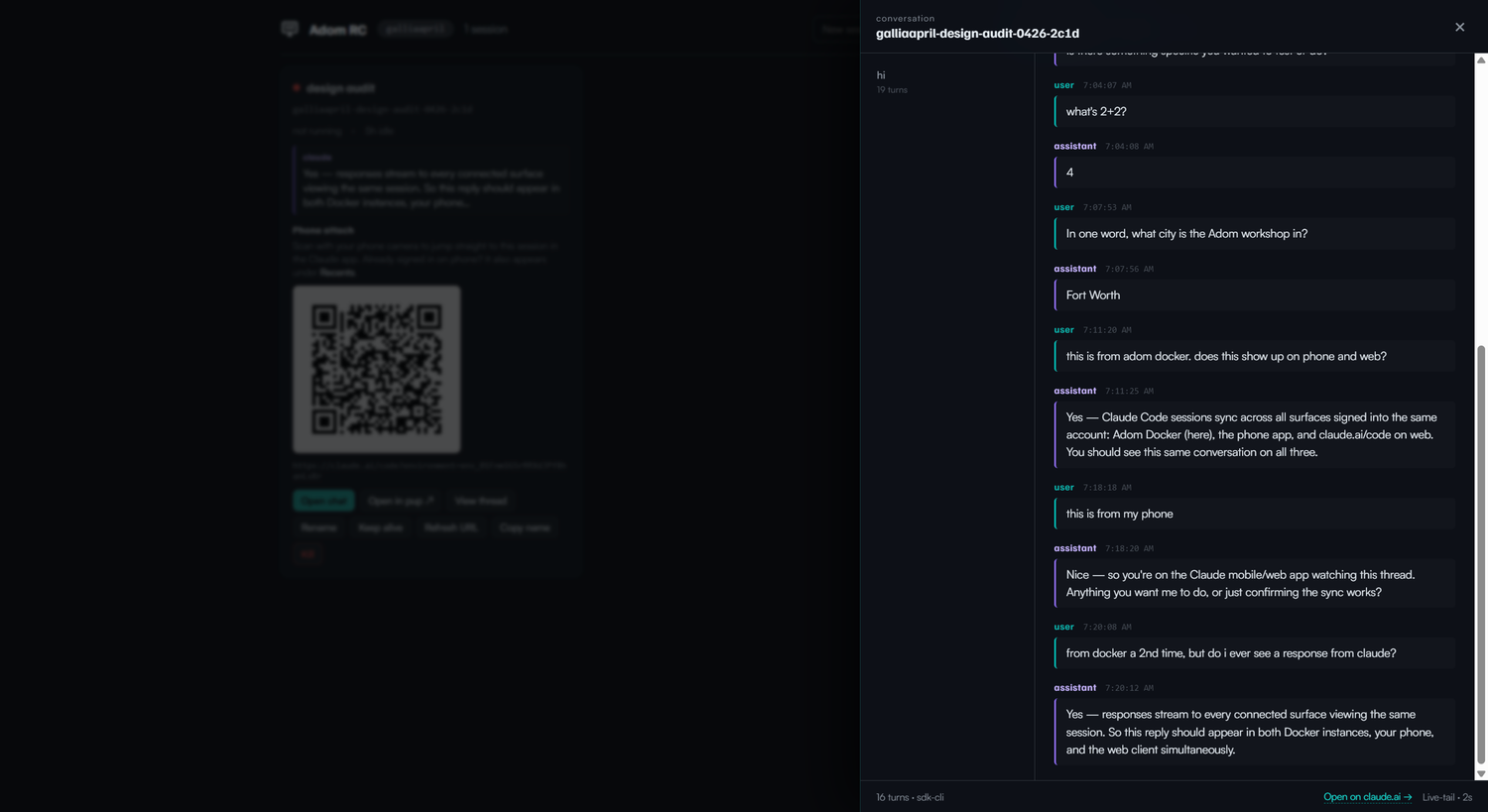
Anything you type in either surface (Hydrogen chat tab, claude.ai/code,
phone app) appears in all three.
CLI reference
# Daemon lifecycle
adom-rc start                  # tiny_http on 127.0.0.1:8773 + watchdog
adom-rc stop
adom-rc status                 # one line per session

# Spawning
adom-rc open                   # open management UI as a Hydrogen tab
adom-rc new --label "<topic>"  # spawn a phone-attachable RC session (claude rc)
adom-rc handoff "<label>"      # primer-handoff from the active VSCode chat

# Driving a chat tab from CLI
adom-rc input <name> "<text>"  # queue text + auto-submit in the chat tab

# Cleanup
adom-rc kill <name>
adom-rc kill-stale --idle-hours 24
adom-rc disable-av-squad       # one-shot: kill any AV-spawned alpha/beta/gamma/delta

# Per-session
adom-rc attach <name> --refresh
adom-rc label <name> "<new label>"

# Skill
adom-rc install                # deploy SKILL.md to ~/.claude/skills/adom-rc/
HTTP API (AI-drivable)
| Endpoint | Purpose |
|---|
POST /api/new_thread {label} | Spawn interactive chat thread (used by "New chat ⧉") |
POST /api/new {label} | Spawn claude rc for phone QR attach |
POST /api/popout {tmux_name} | Open / refresh a chat tab in Hydrogen |
POST /api/inject {tmux_name, text} | Send a prompt to a thread |
POST /api/upload {data_b64, ext} | Stash a clipboard image, returns /tmp/... path |
POST /api/desktop/open_url {url} | Open URL in user's native browser |
POST /api/test/queue_input {tmux_name, text} | Queue text for the tab to consume + submit (drives adom-rc input) |
GET /api/sessions | List sessions (cheap; no disk scan) |
GET /api/conversation/threads?tmux_name=... | Live-tail threads for a session |
GET /api/conversation/<uuid> | Live-tail one thread by JSONL UUID |
Phone attach (legacy claude rc flow, still supported)
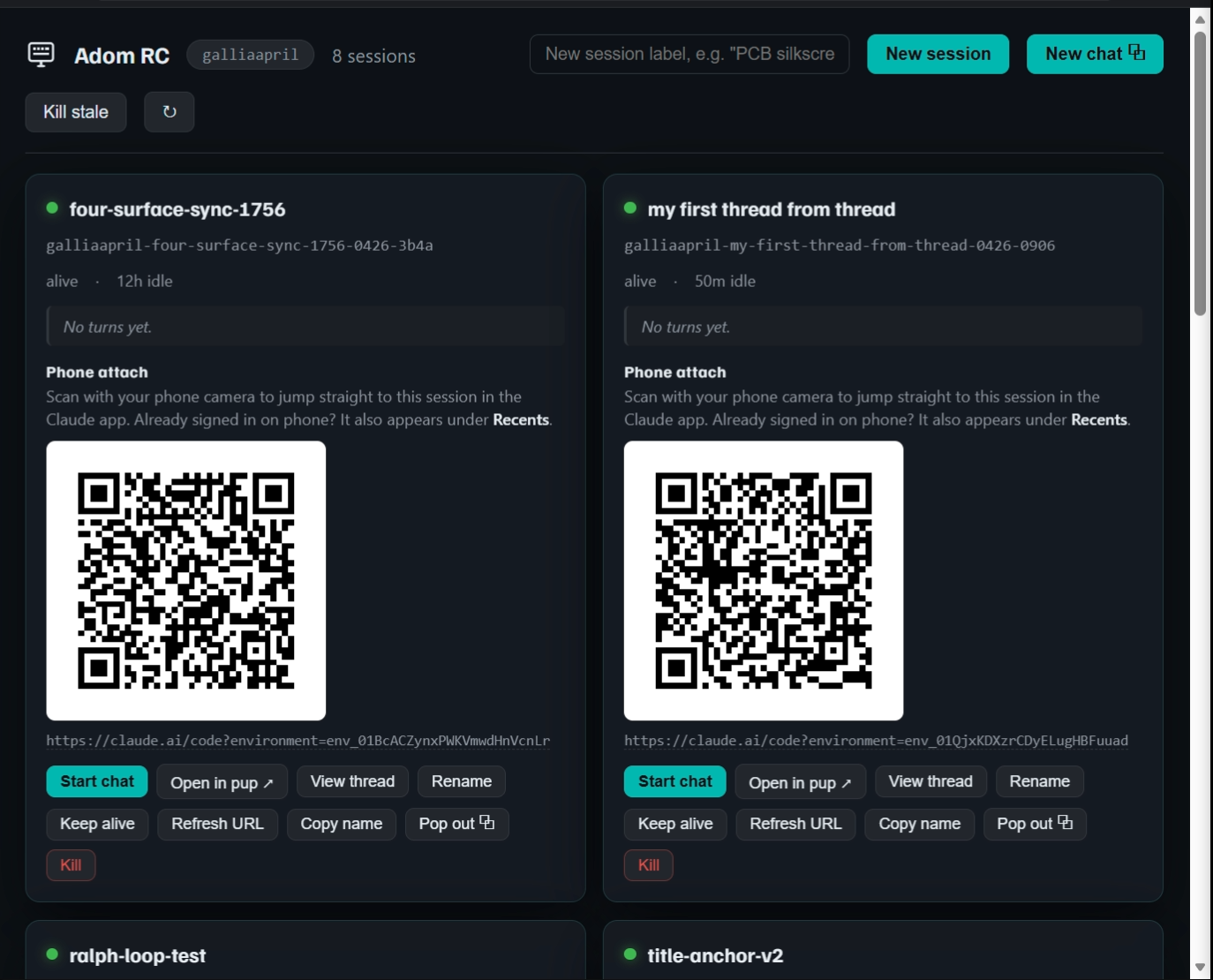
For threads spawned via /api/new (or adom-rc new), the management UI
shows a QR code + a claude.ai/code?environment=env_… URL. Scan with the
Anthropic phone app to attach. The conversation is the same JSONL the
chat tab sees, so phone-typed prompts surface in your Hydrogen tab too.
VSCode handoff
/adom-rc handoff "<label>" picks the most recent VSCode Claude Code
chat's JSONL transcript, spawns a fresh tmux RC session, primes it with
the last 20 turns of context, and prints the RC URL. Then attach from
the phone.
Daemon architecture (what to know when it acts up)
- Bounded thread pool: 8 workers, 32-slot queue. Past incident
(2026-04-27): unbounded
thread::spawn per request let chat tabs
spiral the daemon to 400% CPU + all RAM for 35 min. Now: when the
queue is full, accept blocks and clients backpressure via their
AbortController.
- Streaming JSONL parse:
BufReader::lines() instead of
read_to_string — concurrent reads no longer multiply RAM by file size.
- Mtime-keyed turn cache: 32-entry LRU keyed by (uuid, mtime, size).
/api/sessions is a pure state read — does NOT scan the projects
directory. The card-preview lookups (latest_assistant, cse_id) belong
in a dedicated endpoint, not the hot livetail path.- Per-UUID inflight coalescer: concurrent cache misses for the same
thread serialize behind one parse, then all hit the freshly populated
cache.
Troubleshooting
| Symptom | Fix |
|---|
Claude CLI not found | Run curl -fsSL https://claude.ai/install.sh | bash, then retry. |
| Chat tab shows old JS / cached UI | The _v=<unix-ms> cache buster on POST /api/popout forces a fresh navigation. If your tab still looks stale, close + popout again. |
Daemon won't start (already running) | adom-rc stop first, then adom-rc start. |
| Thread spawned but composer in REPL is full of seed text but never submitted | Welcome screen ate the first Enter. Daemon now waits 9 s + sends a redundant Enter; if you still see this, raise the boot wait in api_new_thread. |
| Image paste fails with size error | Daemon caps at 8 MB upload + auto-resize to max 1000 px. Bigger images need to be downsized first. |
| Hung daemon at high CPU | adom-rc stop and re-run adom-rc start. The bounded thread pool prevents this in normal use; if it recurs, file an issue with ps/ls /proc/$pid/task output. |
Related
claude-squad — legacy 4-slot tmux launcher (now disabled by adom-rc disable-av-squad).app-creator, adom-cli-design, tool-publisher — gallia skills for
building / distributing Adom apps; adom-rc follows all three.pup — browser_open_window for automated browser use; complements
desktop_open_url for human-in-the-loop logged-in pages.