adom-footprint
KiCad footprint creator, linter, and interactive viewer with delivery to KiCad, Fusion 360, and Altium.

Demo video
https://wiki-ufypy5dpx93o.adom.cloud/static/apps/adom-footprint/eda-tools-tour-v4.webm
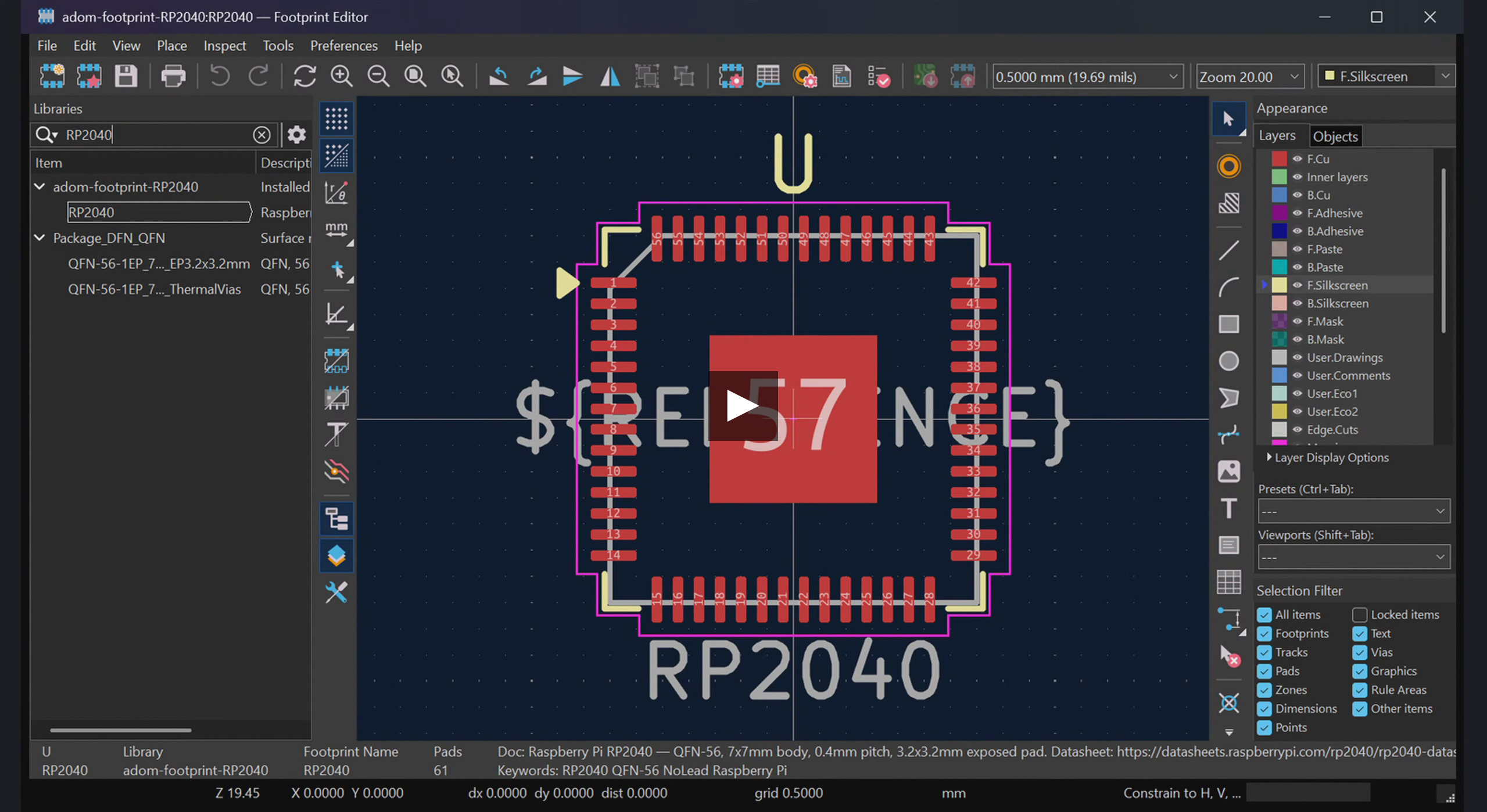
82-second narrated tour: create an RP2040 footprint, hover pads to see tooltips, toggle layer visibility in the HUD, then send to KiCad 10 Footprint Editor and Fusion 360 package editor.
Send to KiCad

One click from the viewer's Send to menu delivers the footprint to KiCad's Footprint Editor with all 57 pads, silkscreen, courtyard, and fab outline.
Send to Fusion 360

Generates an EAGLE .lbr with correctly sized and positioned pads, then opens the package view in Fusion Electronics automatically.
Install
adompkg install adom-footprint
Quick start
# Start the server
adom-footprint serve &

# Create a footprint from JSON
echo '{"footprintName":"QFN-20","pads":[...]}' | adom-footprint create

# Preview in viewer
# -> http://localhost:8782/viewer/QFN-20

# Lint a footprint
adom-footprint lint --name QFN-20

# Send to KiCad
adom-footprint deliver --name QFN-20 --target kicad
Dependencies
| Dependency | Required? | Why |
|---|---|---|
| Node.js 18+ | Yes | Runs the HTTP server and viewer generator |
| service-kicad | Optional | SVG export for viewer rendering |
| adom-lbr | Optional | Converts footprint to .lbr for Fusion 360 delivery |
| adom-desktop | Optional | One-click delivery to KiCad/Fusion 360/Altium |
| adom-symbol | Recommended | Symbol + footprint created together for complete component |
| chip-fetcher | Optional | Downloads manufacturer footprints |
Features
- Interactive viewer with pad hover tooltips, zoom/pan, solder blob visualization
- Layer HUD with KiCad/Fusion 360/Altium tabs and per-layer visibility toggles
- Design-rule linter (courtyard, fab outline, pin-1 marker, silk-pad overlap, .lbr pad cross-check)
- Send to dropdown: one-click delivery to KiCad, Fusion 360
- Altium: contribution prompt (bridge not yet built)
- AI-drivable:
/cmd/push+/cmd/pollendpoints for driving UI from CLI or demo scripts
CLI reference
| Command | Description |
|---|---|
serve [-p port] | Start HTTP server (default :8782) |
create [--file json] | Create footprint from pad JSON |
preview --name NAME | Generate/refresh viewer |
lint --name NAME or --path FILE | Design-rule lint |
validate --name NAME | Check artifact completeness |
deliver --name NAME --target kicad/fusion360 | Send to desktop EDA |
health | Check service health |
install | Install skill + completions |
completions bash/zsh/fish | Generate shell completions |