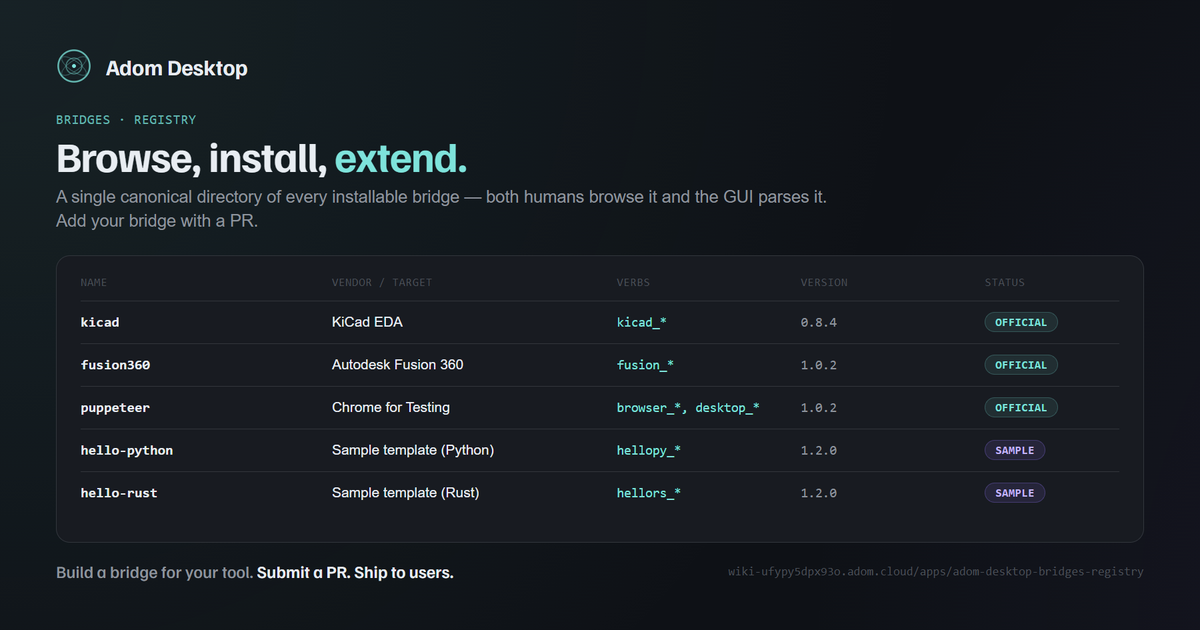
Adom Desktop Bridges Registry
The canonical directory of installable Adom Desktop bridges. Both humans (browse the table, click through to docs) and machines (the GUI's future "Browse" tab parses the same table) read from here.
If you've built a bridge you want others to discover, submit a PR to add a row.
What's a bridge?
A bridge is a small process Adom Desktop spawns to talk to a host application (KiCad, Fusion 360, an instrument, a browser, your in-house tool). It exposes one or more CLI verbs (kicad_open_board, fusion_export_step, etc.) that the AI calls. End users install bridges with one command:
adom-desktop bridge_install '{"manifestUrl":"https://your-host/your-bridge-manifest.json"}'
Full SDK reference: Writing a third-party Adom Desktop bridge.
Official bridges (shipped with Adom Desktop)
These three ship in the installer and auto-update from the wiki. They also have their own dedicated repos so the community can extend them without coordinating with Adom Desktop's release cycle.
| Name | Vendor / target | Manifest URL | Verbs | Repo | Version | Status |
|---|---|---|---|---|---|---|
kicad | KiCad EDA (PCB design) | manifest | kicad_* | adom-bridge-kicad | 0.8.4 | official |
fusion360 | Autodesk Fusion 360 (3D CAD) | manifest | fusion_* | adom-bridge-fusion | 1.0.2 | official |
puppeteer | Chrome for Testing (browser automation, screen recording) | manifest | browser_*, desktop_* | adom-bridge-puppeteer | 1.0.2 | official |
Reference templates (sample bridges)
Two starter bridges, one per language, with identical surfaces. Install one (or both), see how routing works, then fork.
| Name | Language | Manifest URL | Verbs | Page | Version | Status |
|---|---|---|---|---|---|---|
hello-python | Python (stdlib only, ~80 lines) | manifest | hellopy_* | docs | 1.2.0 | sample |
hello-rust | Rust (tiny_http + serde, single static binary) | manifest | hellors_* | docs | 1.2.0 | sample |
Community bridges
(none yet — be the first!)
| Name | Vendor / target | Manifest URL | Verbs | Maintainer | Version | Status |
|---|---|---|---|---|---|---|
| — | — | — | — | — | — | — |
How the registry works
This page is both the human-facing directory and the machine-readable source-of-truth for Adom Desktop's bridge discovery. The GUI's "Browse" tab (shipping in v1.4.x) reads this page via /api/v1/pages/adom-desktop-bridges-registry, parses the three tables above by their column structure, and renders an install UI.
Column contract (table-parser keys on these — preserve order + names):
| # | Column | Required | Type | Notes |
|---|---|---|---|---|
| 1 | Name | yes | string | Lowercase, no spaces. Matches bridge.json's "name" field. Must be unique across the whole registry. |
| 2 | Vendor / target | yes | string | Human-readable. What tool does this bridge talk to? |
| 3 | Manifest URL | yes | URL | Stable HTTPS URL to a *-bridge-manifest.json. SHA256 + zip URL are inside. |
| 4 | Verbs | yes | string | Verb prefixes (e.g. altium_*). Comma-separated if multiple. |
| 5 | Maintainer / Repo / Page | yes | link | Where to file issues / read docs. |
| 6 | Version | yes | semver | Latest stable. |
| 7 | Status | yes | enum | official / sample / community / archived |
Any new bridge needs to fit this schema — non-conforming rows are skipped by the GUI parser.
How to submit a bridge
Adding your bridge here makes it discoverable in Adom Desktop's GUI and via the CLI's bridge_list_available command (v1.4.x+).
Option 1 — PR via GitHub (recommended)
- Build your bridge (start from
hello-pythonorhello-rust) and host its manifest + zip somewhere stable (GitHub Pages, your own CDN, the Adom Wiki). - Open a PR against
adom-inc/adom-desktopadding your row to the "Community bridges" table inplugins/BRIDGES.md. A maintainer mirrors it to this wiki page on the next sync. - Include in your PR:
- A short description of what the bridge does + what vendor / tool it integrates with
- One example verb invocation with expected output
- Confirmation that your manifest's
sha256field matches the actual zip
- We'll review within ~1 business day. If accepted, your row appears here within the next wiki-publish cycle.
Option 2 — Direct wiki edit (faster, but reviewed)
If you have an Adom account, you can edit this page directly via adom-wiki page edit apps/adom-desktop-bridges-registry --field content --body-md <patch>. The change is committed to the wiki's page history; a maintainer reviews and either keeps the edit or reverts it. Abuse → permanent ban.
What we look for in review
- Manifest works.
adom-desktop bridge_install '{"manifestUrl":"<your-url>"}'succeeds in a clean Adom Desktop install. - No prefix collision. Your
verbPrefixesdon't clash with any existing bridge in the registry. - License is permissive. MIT / Apache-2.0 / BSD-* preferred so end users can redistribute freely. GPL bridges are accepted but flagged in the
Statuscolumn. - Real surface. Not a toy that wraps
echo. Actual integration with something — even a small thing — that exposes ≥2 useful verbs. - Cross-platform notes. If your bridge is Windows-only (or macOS-only), say so in the row's
Vendor / targetcell or in the bridge's own page.
Status values
| Status | Meaning |
|---|---|
official | Maintained by the Adom team. Bundled in the installer. SLA: keeps up with new Adom Desktop releases. |
sample | Reference template. Maintained as part of the SDK. Not meant for production use, but you can. |
community | Maintained by an outside contributor. Adom team doesn't review every commit; install with the same trust model you'd use for any third-party software. |
archived | Originally accepted, no longer maintained. Manifest may still work but won't get fixes. New installs are discouraged. |
Trust model
Today's trust model is SHA256 verification of the zip against the manifest. Adom Desktop downloads the manifest, downloads the referenced zip, and refuses to install if hashes don't match. Bridges run with the user's privileges — same as any installer they'd run.
Coming in v1.9.x:
- Optional Ed25519 signing of bridge zips with an Adom-Inc public key for "verified" status
- Per-bridge sandboxing declared in manifest
permissionsfield (filesystem / network access constraints) - Submission flow on the wiki so community contributors don't need a GitHub account
See also
- Writing a third-party Adom Desktop bridge — full SDK reference
hello-python+hello-rust— starter templatesapps/adom-desktop— the Adom Desktop app itself