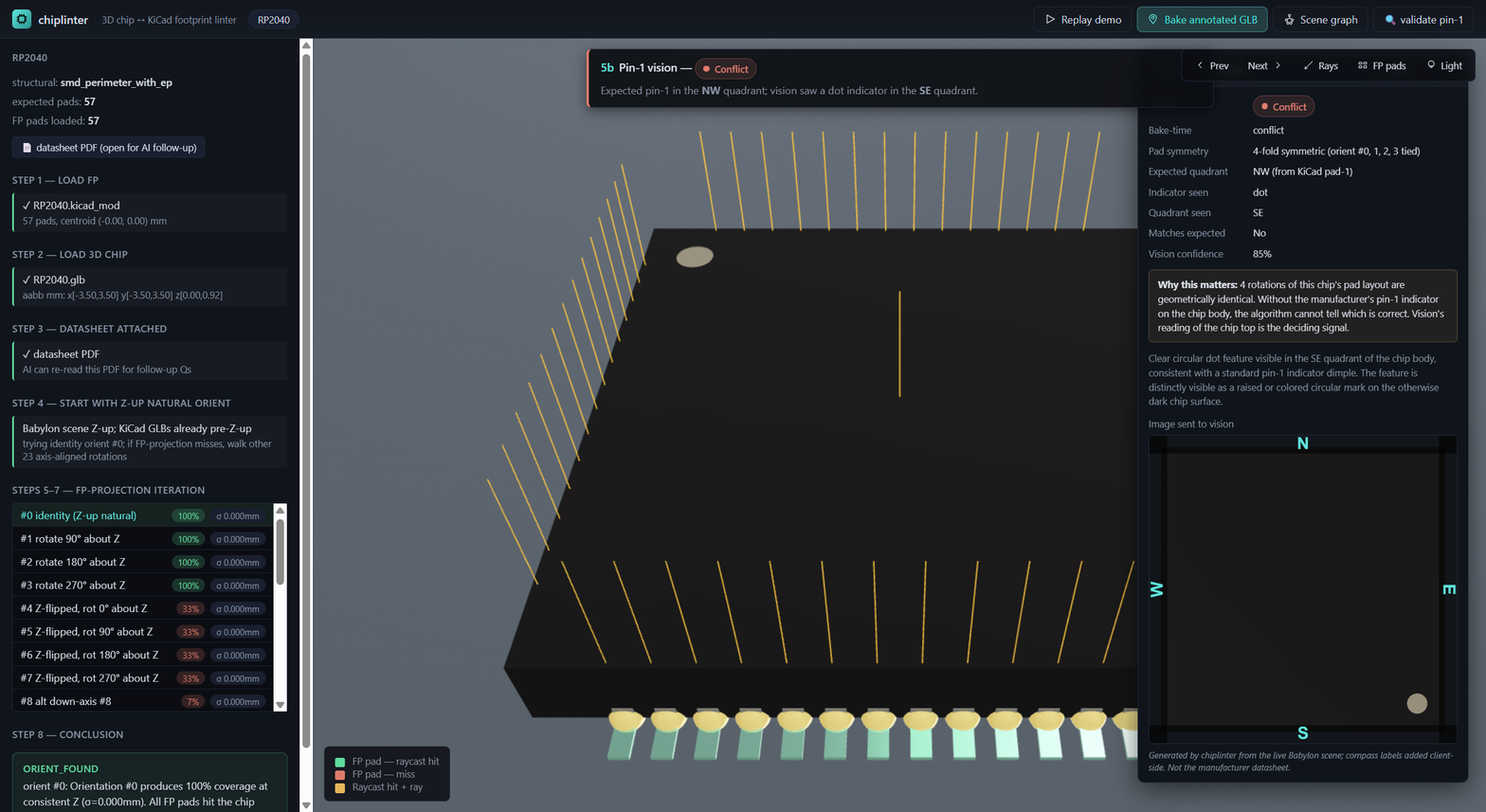
adom-3d-viewer-babylon9
A fork of Colby's adom-3d-viewer (Babylon 7.54) bumped to Babylon 9.5.0 with
the redesigned Inspector v9. Built as an ESM bundle for downstream Adom tools
to vendor — chiplinter consumes it today, and we expect it to back the next
~10 Adom 3D viewers.
Why fork
Colby's adom-3d-viewer is the canonical viewer for InstaPCB previews and
chipfit, but it's pinned to Babylon 7.54 because chipfit-v2 + tscircuit ship
the same renderer. We needed Babylon 9's redesigned Inspector for chiplinter's
scene-graph debugging and didn't want to disturb Colby's surface area, so this
is a parallel fork.
What's in the bundle
The build produces a single ESM entry plus code-split chunks:
adom-3d-viewer-babylon9.esm.js     ← entry, sets window.Adom3DViewerBabylon9
chunk-*.js                          ← code-split chunks (Babylon core, inspector, etc.)
VERSION
Loaded via:
<script type="module">
  await import('/path/to/adom-3d-viewer-babylon9.esm.js');
  const v = window.Adom3DViewerBabylon9;
  v.init(host, { zUp: true, modelUrl: 'asset/foo.glb' });
</script>
Why ESM (not IIFE)
Babylon 9's @babylonjs/inspector has circular imports that resolve to TDZ
when collapsed into a single IIFE scope (regardless of minifier). Vite's ESM
output preserves module boundaries so the inspector initializes cleanly.
Consumers load via <script type="module">, which all modern browsers
support.
API
window.Adom3DViewerBabylon9 = {
  init(host, options),         // mounts the viewer in `host`, returns ViewerInstance
  rotateYUpToZUp(scene),       // for kicad-cli GLBs (Y-up) → adom viewer (Z-up)
  addLaserEtch(scene, opts),   // bake a laser-etched chip-marking text overlay
  BABYLON: <full @babylonjs/core namespace>,  // re-exported for consumers
};
ViewerInstance exposes:
loadModel(url)/clearScene()/frameModel(fillFraction?)getScene()/getEngine()/getCamera()/getShadowGenerator()addContentRoot(node, opts?)/removeContentRoot(node)toggleDebugLayer()/showDebugLayer()/hideDebugLayer()setGroundVisible(visible)/goHome()setProjectionMode(ortho)/getProjectionMode()destroy()
The full @babylonjs/core namespace is exposed at Adom3DViewerBabylon9.BABYLON
so consumers don't need their own import side — chiplinter uses
V.BAB.MeshBuilder.CreateDisc, V.BAB.PBRMaterial, V.BAB.Quaternion,
V.BAB.Tools.CreateScreenshotUsingRenderTarget, etc. directly.
Install (drop into a tool's vendor/3d-viewer/)
The wiki ships the bundle as a tarball. Pull it into your tool's vendor directory at install time:
# Install everything to a known shared location
sudo mkdir -p /usr/local/share/adom-3d-viewer-babylon9
curl -fsSL https://wiki-ufypy5dpx93o.adom.cloud/static/apps/adom-3d-viewer-babylon9/adom-3d-viewer-babylon9.tar.gz \
  | sudo tar -xz -C /usr/local/share/adom-3d-viewer-babylon9

# Then symlink (or copy) into your tool's vendor/3d-viewer/
ln -sfn /usr/local/share/adom-3d-viewer-babylon9 /usr/local/bin/vendor/3d-viewer
Or just curl individual files if your tool only needs the entry (adom-3d-viewer-babylon9.esm.js):
curl -fsSL https://wiki-ufypy5dpx93o.adom.cloud/static/apps/adom-3d-viewer-babylon9/adom-3d-viewer-babylon9.tar.gz | tar -xz -C ./vendor/3d-viewer
Browser shims required
The inspector's React deps (Fluent UI) assume a Node environment. Add this shim before loading the bundle:
<script>
  window.process = window.process || { env: { NODE_ENV: 'production' } };
  window.global = window.global || window;
</script>
<script type="module">
  await import('/path/to/adom-3d-viewer-babylon9.esm.js');
</script>
Defaults (3d-viewer-design skill compliance)
| Rule | Status | Notes |
|---|---|---|
| §1 Babylon engine | ✅ | @babylonjs/core 9.5.0 |
§3b Background gradient #5a6b7e → #2a3340 | ✅ | SceneBuilder.ts |
| §4a HDRI environment | ✅ | bundled .env cube texture |
| §4b Bottom-light toggle | ✅ | exposed via consumer toolbar (HemisphericLight ground-color boost) |
| §4d Ground plane + ShadowGenerator(8192) | ✅ | medium-gray ground, blur PCF, optional via showGround prop |
| §5a PBRMaterial default | ✅ | every internal material is PBR |
§6a zoomToMouseLocation = true | ✅ | AdomCamera.ts |
| §6c Shift+Alt+Click recenter | ✅ | AdomCamera.ts |
| §7 ViewCube + tween presets | ✅ | ViewCubeBuilder.ts |
| §8a World-origin axes (default ON) | ✅ v0.2.0 | R/G/B at scene origin, scaled to 15% of scene radius via refreshAxisScale after each frameModel |
| §8b Mesh-local axes (default OFF, toggleable) | ✅ v0.2.0 | parented to each loaded GLB root via addMeshLocalAxes |
| §8c Screen-space corner triad (always on) | ⚠ deferred to v0.3.0 | Second-camera-with-viewport approach didn't render — engine.runRenderLoop(() => scene.render()) honors scene.activeCamera only, not the activeCameras array. v0.3.0 will use UtilityLayerRenderer with an explicit secondary engine.render() pass. §8a + §8b cover the bulk of "where is origin" debugging in the meantime. |
§6b.i Adaptive wheelDeltaPercentage (100/R) | ⚠ open | currently a constant 0.1; pan + radius limits ARE adaptive |
| §11 Y-up→Z-up | ✅ | rotateYUpToZUp(scene) exposed on the global |
§8 axis-helper API (v0.2.0)
// World axes (default ON) — R/G/B at scene origin, sized to 15% of scene radius.
viewer.toggleAxes('world');                      // toggle
viewer.toggleAxes('world', true);                // explicit set
viewer.getAxesState();                           // → { world: bool, meshLocal: bool }

// Mesh-local axes (default OFF) — auto-attaches to each loaded GLB root.
viewer.toggleAxes('mesh-local');                 // toggle
Reach the helpers directly via scene.metadata.__adomAxes if you want to add
or remove per-root helpers programmatically (e.g. while debugging a custom
loader path that bypasses loadModel).
Consumers
adom-chiplinter— vendorsdist-standalone/intovendor/3d-viewer/- (future)
adom-chipfit-v3— when v2 lands its own Babylon 9 upgrade - (future) standalone scene-graph utility scripts
Source
Source code lives at adom-inc/adom-3d-viewer-babylon9 (private repo). The
canonical install artifact is the wiki tarball.