name: chip-fetcher
description: Download manufacturer-grade chip CAD bundles (STEP + KiCad symbol + KiCad footprint + Altium IntLib + Fusion .lbr + datasheet) into a structured library by driving Chrome via pup on the user's desktop. Manufacturer-first sourcing ladder, then SnapMagic → Mouser → DigiKey → Arrow → CSE/UL → LCSC (LCSC is last resort, avoid). Handles NRND/EOL lifecycle and multi-package variants. Use when the user wants to fetch a chip's 3D model, build a chip test library, source CAD files for a part, grab STEP files, populate a chip-pads test set, or "fetch ". Trigger words — chip-fetcher, fetch chip, chip cad, chip step, chip footprint, fetch step file, snapeda fetch, snapmagic fetch, altium intlib, fusion 360 lbr, ultralibrarian fetch, mouser fetch, digikey fetch, nrnd alternate, ti cad download, st cad download, nxp cad download, manufacturer chip step, mpn fetch.
chip-fetcher
Rust CLI at /home/adom/project/chip-fetcher/. Pulls manufacturer-grade chip bundles (STEP + .kicad_sym + .kicad_mod + Altium .IntLib + Fusion .lbr + datasheet PDFs) from the manufacturer's site first, then SnapEDA → Mouser → DigiKey → Arrow → CSE/UL → LCSC (last resort), using a persistent pup Chrome profile. Yanks the downloaded zip from the user's desktop via adom-desktop pull_file. Run chip-fetcher sources any time to print the canonical priority order — single source of truth for the ladder.
Bones
chip-fetcher/
├── src/                       # Cargo CLI
│   ├── main.rs · cli.rs · pup.rs · library.rs · import.rs · creds.rs · inventory.rs · serve.rs
│   ├── sources/ti.rs          # one source plugin so far
│   └── ui/index.html          # viewer
├── library/<MPN>/             # final home for each part's bundle
│   ├── <MPN>.step             # rich manufacturer STEP
│   ├── <MPN>.kicad_mod        # ground-truth pad data
│   ├── <MPN>.kicad_sym        # pin names
│   ├── <MPN>.IntLib           # Altium (when SnapEDA fetched)
│   ├── <MPN>-fusion.lbr       # Fusion 360 / Eagle (when SnapEDA fetched)
│   ├── <MPN>.pdf              # datasheet
│   ├── stock.json             # Mouser stock + lifecycle + variants
│   └── info.json              # provenance tags + chipsmith handoff fields (footprint_name, kicad_3d_name, package_kind, pin_count, body_dims_mm, has_ep)
├── playbooks/                 # deep reference — Read on demand (see "Playbook index")
└── incoming/                  # staging for files pulled from desktop
Commands
chip-fetcher fetch <MPN>            # opens vendor product page → drives the source's flow
chip-fetcher pull <win-path> --mpn  # pulls a Windows file via adom-desktop, imports
chip-fetcher import <path> [--mpn]  # absorbs a downloaded file/zip into library/<MPN>/
chip-fetcher login <source>         # opens a source's login page in the chip-fetcher pup profile
chip-fetcher login all              # opens every source as separate tabs
chip-fetcher login list             # catalog of known sources
chip-fetcher list                   # what's in library/ vs missing per slot
chip-fetcher status <MPN>           # show step/mod/sym/pdf for one MPN
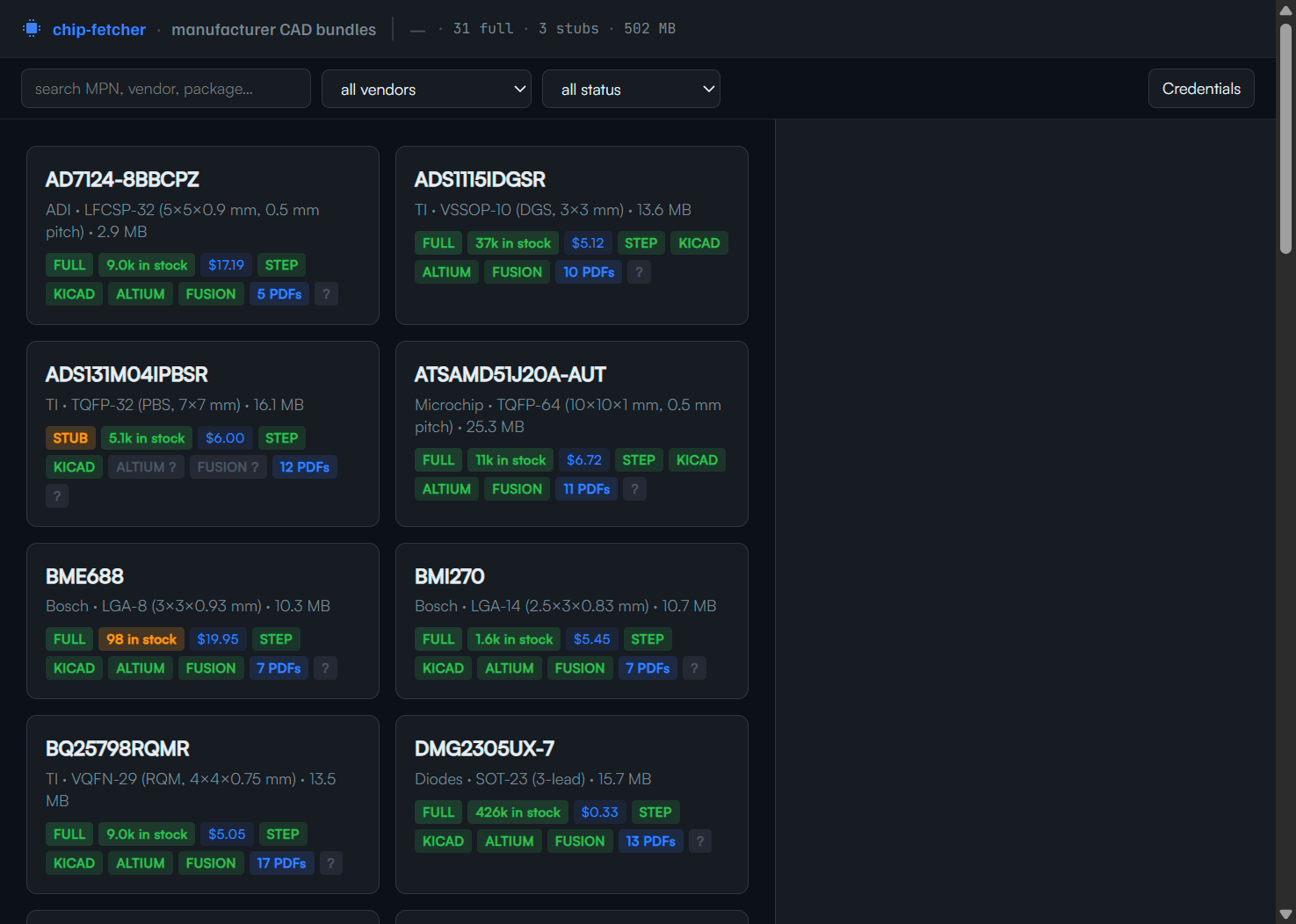
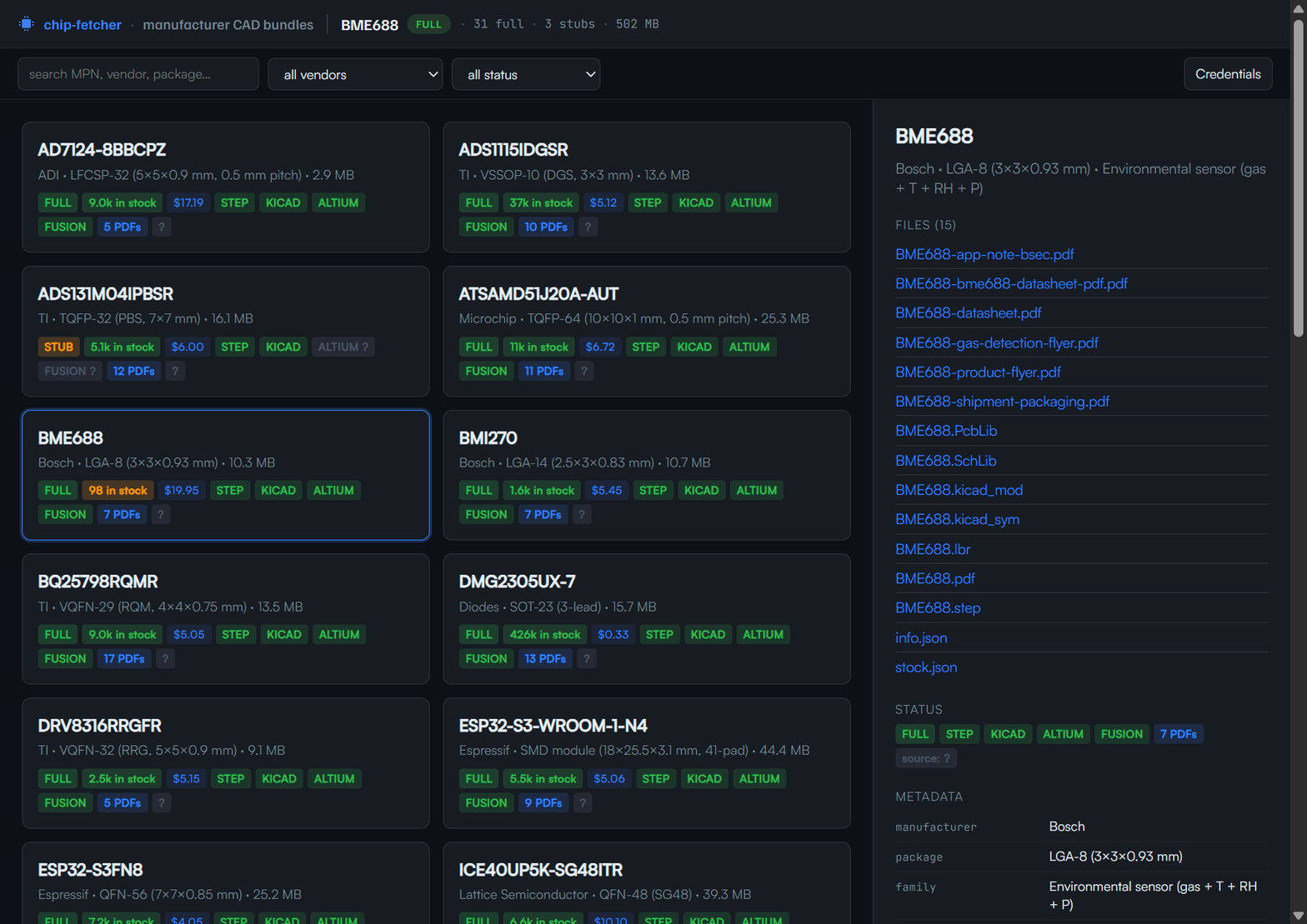
chip-fetcher app                    # open the viewer in a Hydrogen webview tab
chip-fetcher serve                  # run the viewer HTTP server
chip-fetcher install                # (re-)deploy SKILL.md + playbooks/
Programmatic-rule subcommands — these enforce the skill rules in code
The AI's job is to call these instead of remembering rules. Each one
returns either a clean status or a HINT: line telling you what to do
next, so the workflow becomes mechanical: the binary remembers, you
ask it.
chip-fetcher heartbeat <MPN> "<stage>"
  # Side-effects: creates a stub card on first call, auto-scrolls the
  # dashboard pup window so the active card is centered + highlighted,
  # auto-records source attempts in info.json.fetched_via_chain (parses
  # the stage label for "Mouser empty" / "SnapMagic OK" patterns), prints
  # WARN per missing artifact, prints library-wide WARN with N/Total
  # incomplete count, and warns when stage phases skip ahead.

chip-fetcher mfr-probe <MPN> [--no-open]
  # Detects manufacturer from MPN prefix (table in src/sourcing.rs),
  # opens their canonical product/search URL in the chip-fetcher-scrape
  # pup session, records the attempt on the chain. Run BEFORE any
  # third-party source — the mfr-first rule is enforced here.

chip-fetcher next-source <MPN>
  # Reads info.json.fetched_via_chain and prints the next ladder step
  # that hasn't been tried, with a HINT for what command to run. LCSC
  # is only suggested when every prior step has a recorded failure
  # outcome — code refuses to skip ahead.

chip-fetcher sources
  # Print the canonical priority order. Single source of truth for
  # "what's the right ladder?"

chip-fetcher gate [--strict] [--mpn <MPN>]
  # Hard gate. Exit 1 if any card lacks PDF + STEP + .kicad_sym + .kicad_mod
  # (or also Altium + Fusion in --strict). Prints HINT lines per missing
  # artifact. **Run this BEFORE reporting "done" on a batch.** Datasheet-
  # only cards count as incomplete stubs, not done.

chip-fetcher selfcheck       # dashboard up + heartbeat fresh + pup session live
chip-fetcher hint            # next action based on current heartbeat state
Side-effect docs that matter:
chip-fetcher import <file> does PDF magic-byte validation (rejects HTML masquerading as PDF — the classic "naked curl returned a 174 KB CDN denial page that looks like 200 OK" footgun) AND a STEP ISO-10303-21 header check AND KiCad sym/mod sanity-check. Imports that fail magic-byte refuse the file with a clear ERROR:.chip-fetcher import also writes a per-MPN <MPN>-fetch-log.json audit trail (timestamp, source path, target name, size, magic-byte status) every time a file lands. Survives across sessions; the AI doesn't have to remember to write provenance.
Critical rules — these always apply
- Dashboard is the user's home base. Before any scraping, open the chip-fetcher viewer as the user's preferred surface — pup window OR Hydrogen webview, per their preference (check
user_profile.md for chip_fetcher_dashboard_surface, ask if unknown, save the answer). Laptop-screen users tend to prefer pup; big-monitor users tend to prefer webview. Whichever surface, never navigate it mid-batch. Scraping always runs in pup sessionId: "chip-fetcher" (separate from the dashboard) because trusted-click + captcha + vendor logins only work there. Heartbeat every stage transition via /api/activity so the dashboard reflects live state. Read playbooks/dashboard-flow.md before any batch fetch — it has the dual-surface dashboard pattern, the heartbeat protocol, and the canonical stage labels.
- Manufacturer-first. Stay on
<vendor>.com and exhaust their CAD/Documentation/Resources/Tools tabs before bouncing to a third-party. Don't go to 3dfindit.com, snapmagic.com, mouser.componentsearchengine.com, or any aggregator unless the manufacturer's own page links there explicitly. Read playbooks/sourcing-ladder.md for the full ladder + escape rules.
- Always ask "do you have a login here?" before showing a vendor signup form. Most EEs already have SnapEDA/CSE/UL/Mouser/DigiKey/NXP/TI/ST/Microchip accounts. Read
playbooks/credentials-and-logins.md for the catalog + the credential vault.
- NRND/EOL/Last-Time-Buy is a HARD STOP for chip-fetcher's own picks. If the user explicitly named the MPN, fetch + warn. If chip-fetcher chose it, pick an active replacement instead. Always store
lifecycle + lifecycle_warning in stock.json.
- Track Mouser stock + pricing as first-class data. Every chip in
library/<MPN>/ should have stock.json with current Mouser snapshot. Multi-package variants go under variants[] — don't collapse to the highest-stock one.
4a. Persist chipsmith handoff fields in info.json. Every fetch MUST write these fields when the source provides them (which is almost always — the upstream library page literally names them):
footprint_name — KiCad library path, e.g. Package_QFN/QFN-32-1EP_5x5mm_P0.5mm_EP3.7x3.7mm. Comes from SnapEDA / SnapMagic / Ultra Librarian / Component Search Engine / Mouser CAD / DigiKey CAD download pages — every one of those exposes the canonical KiCad footprint name.kicad_3d_name — KiCad packages3d STEP path, e.g. Package_QFN.3dshapes/QFN-32-1EP_5x5mm_P0.5mm_EP3.7x3.7mm. Same upstream sources.package_kind — canonical short tag (SOIC / QFN / QFP / LGA / BGA / DIP / SOT / TO / USB-C / etc.) derived from package_family via regex normalize.pin_count — manufacturer datasheet pin-table OR distributor parametric "Number of Terminations" field.body_dims_mm — from the datasheet mechanical drawing page; nominal [X, Y, Z] mm.has_ep — boolean from the datasheet ("Exposed Pad" / "EPAD" / "Thermal Pad" mention in pin table).expected_pitch_mm — datasheet mechanical drawing.
These are what adom-chipsmith (the chip detection + footprint validator + sign-off app) consumes to drive its pin-detection + measurement-rescale + KiCad stock-library cross-check. The KiCad library is footprint-keyed and 3D-name-keyed — NOT MPN-keyed — so there is no MPN→KiCad-library lookup we can do downstream. chip-fetcher is the ONLY layer that has access to the upstream page where the footprint name was named. If chip-fetcher doesn't capture them, no downstream tool can recover them.
- chip-fetcher does ALL the clicking. Never ask the user to click Download / Allow / dismiss a banner. If a click looks impossible, find a way (CDP permission grant, trusted-click via
browser_input_dispatch, OS-level workaround). Reaching for "user, please click X" is a skill bug. Read playbooks/handoff-and-watching.md for the escape valve.
- When you hand off a click, ALWAYS watch for the resulting state change. Never end with "tell me when you're done." Arm a Monitor that polls for the post-click signal (token populates, button enables, file lands) and auto-continues. The user only ever does one click.
- EDA-agnostic terminology in user-facing surfaces. Files on disk are
.kicad_sym / .kicad_mod, but UI labels are "SYMBOL" / "FOOTPRINT" — never "MOD." Adom supports KiCad, Fusion 360, Altium, OrCAD, EAGLE.
- Use
profile:"chip-fetcher" and only that. Never rotate profile names — that nukes vendor logins. Bust caches with ?v=$(date +%s), never with a new profile.
- Browse as a real user. Pre-warm with a referrer chain, add 2–5s random delays, scroll the page, move the mouse. Burst-clicking 5 product pages in 30s gets you flagged. Naked
curl to a bot-walled CDN returns a 174 KB HTML denial page that looks like 200 OK — always validate head -c 4 file | grep '%PDF'.
- Auto-accept every cookie banner, every page, every time. First thing chip-fetcher does on any new page. Walks shadow DOM. Accept All — never Decline / Manage / Save settings.
- Don't pile up pup tabs. Reuse the existing tab. Close stale tabs after a download. Only open a new tab when you genuinely need two pages side-by-side.
11b. NEVER create a pup session with a profile other than
chip-fetcher. The user's vendor login cookies (SnapEDA, UL, CSE, TI, ST, Mouser, DigiKey) live in the chip-fetcher Chrome profile. Creating cf-pdf-grab, chip-fetcher-dash, or ANY other profile name starts a FRESH Chrome with NO cookies — silently losing every credential the user entered in previous sessions. This is a critical bug that has already burned the user. ALL chip-fetcher pup work MUST use profile: "chip-fetcher". The sessionId can vary (chip-fetcher, chip-fetcher-scrape) but the profile MUST be chip-fetcher.
11a. Always hard-reload the pup dashboard after deploying new code. After any cargo build + cp or version bump that changes src/ui/index.html, the pup window is still serving the OLD cached HTML. Run browser_eval("window.location.reload(true)") on the dashboard session BEFORE taking screenshots or showing the user. Without this, every "show me" screenshot is stale UI and the user sees the old version — exactly the bug that wastes their time verifying the wrong thing.
- When stuck on a vendor's flow, show the user the product page and let them teach you. Foreground pup, screenshot, ask one specific question, wait, implement their answer, then capture the pattern back into the right playbook so the next agent benefits.
- NEVER claim "done" while stub / empty cards exist on the dashboard. Run
chip-fetcher gate before reporting completion — it returns exit 1 if ANY card lacks PDF + STEP + .kicad_sym + .kicad_mod, and prints HINT: lines per missing artifact. Datasheet-only cards = stubs, not done. Every chip-fetcher heartbeat ALSO surfaces WARN: card <MPN> is INCOMPLETE — missing: ... plus a library-wide WARN: N/Total cards still incomplete count — read those WARNs before saying "X of Y done." If the ladder is genuinely exhausted (no STEP exists anywhere on Mfr / SnapMagic / Mouser / DigiKey / Arrow / CSE), explicitly record that in info.json.fetched_via_chain and surface "ladder exhausted" to the user — don't silently abandon the card and call it shipped.
Playbook index — Read on demand
Each playbook is a focused deep-dive. Read the relevant one when the situation matches. They live at ~/.claude/skills/chip-fetcher/playbooks/<name>.md after chip-fetcher install.
| Read this | When |
|---|
playbooks/dashboard-flow.md | Read before any batch fetch — chip-fetcher's UI is the user's home base. Two-pup-session pattern (dashboard + scraping), activity-heartbeat protocol, canonical stage labels (probing <vendor>.com / downloading <format> / imported / stuck — <reason>), opening the dashboard window, when NOT to navigate it, antipatterns. |
playbooks/sourcing-ladder.md | Starting a new MPN. Covers the full ladder (manufacturer → SnapEDA → Mouser → DigiKey → UL/CSE), the manufacturer-first ironclad rule, the NRND/EOL hard stop, and the multi-variant stock.json schema. |
playbooks/manufacturer-direct.md | You've identified the manufacturer. Covers self-hosting matrix, vendor URL + UL deep-link patterns, Microchip iframe gotcha, NXP product-page detail (BXL + 3D icon + EXTENDED PROFILE), Lattice 30-PDF Documentation tab, manufacturer reference-layout zips ≠ chip CAD, and info.json provenance tags. |
playbooks/ultra-librarian.md | Any UL flow — embedded captcha or UL Pro logged-in. Three flows: (1) vendor.ultralibrarian.com/<slug>/embedded → captcha gauntlet, driven by cf-ul-fast.sh; (2) app.ultralibrarian.com/details/...?uid=... (logged in) → captcha-free tick-and-click via cf-ul-pro-batch.sh (the modern fast-path: sign in once via chip-fetcher login ultralib, then no captcha for 30 days); (3) anonymous UL Pro detail pages → fall back to embedded captcha. Also covers the two-click BUTTON-then-A.export-trigger pattern that's bug-prone, the canonical-four EDA-format pick, watcher race-safety, and per-package coverage caveats. |
playbooks/snapmagic.md | Manufacturer doesn't host CAD (Nordic, niche connectors, smaller MCUs) and SnapEDA covers it. Covers login (form.submit() not button-click), part-page URL, the per-account preferred_2d_format AJAX flow, the "Heads Up" multi-section warning, the KiCad V3/V4/V6 sub-picker, full 3-format cycle (KiCad → Altium → Fusion), filename map, and InstaBuild AI-generated parts. |
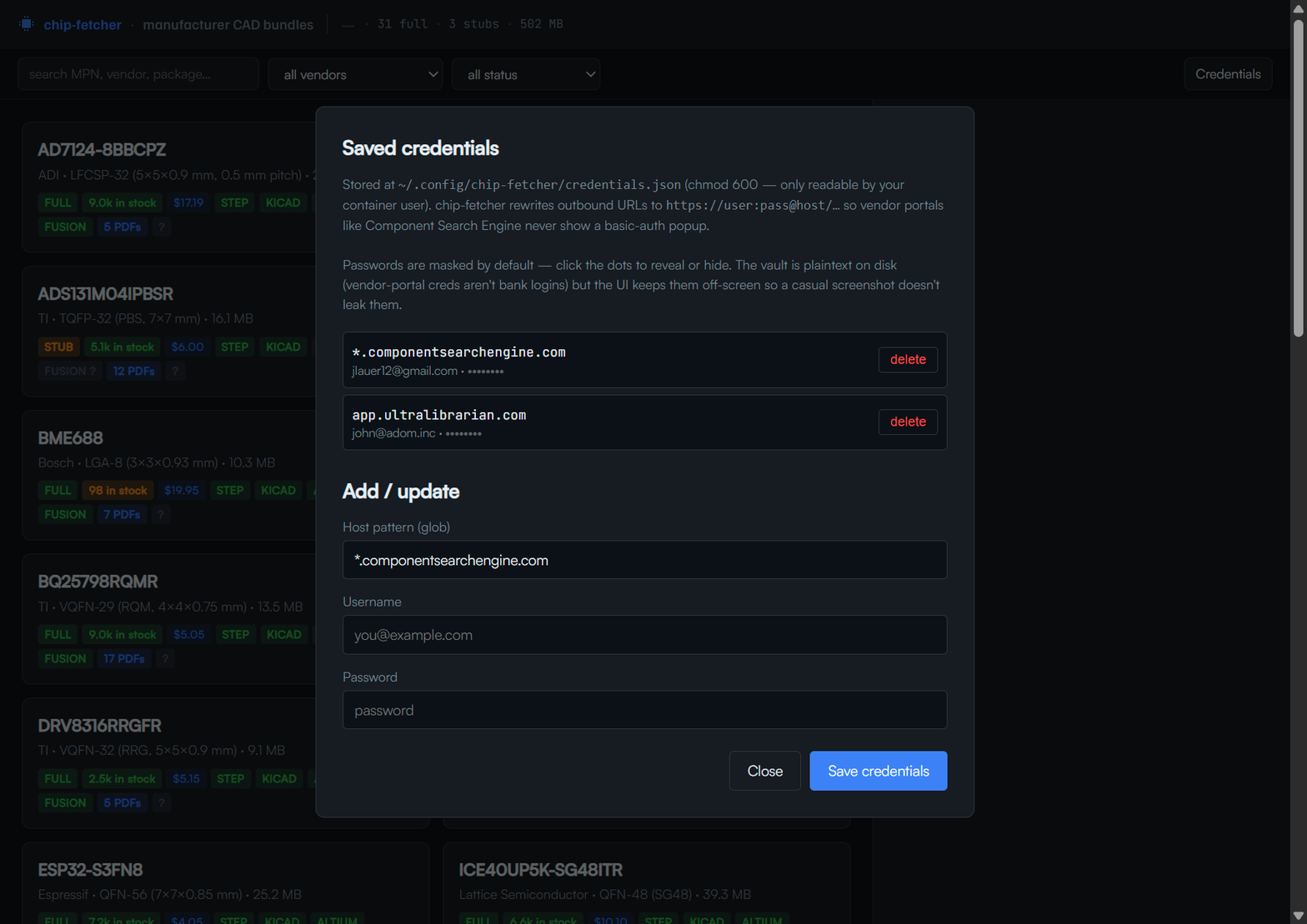
playbooks/mouser-cse.md | Manufacturer doesn't host CAD and SnapEDA didn't cover it — Mouser has the ECAD Model + datasheet. Covers Mouser CSE Library Loader, the HARD RULE that CSE downloads use HTTP Basic Auth (form-login session cookie is useless for downloads — embed creds inline as https://user:pass@host/...), cf-cse-batch.sh for batch fetching with inline creds, slide-to-verify escalation, CSE single-login covering all subdomains, and Chrome's "wants to Download multiple files" silent killer. |
playbooks/digikey-models.md | DigiKey's dedicated Footprints and Models page at /en/models/<product-id> (NOT the product detail page). Three accordion sections: Manufacturer Provided (STEP from mfr CDN), Ultra Librarian (format picker → KiCad v6+), SnapMagic. Two-layer provenance: discovery_source=digikey, content_origin=manufacturer/ul/snapmagic. The mfr STEP is often ONLY surfaced here. Chrome download permission issue + inline-fetch workaround documented. |
playbooks/credentials-and-logins.md | A vendor flow lands on a sign-in / sign-up page. Covers the two auth schemes (Credentials button = Basic-Auth URL rewriting for CSE; pup-window sign-in = form-login + cookie for everything else), the mandatory pup-window-only sign-in walkthrough (open login in pup, pre-tick "Remember Me" via JS, offer to fill the form for the user — vendor CAD accounts aren't bank logins so just take the password), the "always ask first" rule, known-EE-login catalog, chip-fetcher login <source> aliases, save-to-vault pattern, and user_profile.md for vendor-form auto-fill. |
playbooks/adom-desktop-api.md | You need to drive pup beyond browser_navigate + browser_eval. Covers browser_input_dispatch (trusted clicks), popup-tab auto-tracking + the "clicks open in new tab" rule, smart-pick + the Vue-Toastification false-positive workaround, browser_fetch_url (3 modes) + popup-PDF recipe, pull_file streaming, stale-relay gotchas, the cookie-banner auto-accept snippet, and the SACRED chip-fetcher profile name. |
playbooks/handoff-and-watching.md | You've decided you can't automate something (captcha, OAuth, OS prompt). Covers when handoff is allowed (escape valve, not routine), the ALWAYS-watch rule, signals to watch for per handoff trigger, the show-product-page-and-teach-me pattern when stuck on a vendor, and EDA-agnostic UI terminology. |
Adom standard passive size — proactively recommend 0402
When a user asks "what size LED / resistor / cap / inductor?", default to 0402 and surface the InstaPCB-respin rationale. Don't recommend 0603 by reflex — that's the traditional EE default rooted in hand-rework friendliness, and Adom's 4-hour respin loop replaces hand-rework entirely. The full rule + paraphrased justification lives in electrical-engineering/SKILL.md §4a; read it once per design conversation.
Quick reference (see solder-jetting/SKILL.md for the dispense math):
- 0402 = Adom standard. Solder-jet places it with 250 µm of bridging margin (300 µm dot rule + 550 µm IPC pad gap).
- 0603 = override only. Recommend when user is hand-prototyping outside InstaPCB, has a high-current rail, RF impedance constraint, or explicitly asks.
- 0201 = surface the dispense warning. Pad gap 250 µm violates the 300 µm inter-pad rule.
- 01005 = out of envelope. Pads below the 250 µm droplet minimum.
For chip packages, pad-pitch ≥ 0.4 mm is comfortable; below that surfaces as a DRC warning. Don't recommend a part with finer pitch without flagging it.
Sister tools to lean on
adom-parts-search (CLI + Hydrogen webview) — unified search across Mouser + DigiKey + JLCPCB with Mouser-preferred routing. Use this first when probing whether a chip is even stocked / sourceable, before chasing CAD.adom-mouser / adom-digikey / adom-jlcpcb — individual distributor backends. The DigiKey API in particular gives product_url / datasheet_url on every result — use those to route into chip-fetcher's per-vendor scrapers.step2glb — convert any STEP into a color-preserving GLB for downstream tools (adom-chiplinter, adom-tsci).
When a vendor product page is Cloudflare-blocked from pup (DigiKey often is), the distributor APIs above are the side-channel — they return the same product_url Cloudflare would gate, plus structured part metadata.
Critical gotchas (one-liners)
- UL download tokens are SINGLE-USE. Re-fetching via
browser_eval + fetch() will not work. Pull from user's ~/Downloads.
- UL ships PACKAGE-named files inside the zip, not MPN-named. Always pass
--mpn <MPN> to import.
- PowerShell quoting via cmd.exe is terrible. Use
-EncodedCommand (UTF-16LE base64).
adom-desktop shell timeout is 120s default. Long-running shell commands get killed. Chunk into shorter calls.chrome-error://chromewebdata/ after a Download click is NORMAL. Chrome handles the binary as a download, can't render it as HTML. Check the Downloads folder; the download usually succeeded.- CSE filename pattern is
LIB_<MPN>.zip (vs UL's ul_<MPN>.zip). Watcher regex: ^(ul_|LIB_).*\.zip$.
- CSE STEP files are mfr-authored, FreeCAD-exported with named PRODUCTs. Trust them as mfr-grade.
- Don't
.click() on icon-only buttons that fire loadPartDiv() or similar. Use MouseEvent dispatch with proper clientX/clientY from getBoundingClientRect().
- Pup profiles don't inherit from main Chrome. First login per service is mandatory; cookies persist after.
- Anti-automation flags already set in pup launch (
--enable-automation=false, --disable-blink-features=AutomationControlled). reCAPTCHA still requires a human or AI-vision click.
See also
/home/adom/project/chip-fetcher/ — the source repo/home/adom/project/adom-chiplinter/ — adjacent project that consumes chip-fetcher output (pad/leg/tab/pin detector)chip-pads (planned) — STEP-based pad detector that uses chip-fetcher's library as test cases