Container Conduit
Container Conduit is a WebSocket bridge that connects a main Gallia container to one or more satellite Adom containers. It gives Claude Code full remote control over satellite containers — execute commands, transfer files, monitor system health, and open persistent interactive shell sessions — all without leaving your main workspace.
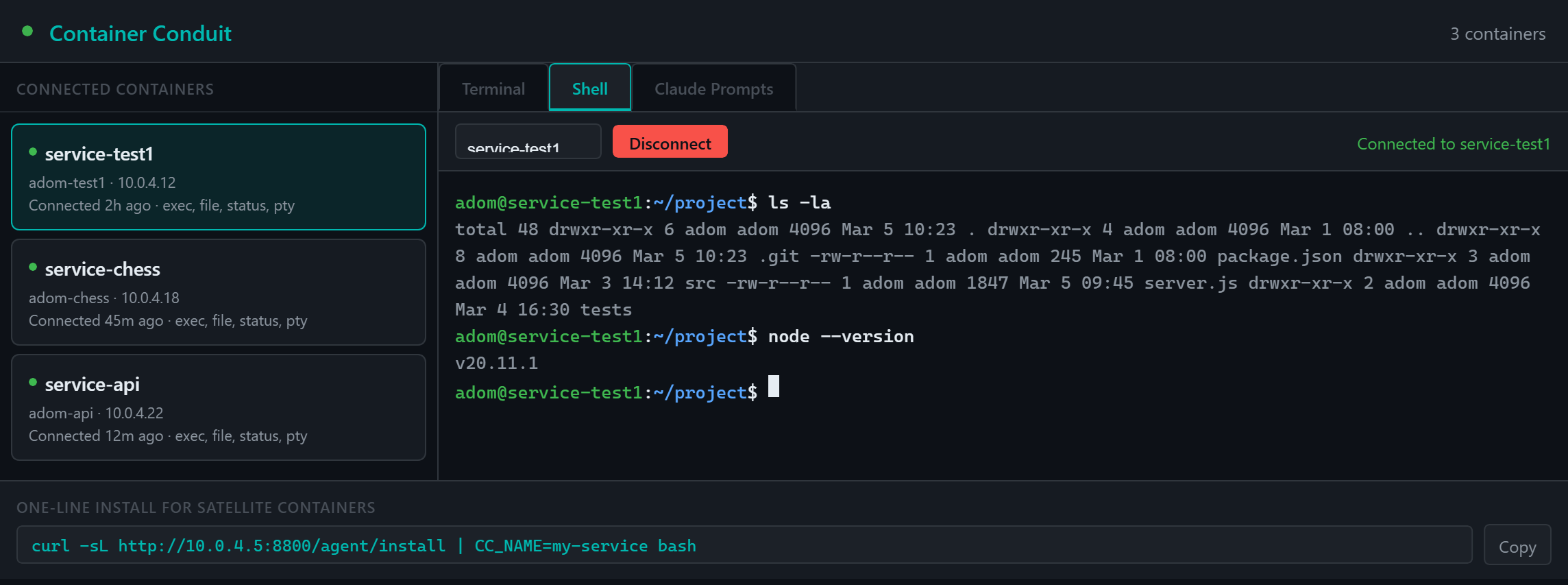
The Gallia Viewer dashboard provides a browser-based interactive terminal (xterm.js) with full TTY support for curses applications like vim, nano, and htop.
Architecture
Main Container (Gallia)                  Satellite Container(s)
  server.js (WS port 8800)  ←──WS──→  agent.js
  HTTP API  (port 8801)                   ↑
       ↑                              install.sh (bootstrap)
  MCP tools (mcp/server.js)
       ↑
  Claude Code / Dashboard
| Component | Role |
|---|---|
| server.js | WebSocket server (port 8800) + HTTP API (port 8801) — accepts agent connections, relays commands, serves the dashboard |
| agent.js | Lightweight satellite agent — handles exec, file ops, system status, and PTY sessions |
| mcp/server.js | MCP stdio server — exposes all Container Conduit tools to Claude Code |
| dashboard.html | Interactive management dashboard in Gallia Viewer with Shell, Terminal, and Prompts tabs |
MCP Tools
All tools are prefixed container_ and available to Claude Code via MCP:
Command Execution
| Tool | Description |
|---|---|
container_exec | Execute a shell command on a specific container (one-shot) |
container_exec_all | Execute a command on all connected containers simultaneously |
Persistent Shell Sessions
| Tool | Description |
|---|---|
container_shell_start | Start a persistent interactive shell session (returns sessionId) |
container_shell_exec | Run a command in a persistent shell — state persists across calls (cwd, env vars, aliases) |
container_shell_stop | Stop a persistent shell session |
File Operations
| Tool | Description |
|---|---|
container_file_read | Read a file from a remote container |
container_file_write | Write a file to a remote container |
container_file_list | List directory contents on a remote container |
Container Management
| Tool | Description |
|---|---|
container_list | List all connected satellite containers |
container_status | Get system status (memory, disk, uptime) of a container |
container_kick | Disconnect a container (it will auto-reconnect) |
container_create | Create a new Adom container (repo + curium + container) |
container_install_cmd | Generate the one-liner install command for a satellite |
container_dashboard | Display the Conduit dashboard in Gallia Viewer |
Persistent Shell Sessions
The container_shell_* tools give Claude Code a persistent interactive shell on any satellite container. Unlike container_exec (which spawns a new process per call), shell sessions preserve state across calls:
container_shell_start("service-test1")        → sessionId
container_shell_exec(sessionId, "cd /tmp")
container_shell_exec(sessionId, "pwd")        → /tmp         (cwd persists!)
container_shell_exec(sessionId, "export FOO=bar")
container_shell_exec(sessionId, "echo $FOO")  → bar          (env vars persist!)
container_shell_exec(sessionId, "whoami")     → adom
container_shell_stop(sessionId)
How It Works
shell_startspawns a PTY on the satellite agent (real terminal viascript -qfc 'bash -i')shell_execwraps each command with SOH-byte sentinel markers, sends it as PTY input, and waits for the output between the markers- The server buffers PTY output and uses pattern matching to detect command completion and extract the result
- Sessions auto-cleanup after 30 minutes of inactivity
This approach gives Claude Code a true interactive shell experience — including sudo, package management, process control, and anything else you'd do in a terminal — all through the MCP tool interface.
Dashboard (Gallia Viewer)
Open the interactive management dashboard:
container_dashboard()
The dashboard has three tabs:
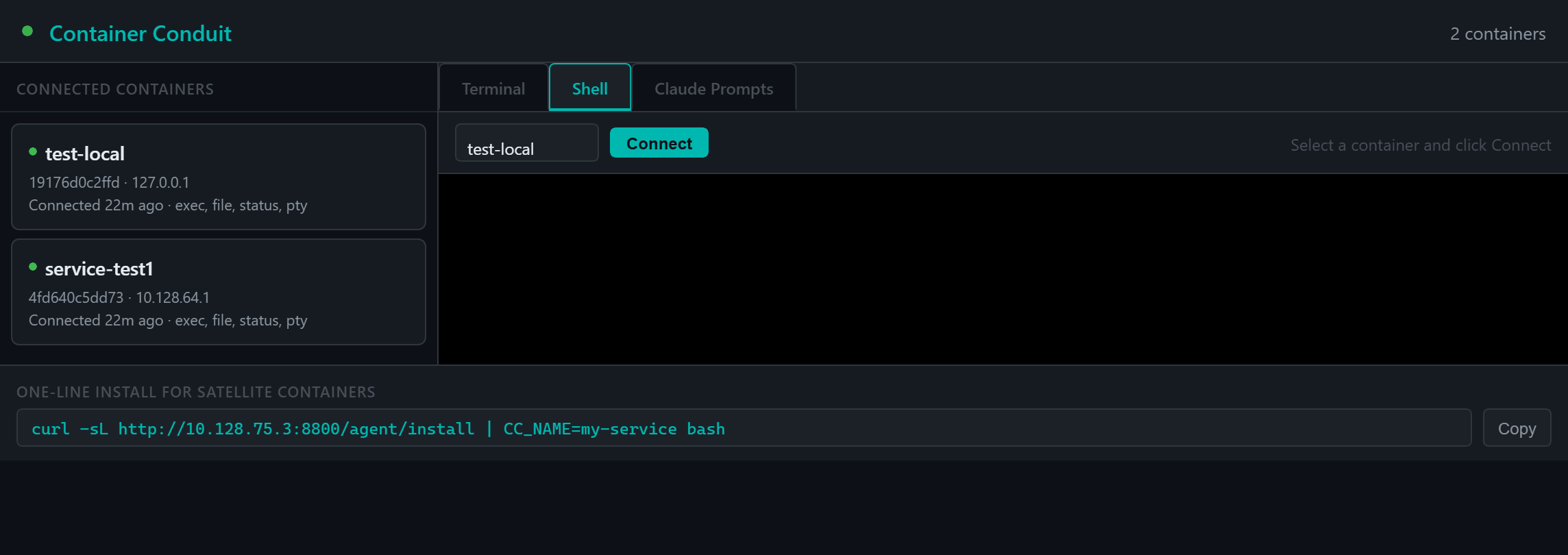
- Shell — Full interactive xterm.js terminal connected to a remote container via PTY WebSocket relay. Supports curses-based applications (
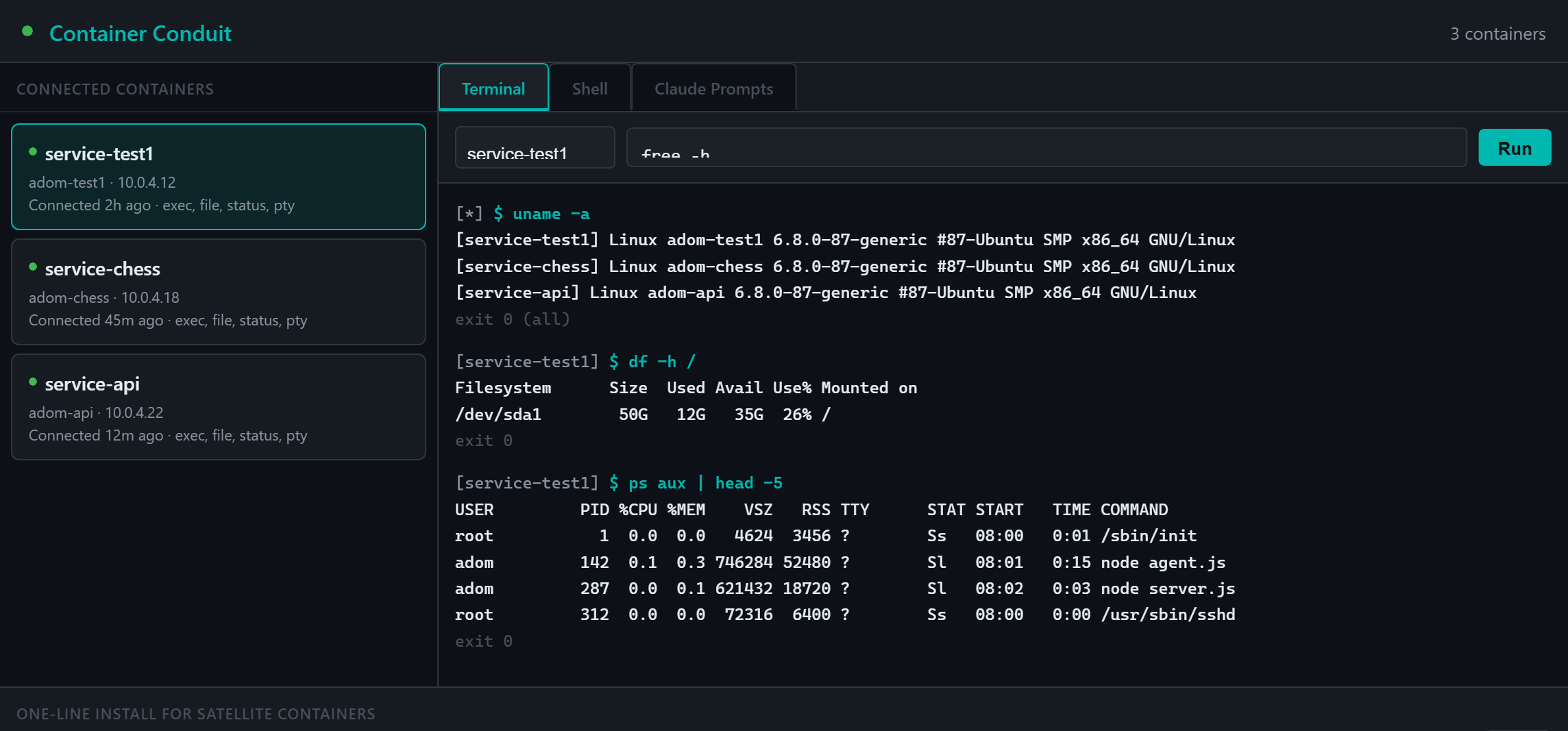
nano,vim,htop, etc.) - Terminal — Simple command execution with output display (non-interactive)
- Claude Prompts — Pre-built prompts for common container management tasks
The left panel shows all connected containers with name, hostname, IP, capabilities, and connection age.
Installing the Agent
One-liner install (direct network)
curl -sL http://<MAIN_IP>:8800/agent/install | CC_NAME=my-service bash
Proxy install (cross-container via Coder proxy)
curl -sL https://coder.<SLUG>.containers.adom.inc/proxy/8800/agent/install | \
  CC_BASE_URL=https://coder.<SLUG>.containers.adom.inc/proxy/8800 \
  CC_NAME=my-service sudo -E bash
The install script:
- Creates
/opt/container-conduit/owned byadom - Downloads
agent.jsandpackage.jsonfrom the main container - Runs
npm install - Writes
config.jsonwith WebSocket URL and token - Starts the agent from
~/project - Adds a cron
@rebootentry for auto-start
Environment Variables
| Variable | Default | Description |
|---|---|---|
CC_HOST | (required) | Main container IP |
CC_PORT | 8800 | Main container WS port |
CC_TOKEN | adom-container-token-2025 | Authentication token |
CC_NAME | $(hostname) | Container name shown in dashboard |
CC_BASE_URL | http://$CC_HOST:$CC_PORT | Override download URL (for proxy setups) |
CC_WS_URL | auto-detected | Override WebSocket URL (e.g. wss://...) |
Auto-Start
Container Conduit registers with the Gallia auto-start system via service.json. Both gallia-start.sh and gallia-watchdog.sh auto-discover this manifest — the server starts on boot and restarts automatically if it crashes.
Troubleshooting
| Symptom | Cause | Fix |
|---|---|---|
| Agent can't connect | Internal hostname not routable | Use CC_BASE_URL with the Coder proxy URL |
\r': command not found during install | CRLF line endings | Run sed -i 's/\r$//' /opt/container-conduit/agent.js |
Permission denied on /opt/container-conduit | Script not run with sudo | Use sudo -E bash to preserve env vars |
| Dashboard shows 0 containers | API URL detection fails | Restart MCP server (it injects __CONDUIT_API_BASE__) |
| PTY timeout on Connect | Agent running old code | Restart agent with updated agent.js |
| Shell tab WebSocket error | Port 8801 not reachable via proxy | Ensure server.js binds 8801 to 0.0.0.0 |