Paste this into Claude Code (VS Code panel, Adom editor, or terminal) to install:
Search the Adom Wiki for the molecule "Teazzers Taprite Solenoid 638-0031 v1" (slug: teazzers-taprite-solenoid-638-0031-v1) at https://wiki-ufypy5dpx93o.adom.cloud/wiki/molecules/teazzers-taprite-solenoid-638-0031-v1. Download its symbol (.kicad_sym), footprint (.kicad_mod), and 3D model (.glb/.step) assets into my current KiCad project under symbols/, footprints/, and 3dmodels/ directories. Register them in the project library tables. Show me the files once installed.
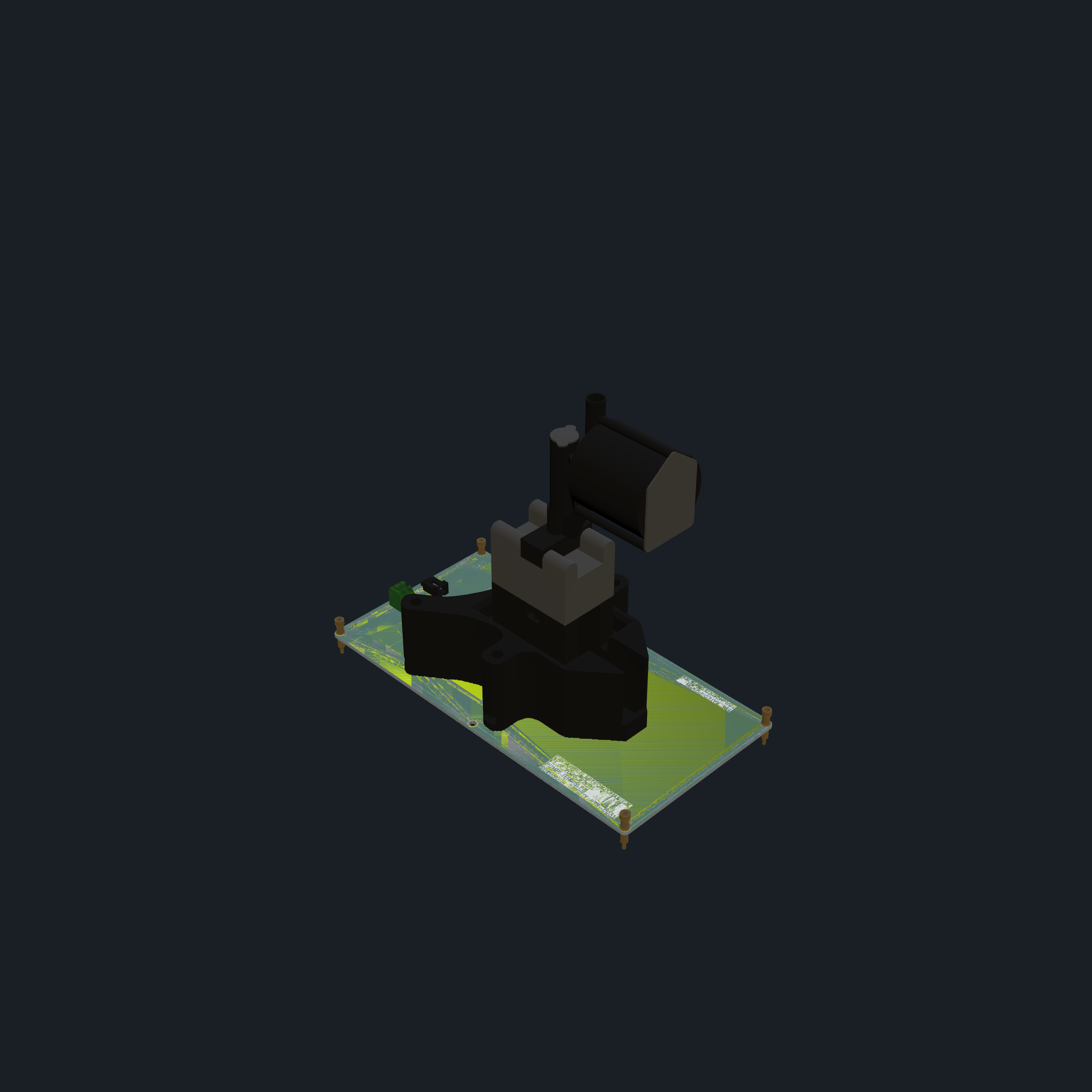
Electromechanical carrier molecule for the Taprite 638-0031 DC 24V solenoid valve — 198×102 mm, 6 machine contacts (2× GND, 2× VCC), 4 alignment machine pins. Designed for the Teazzers beverage dispensing workcell.
Overview
| Property | Value |
|---|
| Molecule ID | teazzers-taprite-solenoid-638-0031-v1 |
| Customer | Teazzers |
| Board Size | 198.0 × 102.0 mm |
| Layers | 2 (Top + Bottom copper) |
| Mounting | 4× M5 mounting holes (ISO 7380) |
| Connectors | J1 — Phoenix 1985195 terminal (solenoid power), J2 — Molex 0705530001 (solenoid signal) |
| Power | DC 24V via machine contacts |
| KiCad Version | 7/8 |
Solenoid Details
| Parameter | Value |
|---|
| Manufacturer | Taprite |
| Part Number | 638-0031 |
| Power | DC 24V |
| Connector | J2 (Molex 0705530001) |
Machine Contact Pin Mapping
This molecule uses 6 machine contacts (MC1–MC6) and 6 machine pins (MP1–MP6) for workcell integration.
Machine Contacts (MCx) — Signal/Power Pads
| Contact | Position | Net | Function |
|---|
| MC1 | Left edge (Y=38) | GND | Ground |
| MC2 | Left edge (Y=40) | GND | Ground |
| MC3 | Left edge (Y=42) | GND | Ground |
| MC4 | Left edge (Y=118) | VCC | +24V Power |
| MC5 | Left edge (Y=120) | VCC | +24V Power |
| MC6 | Left edge (Y=122) | VCC | +24V Power |
All machine contacts are on the left edge of the board. MC1–MC3 carry GND (grouped together), MC4–MC6 carry VCC/+24V (grouped together).
Machine Pins (MPx) — Mechanical Alignment
| Pin | Position | Net | Function |
|---|
| MP1 | Top-left corner (32, 32) | NC | Alignment pin |
| MP2 | Top center (128, 32) | NC | Alignment pin |
| MP3 | Top-right corner (224, 32) | NC | Alignment pin |
| MP4 | Bottom-left corner (32, 128) | NC | Alignment pin |
| MP5 | Bottom center (128, 128) | NC | Alignment pin |
| MP6 | Bottom-right corner (224, 128) | NC | Alignment pin |
All machine pins are unconnected (mechanical alignment only). Uses MachinePinLargeStandard footprint.
Board Components
| Ref | Value | Footprint | Description |
|---|
| OBJ1 | SOLENOID | CalebsLib:Solonoid-Taprite 638-0031 | Solenoid body outline / mounting |
| J1 | TERMINAL | PressurePump:PHOENIX_1985195 | Phoenix Contact terminal block — solenoid power |
| J2 | MOLEX | PressurePump:MOLEX_0705530001 | Molex connector — solenoid signal |
| H1–H4 | MountingHole | MountingHole_5.3mm_M5_ISO7380 | M5 mounting holes |
| MC1–MC3 | — | MachineContactMedium | GND machine contacts |
| MC4–MC6 | — | MachineContactMedium | VCC machine contacts |
| MP1–MP6 | — | MachinePinLargeStandard | Alignment machine pins |
Net Summary
| Net | Connected Components |
|---|
| GND | MC1, MC2, MC3, J1 pin, J2 pin |
| VCC (+24V) | MC4, MC5, MC6, J1 pin, J2 pin |
Fabrication
Gerbers and JLCPCB production files are included in the project under jlcpcb/.
- Gerber files:
jlcpcb/gerber/
- Production ZIP:
jlcpcb/production_files/GERBER-Teazzers_Taprite_Solonoid-638-0031_v1.zip
3D Model
A GLB model (Teazzers_Taprite_Solonoid-638-0031_v1.glb, 1.7 MB) is included for workcell visualization and placement verification.
Files
| File | Description |
|---|
Teazzers_Taprite_Solonoid-638-0031_v1.kicad_sch | Schematic |
Teazzers_Taprite_Solonoid-638-0031_v1.kicad_pcb | PCB layout |
Teazzers_Taprite_Solonoid-638-0031_v1.kicad_pro | KiCad project |
Teazzers_Taprite_Solonoid-638-0031_v1.glb | 3D model (GLB) |
jlcpcb/production_files/*.zip | JLCPCB fabrication package |
No sub-skills yet. Be the first to contribute one!