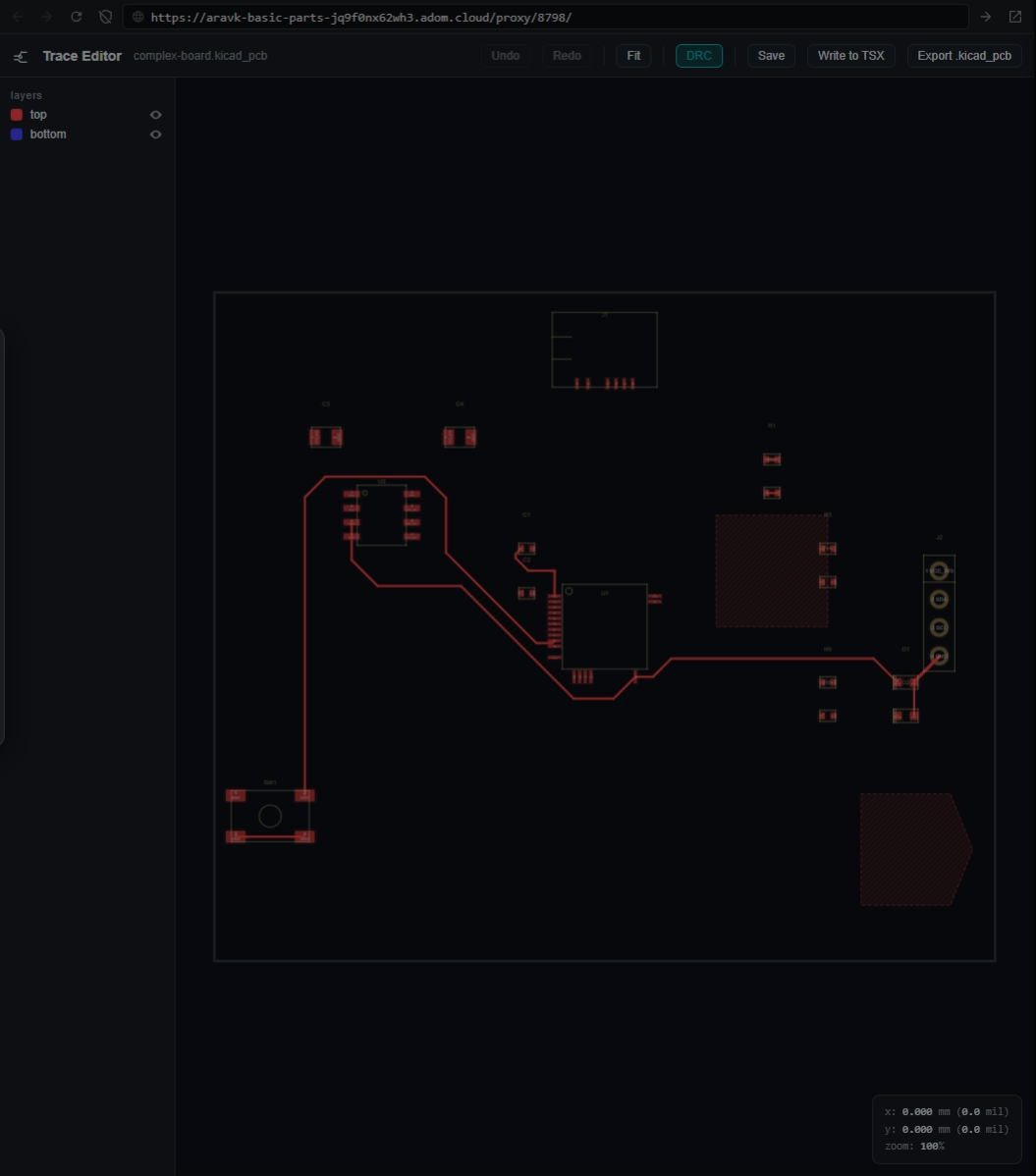
Trace Editor
Interactive PCB trace editor for Hydrogen — edit circuit.json or .kicad_pcb traces with KiCad-style controls, without leaving the platform.
Features
- Load .kicad_pcb or circuit.json (tscircuit) files
- Curved edge cuts — renders board outlines precisely from Edge.Cuts polygons
- Collision highlighting — infringed pads/traces turn green during routing
- Pad clearance zones — visualized at 0.127mm (5 mil JLCPCB standard)
- KiCad-style keyboard shortcuts (X=route, M/D/G=drag, U=expand, V=via)
- 45-degree routing with rubber-band preview and posture toggle
- Collision detection — blocks trace crossings on same layer
- Pin number + net name labels on every pad
- Net-aware dimming during trace creation
- Segment drag with adjacent-angle preservation
- Save back to .kicad_pcb preserving all non-trace data
- DRC via remote KiCad 10 service
- Write to TSX (pcbPath props so autorouter preserves manual edits)
- Board orientation matches KiCad view
- Handles rotated footprints correctly
Install
Paste into Claude Code:
Install trace-editor. Download from the Adom Wiki, extract to ~/.local/share/trace-editor/, run npm install, symlink to /usr/local/bin/trace-editor, then run trace-editor install.
Quick start
trace-editor board.kicad_pcb
Opens a Hydrogen webview tab with the board rendered and ready for editing.
Keyboard shortcuts
| Key | Action |
|---|---|
| X | Start/finish trace routing |
| Esc / Q / right-click | Cancel routing |
| M / D / G | Drag selected waypoint |
| U | Expand selection (segment → trace → net) |
| V | Add via at cursor |
| Delete | Delete selected |
| Home | Fit view |
| Ctrl+Z / Ctrl+Y | Undo / Redo |
| Shift+Space | Cycle routing posture |
| N / Shift+N | Zoom in/out |
KiCad round-trip
- Open a .kicad_pcb in Trace Editor
- Edit traces (route, drag, delete, create)
- Click Save — writes changes back to the .kicad_pcb
- Open in KiCad — all edits preserved, footprints/zones/setup untouched