puma-file-prep
Offline authoring tool for every Essemtec Puma XML file type. Runs as a Node.js web app on port 8791 inside an Adom container.
Features
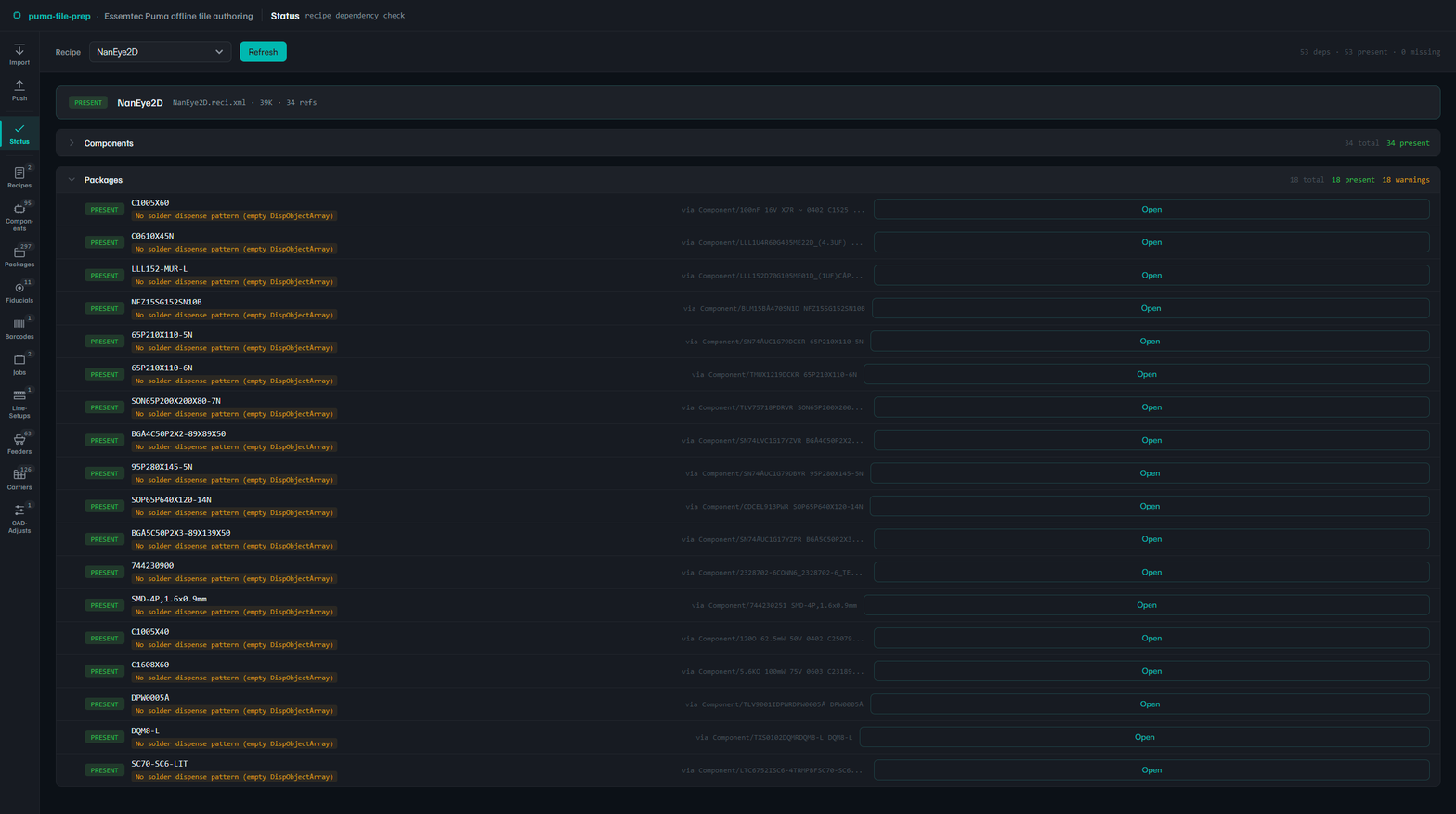
- Status dashboard — Recipe-anchored dependency check. Shows every referenced Component, Package, Fiducial, sub-Recipe with present/missing status and field-completeness warnings (empty dispense patterns, default board dims, missing fiducials).
- Schema-driven editors for 10 entity types: Recipe, Component, Package, Fiducial, Barcode, Job, ProdLineSetup, Feeder, Carrier, CAD-Adjust. Per-field Advanced toggle + per-type field visibility config.
- Smart fiducial mapper — matches recipe fiducial ingredients against the Puma library by name, flags mismatches, shows available library entries.
- CAD import — BOM CSV + CPL CSV → Recipe + Job + Components + Packages + Adjust. Uses the puma-converter library.
- Push — Smart drop (WriteOp envelopes with eData routing for Recipe/Component) or Pure file drop. Modified-only or all-files scope. Stub transport with structured trace logging and UUIDv7 correlationIds, ready for future PumaBridge AMQP integration.
- Package SVG viewer — legacy visual editor for .package.xml files with solder dot patterns, lead geometry, bulk generators.
Install
cd ~/project
git clone https://github.com/adom-inc/puma-file-prep.git
cd puma-file-prep/viewer
npm install
node server.js
Server starts on port 8791 (configurable via PUMA_PORT env var).
Repository
github.com/adom-inc/puma-file-prep (private)